1
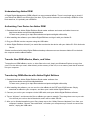
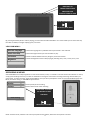
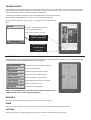
Connecting Your Unit to Transfer Files Connect the unit to your computer using the supplied USB cable. If your unit is switched off, please turn it on. The screen on the unit will show the USB connection screen below: USB Your computer will recognize the device as a “Removable Drive,” which is located under the “My Computer” folder. The unit, will be allocated a “drive letter” by Windows Explorer, as well. The drive letter will vary on different computers. In general, the most common Drive Letter will be ‘E.” (Note: If the EB104 has a memory card inserted, then the computer will recognize two Removable Drives, and there will be two drive letters allocated: one for the unit, and one for the memory card. As the EB104 is a generic USB device, you do not need to install any specific software drivers to connect it.
6