1
Using Phase Inversion
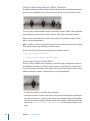
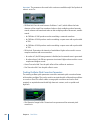
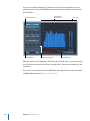
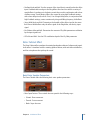
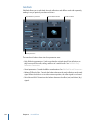
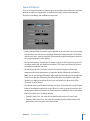
Inverting phase is useful for dealing with time alignment problems, particularly those
caused by simultaneous recording with multiple microphones. When you invert the
phase of a signal heard in isolation, it sounds identical to the original. When the signal
is heard in conjunction with other signals, however, phase inversion may have an audible
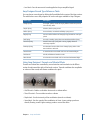
effect. For example, if you place microphones above and below a snare drum, you may
find that inverting the phase of either microphone can improve (or ruin) the sound. As
always, rely on your ears.
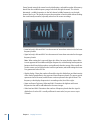
I/O Utility
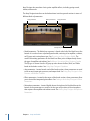
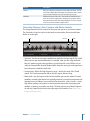
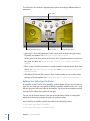
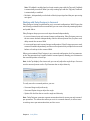
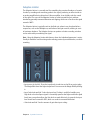
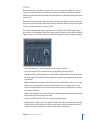
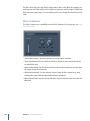
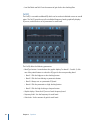
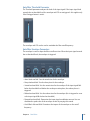
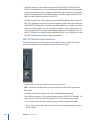
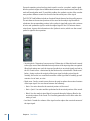
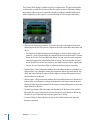
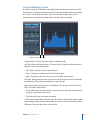
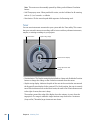
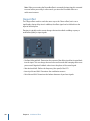
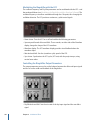
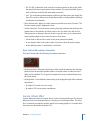
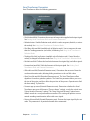
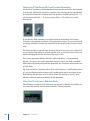
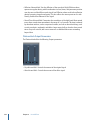
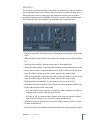
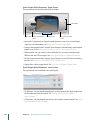
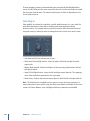
The I/O utility enables the use of external audio effects units, similar to the use of effects
included with Logic Pro.
Note: In practical terms, this makes sense only if you are using an audio interface that
provides discrete inputs and outputs (analog or digital) that are used to send signals to
and from the external audio effects unit.
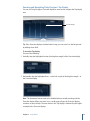
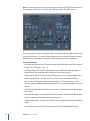
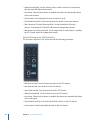
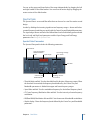
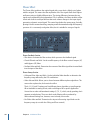
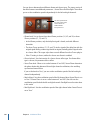
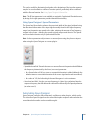
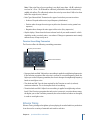
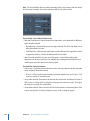
• Output Volume field and slider: Adjusts the level of the output signal.
• Output pop-up menu: Assigns the respective output (or output pair) of your audio
hardware.
• Input pop-up menu: Assigns the respective input (or input pair) of your audio hardware.
Note: The Input pop-up menu is only visible when an audio interface with multiple
inputs is active.
• Input Volume field and slider: Adjusts the level of the input signal.
• Latency Detection (Ping) button: Detects the delay between the selected output and
input, and compensates the delay accordingly.
Chapter 14
Utilities and Tools
261