1
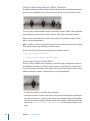
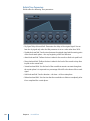
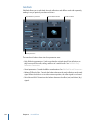
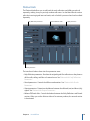
Stereo Spread extends the stereo base by distributing a selectable number of frequency
bands from the middle frequency range to the left and right channels. This is done
alternately—middle frequencies to the left channel, middle frequencies to the right
channel, and so on. This greatly increases the perception of stereo width without making
the sound totally unnatural, especially when used on mono recordings.
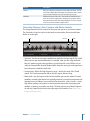
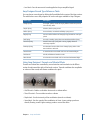
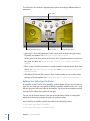
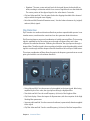
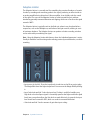
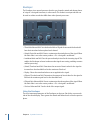
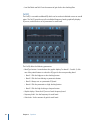
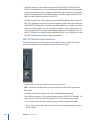
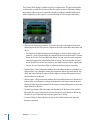
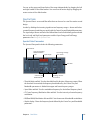
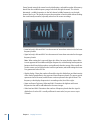
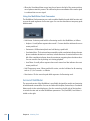
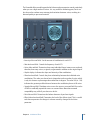
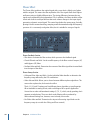
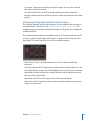
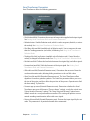
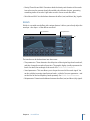
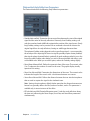
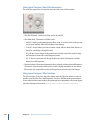
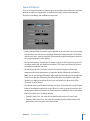
• Lower Int(ensity) slider and field: Sets the amount of stereo base extension for the lower
frequency bands.
• Upper Int(ensity) slider and field: Sets the amount of stereo base extension for the upper
frequency bands.
Note: When setting the Lower and Upper Int. sliders, be aware that the stereo effect
is most apparent in the middle and higher frequencies, so distributing low frequencies
between the left and right speakers can significantly alter the energy of the overall mix.
For this reason, use low values for the Lower Int. parameter, and avoid setting the Lower
Freq. parameter below 300 Hz.
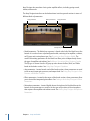
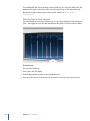
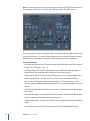
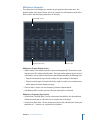
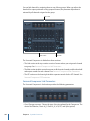
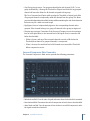
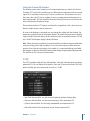
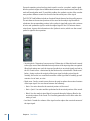
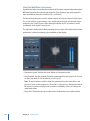
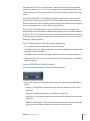
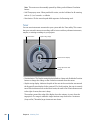
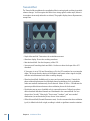
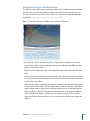
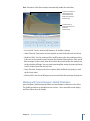
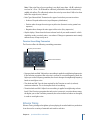
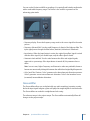
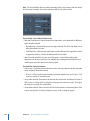
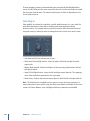
• Graphic display: Shows the number of bands the signal is divided into, and the intensity
of the Stereo Spread effect in the upper and lower frequency bands. The upper section
represents the left channel, and the lower section represents the right channel. The
frequency scale displays frequencies in ascending order, from left to right.
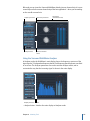
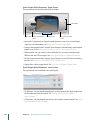
• Upper and Lower Freq(uency) slider and fields: Determine the highest and lowest
frequencies that will be redistributed in the stereo image.
• Order knob and field: Determines the number of frequency bands that the signal is
divided into. A value of 8 is usually sufficient for most tasks, but you can use up to
12 bands.
166
Chapter 7
Imaging Processors