1
Customization: NetShelter VX Enclosures
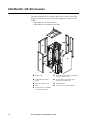
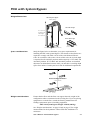
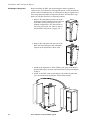
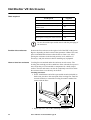
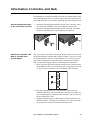
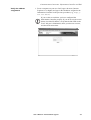
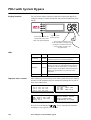
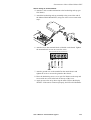
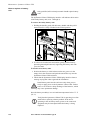
How to move a brace
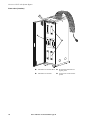
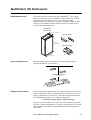
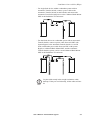
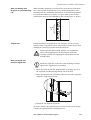
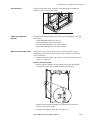
Each side of the enclosure has two horizontal braces between the
vertical frame posts. These adjustable braces provide structural support
and are available for managing cables or to support the mounting rails.
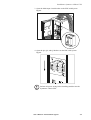
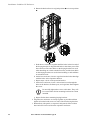
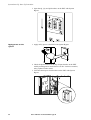
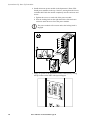
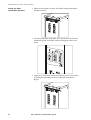
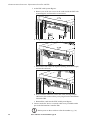
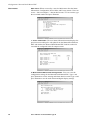
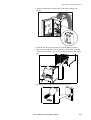
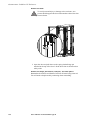
1. Use the 5mm Allen wrench (included) to remove the four sockethead screws that are holding the brace to the frame posts.
2. Remove the caged nuts from the frame post. (See “How to install
and remove caged nuts” on page 133.)
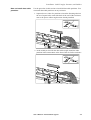
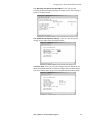
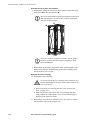
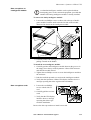
3. Locate the new position for the brace and secure the brace to the
frame posts:
a. Insert a caged nut into the appropriate holes at the new position
on the frame post.
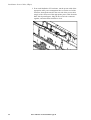
b. Place the brace at the new position and insert a socket-head
screw through the brace, frame post, and caged nut.
c. Tighten the screw to secure the brace to the frame post.
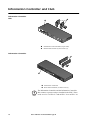
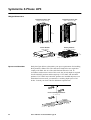
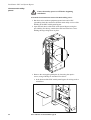
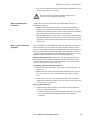
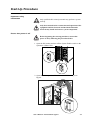
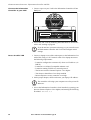
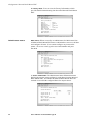
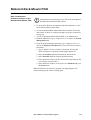
How to remove the roof
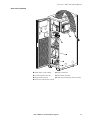
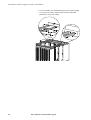
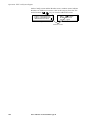
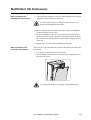
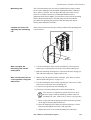
Remove the roof from the enclosure by removing the four socket-head
screws from the inside corners. Use the 5-millimeter Allen wrench
(included).
140
User’s Manual—PowerStruXure Type B