1
Installation: Symmetra 3-Phase UPS
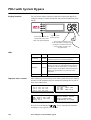
Connect the PDU to the
UPS
Only qualified personnel trained by APC may connect the
Symmetra 3-Phase UPS to the PDU with System Bypass.
Warning
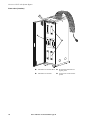
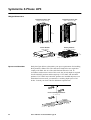
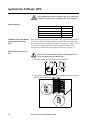
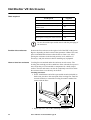
Attach power wiring to and from the Symmetra 3-Phase UPS. The
power wires are coiled in the bottom of the PDU with System Bypass.
Five input wires are at left and four output wires are at the right. Both
sets are labeled with colors: black for L1, red for L2, blue for L3, white
for neutral, and (input only) green for the equipment ground wire.
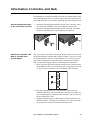
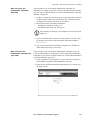
Refer to the wiring diagram on page 41 as you follow this
procedure:
Note
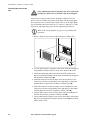
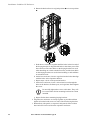
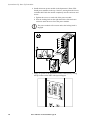
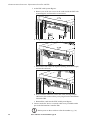
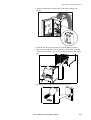
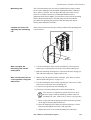
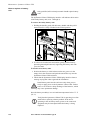
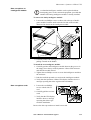
1. Remove the back lower panel of the Symmetra 3-Phase UPS.
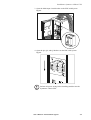
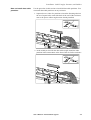
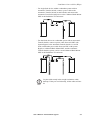
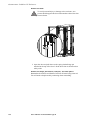
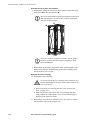
2. Use the opening in the side panels of the PDU with System Bypass
and Symmetra 3-Phase UPS to run the wires between the units.
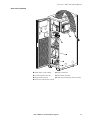
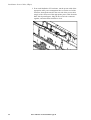
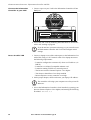
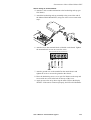
3. Attach the equipment ground wire from the PDU with System
Bypass to the ground stud below the input terminal block at right on
the Symmetra 3-Phase UPS (➌).
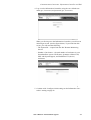
4. Attach the neutral wire and the input wires for the phases to the
connectors with the corresponding colors and labels on the input
terminal block at right on the Symmetra 3-Phase UPS (➍).
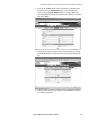
5. Attach the neutral wire and the output wires for the phases to the
connectors with the corresponding colors and labels on the output
terminal block at left on the Symmetra 3-Phase UPS (➎).
6. Connect EPO control wires from the PDU with System Bypass to
the EPO board on the Symmetra 3-Phase UPS (➏).
7. Connect Maintenance Bypass control wires from PDU with System
Bypass to the Maintenance Bypass interface board (➐) of the Symmetra 3-Phase UPS .
40
User’s Manual—PowerStruXure Type B