1
Controller BLS1 V 4.x
Date 11-2009
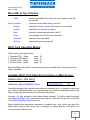
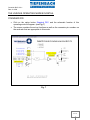
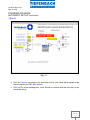
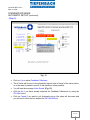
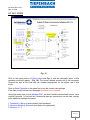
Menu-Bar at Top of Screen:
COM:
Read Controller:
shows the possible Com-Ports, the one currently in use will
be checked
loads the current card settings to the PC
Graphic:
switches to Graphic Mode, (see Page x for more detail)
„english‟:
switches from 'german' to „english‟
Save:
saves the current card settings to the PC
Load:
load settings from the PC to the controller
Automatic:
starts the Automatic Mode
Options-:
special functions (see page 8)
BLS1 Card Operating Modes:
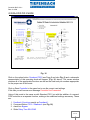
There are four operating modes:
1. Standard PID1 Mode
2. Overlayed PID2 Mode
3. 4/3 Way Valve Mode
4. 3/3 Way Valve Mode
page
page
page
page
10
19
22
36
Each operating mode will be covered individually and in detail later in this manual. (from
Page x onwards)
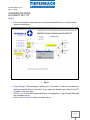
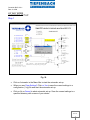
Available BLS1 Card Operating Functions on Main Screen:
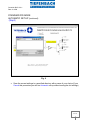
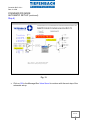
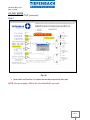
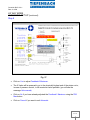
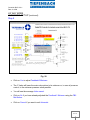
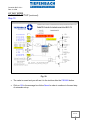
MANUAL MAX. / MIN. INPUT
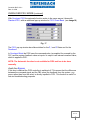
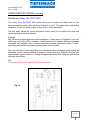
check box: Manual Min/Max Value
Generally speaking, the maximum and minimum command and / or feedback values are
set either by shifting the valve to its maximum and to its minimum operating position (see
below) or by using the Automatic Function (see also below).
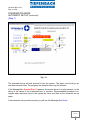
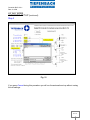
However, it is also possible to input these values manually. To do this select the check
box Manual Min/Max Value (see above) then enter the value into the text box to the right
of the Manual Min/Max Value check box.
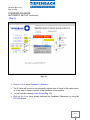
Before pressing the appropriate command or feedback max. /min. button you must first
decide which units you are using, volts or miliamps, by clicking directly on the letter V or
mA to the right of this text box.
2 / 38