1
About Easy PC Optimizer
Easy PC Optimizer is an advanced computer optimization software suite designed for quick
and effective Windows maintenance. With the help of Easy PC Optimizer you can clean up,
speed up and optimize your computer. Easy PC Optimizer will improve overall computer
performance, fix internal Windows errors, optimize services and other settings, and more.
With Easy PC Optimizer you can:
! Make your PC faster
! Repair internal Windows errors
! Optimize Internet connection
! Defragment the registry for faster access
! Manage Windows startup
! Clean out junk files
! Optimize Windows services
! And more…
If your computer is slow and full of errors, Easy PC Optimizer will fix it and make it blazing fast.
Installing Easy PC Optimizer
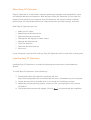
Installing Easy PC Optimizer is as simple as following the instructions of the Installation
Wizard.
To install Easy PC Optimizer, do the following:
1. Download the Easy PC Optimizer installation file from
http://www.easypcoptimizer.com/download and save it somewhere on your computer
2. Locate the setup file and double-click on it to begin the installation process
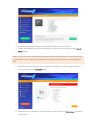
3. Depending on the operating system version you use, you might get a UAC prompt.
Click Allow
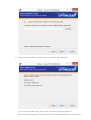
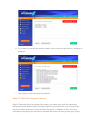
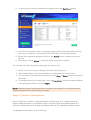
4. The Setup Wizard window will appear. Click on Next to proceed with the installation