1
Using the SLS-1 with HydroRads and RadSoft
INTRODUCTION
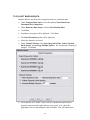
The HOBI Labs software package RadSoft (version 1.08 and later), includes a
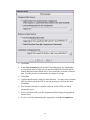
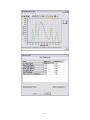
Calibration Comparison Wizard that works in conjunction with the SLS to facilitate
monitoring of HydroRad calibrations. It provides functions to
•
Measure baseline HydroRad responses
•
Compare live HydroRad data with recorded baseline data
•
Compare data saved in files with baseline data.
For comparison, RadSoft calculates the percentage differences between two
spectra within discrete wavebands that are defined in a configuration file delivered with
the SLS.
REQUIREMENTS FOR LIVE DATA COLLECTION
•
HydroRad to be tested, power/data interface (PDI) cable, and external power
supply if the HydroRad is not equipped with batteries.
•
Appropriate adapter for connecting SLS Optical Head to HydroRad fiber optic
collectors and/or integrated collectors
•
Computer with an available RS-232 COM port
•
RadSoft software, installed
•
A laboratory environment with moderate room temperature (approximately 25
C)
PREPARATION
•
Allow the HydroRad to assume room temperature.
•
Turn on the SLS’s main power switch, and Thermal Control switch. Wait for
the Stable light to turn on, indicating the thermal controller has reached its
equilibrium temperature.
•
Attach the SLS optical head to the appropriate adapter, and attach the adapter
to the first collector to be tested.
•
Turn on the LEDs with the “Level” switch on the SLS. For most purposes the
light level should be set to “High”.
CONNECT AND START RADSOFT
•
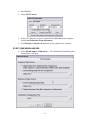
Connect the HydroRad to the computer and power supply.
- 12 -