1
TransferStatus
Purpose
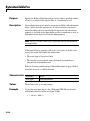
Indicate if an asynchronous read or write operation is in progress
Description
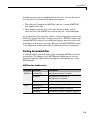
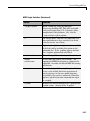
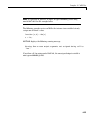
TransferStatus can be idle, read, write, or read&write. If
TransferStatus is idle, no asynchronous read or write operations are
in progress. If TransferStatus is read, an asynchronous read operation
is in progress. If TransferStatus is write, an asynchronous write
operation is in progress. If TransferStatus is read&write, both an
asynchronous read and an asynchronous write operation are in progress.
You can write data asynchronously using the fprintf or fwrite
functions. You can read data asynchronously using the readasync
function, or by configuring the ReadAsyncMode property to continuous.
While readasync is executing, TransferStatus might indicate that
data is being read even though data is not filling the input buffer. If
ReadAsyncMode is continuous, TransferStatus indicates that data is
being read only when data is actually filling the input buffer.
You can execute an asynchronous read and an asynchronous write
operation simultaneously because serial ports have separate read and
write pins. Refer to “Writing and Reading Data” on page 10-32 for
more information about synchronous and asynchronous read and write
operations.
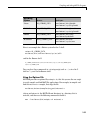
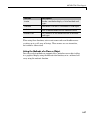
Characteristics Read only
Data type
Values
Always
String
{idle}
No asynchronous operations are
in progress.
read
An asynchronous read operation
is in progress.
write
An asynchronous write operation
is in progress.
read&write
Asynchronous read and write
operations are in progress.
10-123