1
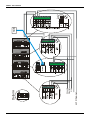
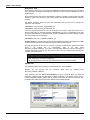
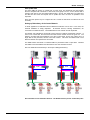
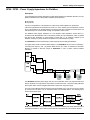
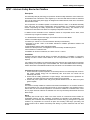
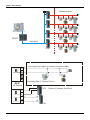
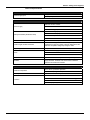
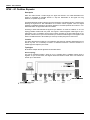
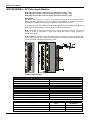
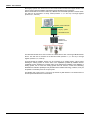
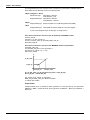
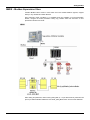
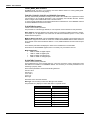
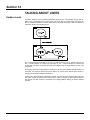
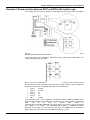
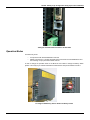
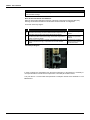
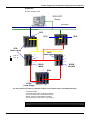
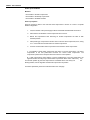
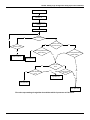
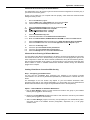
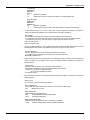
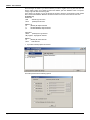
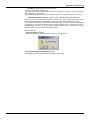
DFI302 – User’s Manual Check conditions No CPU gets active Is CPU configured? No Yes Nrio_BK>Nrio_main Main CPU gets active Nrio_BK= number of RIO modules seen by the backup CPU Nrio_main= number of RIO modules seen by the main CPU Yes Back up CPU gets active Flow chart representing the check conditions procedure Communication with Remote Input and Output (RIO) Modules The DF66 modules are scanned only if the name of the configuration and data are the same in the main Coprocessor and DF66. The passive Coprocessor sends polling commands to check periodically whether it is necessary to assume control. As seen in the system architecture picture, the DF66 modules are connected to the system through two different and redundant channels. There are two ports to be considered: DF66 Active Port: Port being scanned by the active Coprocessor, i.e., through this port the Modbus variables are read and written. DF66 Passive Port: In this port the passive Coprocessor checks the conditions of the active and passive ports. Switch Over Procedure During the normal functioning of the system, there’s a switching procedure. It is based on the number of the DF66 that the active Coprocessor can communicate with (NRIO active ) and the number of DF66s that the passive Coprocessor can communicate with (NRIO passive ). If NRIO active is shorter than NRIO passive, then there is a switching over procedure that makes the current active Coprocessor the passive Coprocessor and the old passive Coprocessor the current active Coprocessor. This procedure ensures that the system reads the biggest amount of I/O Modbus variables. LEDS for Status Indication A solid RUN LED (green, ON or OFF) indicates if the Coprocessor is in Active state while a blink RUN LED indicates that the Coprocessor is in Passive state. A solid HOLD LED (yellow, ON or OFF) indicates if the Coprocessor has been configured properly, while a blink HOLD LED indicates that it was not. A solid FORCE LED (red, ON or OFF) indicates if the Coprocessor is in FORCE-IN, FORCEOUT or SAFE-OUT mode, or not. FORCE LED indicator on Passive Coprocessor is blinking. It indicates that the hardware settings is not correct (rotary switch, BR for DF66 or firmware version). 13.20