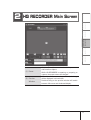
1
Appendix
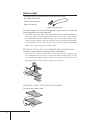
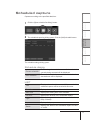
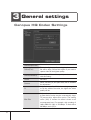
Specify the name of the recording file.
When this is not specified, the file name will be
generated automatically from the date and time.
CHAPTER 5
(12)Filename
Settings
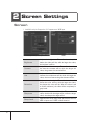
(11)Folder
Displays the destination folder where the recorded
file will be stored.
To change/choose the destination folder, click the
[...] button.
When HQ RECORDER is started, the folder that was
selected when HQ RECORDER was last terminated,
will be displayed.
By default, the “My Documents” folder is selected.
CHAPTER 4
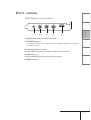
Closes the main screen.
CHAPTER 3
(10)[Exit
application]
button
Using HQ RECORDER
Opens the captured file with Media Player.
Setup
(9) [Open file]
button
CHAPTER 2
Specifies settings for timer recording.
The schedule list dialog is displayed.
CHAPTER 1
(8) [Open
schedule list
dialog] button
Introduction
Opens the hardware settings dialog.
Contents
(7) [Open
configuration
dialog] button
25