1
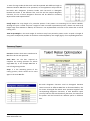
Track of Optimized Files Home > History All files that have been cut before will be easily tracked from this page, we reserve the files that had been optimized in your storage space on our server so you can check history of your files and what was the scrape of optimization process for each file, also you can retrieve deleted files and download them again. Each file will appear in a form of consecutive records in a table, each record reflects the state of the file and all the data related to the process of optimizations which were applied on this file. 1 2 3 4 5 6 Search On Existing File 1) Specify file status from drop down list (1) items which are : All types: Get all records of files regardless of any status associated. Delete Files: Get only records of deleted files. Not Deleted Files: Get only records of existing files. Downloaded Files: Get only records of downloaded files though this account. Not Downloaded Files: Get only records of optimized files but not downloaded yet. 2) Specify project name from drop down list (2) which own required file/s. 3) Specify the time period to get only files that belong to that range depending on its optimization operation date, this date is determined by start and end date. 4) Press search button (5) to get your files records. 5) Use search box (6) to narrow down the search process. Talent Rebar Optimization – User Manual www.talentrebar.com 9 of 15