1
Edit Profile Data
Home > Client Profile > Basic Info
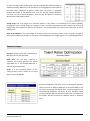
Basic information area contains all
subscription data you have filled before, you
can edit any of these data (contacts data,
logo…etc.). Also you can check your credit
package information such as total credit
tonnage, available tonnage, tonnage usage,
number of users …..etc.
Page Components
Basic Info (TAB)
This tab allows user (admin user only) to change his/her contact data, some
of these data are read only such as client name and registration date so you
will not be able to change them after your registration.
Each client has account consists of multiple users (depends on package
subscription), one of these users is Administrator user who has all power
tools to manage other users and often he/she will be the first user who
subscribed.
Credit Info (TAB)
As you have subscribed on a specific package, you can review all the
features of this package and also you can monitor your usage, all fields in
this page are read-only.
This tab will appear to Administrator user only, so the other users in this
account can’t deal with this tab.
Talent Rebar Optimization – User Manual
www.talentrebar.com
1 of 15