1
5.3.3 Alarm in Memory Notification
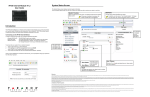
An Alarm in Memory notification
displayed in the Site List and
in the Site screen alerts the User that an
alarm has occurred in the system. Details of the alarm are stored for reference in the Events log and as a Media File.
Viewing Alarms in Memory
To view Alarms in Memory:
• In Events - see Viewing Events on page 27
• In Media Files - see Viewing Recordings on page 23
• In an Email sent to authorized User/s - see Setting-up Outgoing Mail on page 7
Deleting an Alarm in Memory Notification
To delete an Alarm in Memory notification:
1.
2.
3.
4.
5.
17
Open the Insight app.> The Site list opens.
Select and login to the Site displaying the Alarm in Memory notification.
Tap the Alarm in Memory notification.
Arm the system (see Arming/Disarming a Site on page 18).
Disarm the system (see Arming/Disarming a Site on page 18).
The Alarm in Memory notification is deleted.
Insight Application User Manual
Alarm Notifications