1
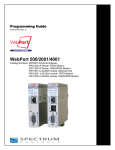
Chapter 2: Installing the WebPort 2-3 Section 2.1 Hardware Specifications General Environmental Processor ARM 400 MHz 128 Mbyte RAM 256 Mbytes Flash memory Real-time clock, 24 hours backup 35 mm DIN Rail mounting with latch (EN 50022) Three Models: - WP-R-3G-SW-00: Ethernet and Cell Modem: MultiTech MTSMCH4-IP Modem - WP-R3-G-SW-I: Ethernet and Cell Model: MultiTech MTSMC-H5-IP Modem - WP-R-ET-SW-0: Ethernet only WebPort Ambient Temperature: 0˚C to 60˚C (32˚F to 140˚F) (operating) Humidity: 0% to 80% noncondensing Dimensions Communications Height × Width × Length: 5.04 in. × 2.80 in. × 3.90 in. (128.00 mm. × 71.00 mm. x 99.00 mm.) Weight: 11.80 oz. (0.33 kg.) Two configurable isolated, RS-232/RS-422/RS485 serial ports AT&T network-certified Cellular modem Female SMA connector (coaxial antenna for modem), not supplied One isolated Ethernet port, 10/100 Mbyte BaseTx (WAN): EtherNetIP, MODBUS, MODBUS TCP, DF1compatible Four-port, 10/100 Mbyte Base-Tx Ethernet switch (LAN) Controls/Communications Power (OK LED): LAN LED: Green (top): Yellow: Green: Blinking: Shutting down Steady: System running OFF: Safe to shut down WAN LED: Top: Bottom: ON/linked Blinking when traffic online ON/communicating 100 Mbytes per second SERIAL Ports: Yellow. ON/linked Blinks 4 times per second during traffic transmission Green. ON/ communicating at 100 Mbytes per second Green: Yellow (top): ON/linked Blinking when traffic online ON/RS-232 OFF/RS-485 User’s Manual Pub. 0300288-06 Rev. A