1
aspMENU.net User Manual
TABLE OF CONTENTS
Advanced Topics ................................................................................................3
Overview........................................................................................................3
How do I use server side events?..................................................................3
Step 1: Set the Postback property...................................................................................3
Step 2: Setup the MenuItems you want to postback ........................................................3
Step 3: Create the event handler.....................................................................................4
Step 4: Run the web application......................................................................................5
How do I setup permissions?.........................................................................5
Step 1: Set the EnableAccessControlList property...........................................................5
Step 2: Set the SessionName property............................................................................5
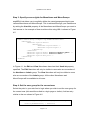
Step 3: Specify access rights for MenuItems and MenuGroups .......................................6
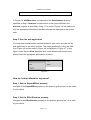
Step 4: Set the user group for the current user ................................................................6
Step 5: Run the web application......................................................................................7
How do I setup effects for my menu? ............................................................7
Step 1: Set the ExpandEffect property.............................................................................7
Step 2: Set the EffectDuration property ...........................................................................7
Step 3: Run the web application......................................................................................8
How do I setup scrolling on my menu? ..........................................................8
Step 1: Set the Scrollable property ..................................................................................8
Step 2: Set the VisibleHeight property .............................................................................8
Step 3: Run the web application......................................................................................8
How do I make use of images in my menu? ..................................................9
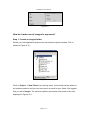
Step 1: Create an images folder......................................................................................9
Step 2: Set the ImagesURL property............................................................................. 10
Step 3: Add your images to the images folder ............................................................... 10
Step 4: Set the image properties ................................................................................... 10
Step 5: Setup individual images for MenuItems ............................................................. 11
Step 6: Run the web application.................................................................................... 11
Page 2 of 11