1
Setup the RocketStor 6314A under Windows
1.
Driver Installation: Windows
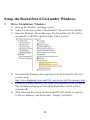
1) Boot up the Windows operating system.
2) Make sure the host system’s Thunderbolt™ driver has been installed.
3) Open the Windows Device Manager. The RocketStor 6314A will be
recognized as a RAID controller under “Other devices”.
4) Download the Windows driver package from the RocketStor 6314A’s
resource page:
http://www.highpoint-tech.com/USA_new/series-rs6314a-resource.htm
5) Extract the package and click the setup.exe program to install the driver.
The installation program will install the RocketStor 6314A’s driver,
automatically.
6) After rebooting the system, the RocketRAID 4520 will be recognized
by Device Manager, and listed under “Storage Controllers”.
11