1
2.
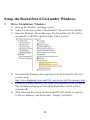
Install and Start the RAID Management Utility.
1) Download the RAID Management Utility (WebGUI) from the
RocketStor 6314A’s resource page:
http://www.highpoint-tech.com/USA_new/series-rs6314a-resource.htm
2) Extract the package and double Click the Installation program to start
installing WebGUI for Windows.
3.
Running the WebGUI
1)
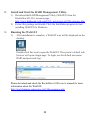
After installation is complete, a WebGUI icon will be displayed on the
desktop.
Double-click this icon to open the WebGUI. The system’s default web
browser will open a login page. To login, use the default user name:
RAID and password: hpt.
Please download and check the RocketStor 6314A user’s manual for more
information about the WebGUI:
http://www.hptmac.com/series-rs6314a-resources.php
12