1
OPC90 Server User Manual V8.2.1
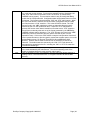
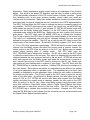
14.) The node transmitted exception report rate (XRP_TX) is periodically read by this block when
XRP_TX_LEVEL is greater than -1. Each value is submitted to a moving average calculation made
available as the XRP_TX_AVG tag. If the value of the XRP_TX_AVG tag becomes less than the
XRP_TX_LEVEL tag setting a THROTTLE condition (slowdown polling) is declared. While in this
condition, the throttle factors (see note 3) will be applied to the OPC90 polling activities. If OPC90
polling activities is reducing the PCU node’s ability to exchange exception reports, the throttled
(slowdown) OPC90 polling activities should reduce that influence. If it doesn’t, the XRP_TX_LEVEL
can be adjusted downward to restore normal OPC90 polling rates. Monitoring for this condition can
be disabled by setting XRP_TX_LEVEL to zero. XRP_TX_LEVEL to a value of negative one also
disables the condition check and stops periodic reading of XRP_TX.
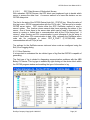
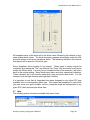
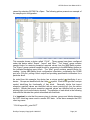
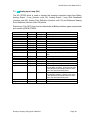
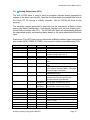
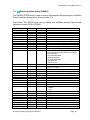
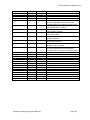
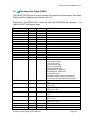
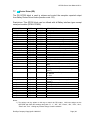
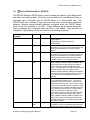
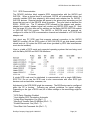
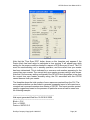
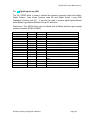
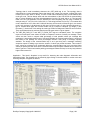
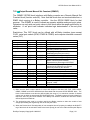
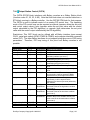
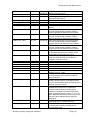
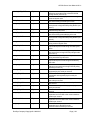
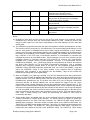
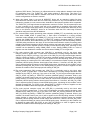
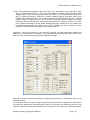
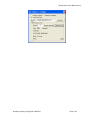
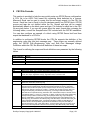
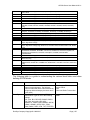
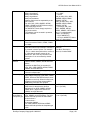
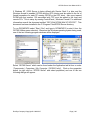
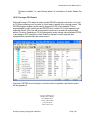
Application: This block’s faceplate is very useful for observing the node performance statistics and
setting up the various features of operation. The faceplate can be viewed by right clicking on the block
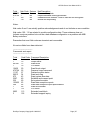
while in monitor mode and selecting faceplate. It appears as follows:
Note that all numeric entries for this dialog are completed using the tab key. Pressing the enter key will
dismiss the dialog.
The “Collection” section is used to configure how often the PCU performance statistics are read. Keep in
mind that these statistics are individually polled values so it does add to the GMI activity the PCU must
handle. To reduce this effect, individual data that is not required can be shutoff and not polled as needed.
RoviSys Company Copyright © 1999-2015
Page | 131