1
OPC90 Server User Manual V8.2.1
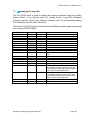
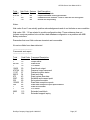
The third record is point #6 which was logged by the Bailey block on February 1, 2007 at 23:23:50.203. It
has good quality, its in alarm, has not been deleted from the scan and has a value of one. The point type
is pre-fault and it called “Compressor_1”.
The fourth record is point #9 which was logged by the Bailey block on February 1, 2007 at 23:23:50.987.
It has bad quality, its not in alarm, has not been deleted from the scan and has a value of zero. The point
type is pre-fault and it called “Compressor_2”.
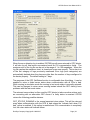
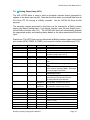
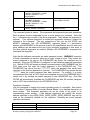
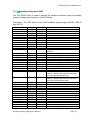
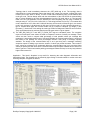
In addition to the above file format, a CSV (comma separated variable) file for each SOE block is
generated. The format of this file is compatible for opening by Microsoft Excel. The file name is the
system address of the block (ring, node, module, block separated with an underscore character ‘_’)
followed by date of capture followed by a two digit (01 – 99) sequence code with an extension of ‘.CSV’.
The number of points logged is implied by the total lines within the file. Also the first line is the titles for
the columns within the file. The CSV capture files are stored in the C:\Program Files\OPC90 Server\SOE
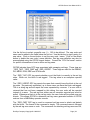
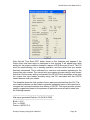
directory. This directory is also included in the OPC90 database shadowing feature. Consider the
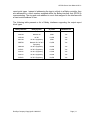
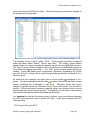
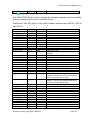
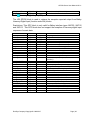
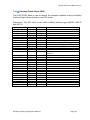
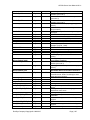
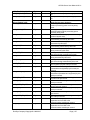
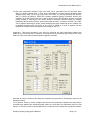
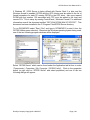
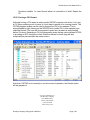
following example CSV file opened with Excel.
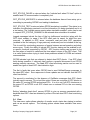
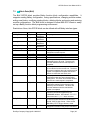
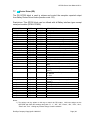
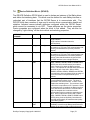
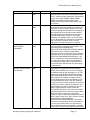
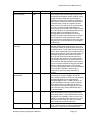
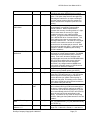
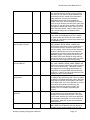
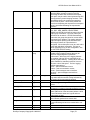
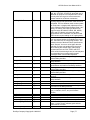
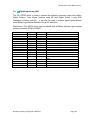
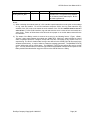
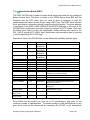
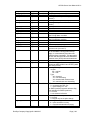
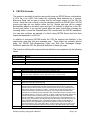
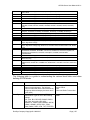
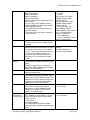
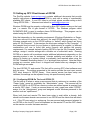
The SOE.EVENT tag is used control browsing of SOE log files. The OPC client sets this tag to indicate
its need to look at SOE log file data. When SOE.EVENT is set, the most current SOE log file for the
given log type is automatically opened. Note that if the OPC client has not set SOE.EVENT and a Bailey
SOE block capture event occurs, the SOE.EVENT tag will automatically set. The SOE.FILE tag
indicates the currently opened file, SOE.COUNT the number of records in that file, SOE.RECORD the
current record number and SOE_POINT_* provides all of the point information contained by that record.
The SOE.NEXTREC tag can be set to advance to the next record within the current file or SOE.RECORD
written to a specific record number within the file. The SOE.NEXTFILE tag can be set to advance to the
next oldest SOE log file or SOE.FILE can be written to look at a specific file. Note that writes to
SOE.FILE do not require path information but can be included if the SOE log files have been moved to an
alternative location. Note also that SOE.NEXTREC and SOE.NEXTFILE will automatically reset to
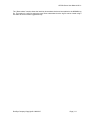
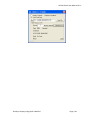
indicate the requested action has been completed. All of these tags are utilized to implement the
following OPC90 SOE block faceplate.
RoviSys Company Copyright © 1999-2015
Page | 143