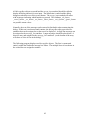
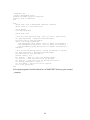
1
____________________________ SIMSCRIPT III 2-D Graphics Manual ____________________________ CACI Products Company ____________________________ Copyright © 2010 CACI Products Company. All rights reserved. No part of this publication may be reproduced by any means without written permission from CACI. For product information or technical support contact: CACI Products Company 1455 Frazee Road, Suite 700 San Diego, CA 92108 Phone: (619) 881-5806 Email: [email protected] The information in this publication is believed to be accurate in all respects. However, CACI cannot assume the responsibility for any consequences resulting from the use thereof. The information contained herein is subject to change. Revisions to this publication or new editions of it may be issued to incorporate such change. ii Table of Contents PREFACE.......................................................................................................................... 5 1. OVERVIEW.................................................................................................................. 7 1.1 GETTING STARTED ..................................................................................................... 7 1.2 OBJECTS FOUND IN GUI.M ........................................................................................ 9 2. USING ITEMS CREATED IN SIMSTUDIO .......................................................... 12 3. WINDOWS.................................................................................................................. 14 3.1 SIZE AND POSITION .................................................................................................. 14 3.2 CANVAS ................................................................................................................... 14 3.2.1 Canvas Coordinates......................................................................................... 15 3.2.2 Background Color............................................................................................ 15 3.2.3 Printing the Canvas ......................................................................................... 15 3.3 TITLE AND STATUS BAR ........................................................................................... 16 3.4 SCROLL BARS ........................................................................................................... 16 3.5 HANDLING USER INPUT............................................................................................ 17 3.6 READING MOUSE INPUT SYNCHRONOUSLY .............................................................. 19 3.7 USING A WINDOW .................................................................................................... 19 4. VIEW OBJECT .......................................................................................................... 22 4.1 VIEW BOUNDARIES ................................................................................................... 22 4.2 COORDINATE SYSTEM FOR GRAPHIC OBJECTS ......................................................... 22 4.3 OVERLAPPING VIEWS ............................................................................................... 23 4.4 PAN AND ZOOM ........................................................................................................ 23 5. GRAPHICS IN A WINDOW..................................................................................... 28 5.1 DRAWING SHAPE PRIMITIVES................................................................................... 28 5.2 POINTS, STYLE, AND COLOR ..................................................................................... 30 5.3 LOCATION, ROTATION, AND SCALE.......................................................................... 32 5.4 RESPONDING TO CLICKS ON A GRAPHIC ................................................................... 34 6. GRAPHS...................................................................................................................... 37 6.1 GRAPH OBJECTS ....................................................................................................... 37 6.2 METER OBJECT: GRAPH A SINGLE VARIABLE .......................................................... 39 6.3 CLOCK OBJECT: SHOW THE TIME ............................................................................. 41 6.4 PLOT OBJECT: SHOWING HISTOGRAMS AND TRACE PLOTS ...................................... 43 6.4.1 Histograms....................................................................................................... 43 6.4.2 Time Trace Plots .............................................................................................. 48 6.4.3 X-Y Plots ...................................................................................................... 50 6.4.4 Setting up the X and Y axes.............................................................................. 52 7. ICONS.......................................................................................................................... 53 7.1 CREATING AND LOADING AN ICON ........................................................................... 53 7.2 BACKGROUND ICONS ............................................................................................... 53 3 7.3 DYNAMIC ICONS ...................................................................................................... 55 7.4 ANIMATING AN ICON OBJECT IN A SIMULATION ....................................................... 57 7.5 SIMULATION TIME AND REAL TIME ......................................................................... 58 7.6 CUSTOM ANIMATION ................................................................................................ 60 8. FORMS ........................................................................................................................ 62 8.1 USING FORM OBJECTS .............................................................................................. 62 8.2 DIALOGBOX OBJECT ................................................................................................ 63 8.3 USING FIELD OBJECTS FOR DATA TRANSFER............................................................. 64 8.4 EVENT NOTIFICATION .............................................................................................. 67 8.4 ENABLE AND DISABLE FIELDS .................................................................................. 69 8.5 TREES....................................................................................................................... 71 8.6 TABLES .................................................................................................................... 73 8.7 MENU BARS.............................................................................................................. 75 8.8 PALETTES ................................................................................................................. 77 8.9 POPUPMENU OBJECTS.............................................................................................. 79 8.10 MESSAGEBOX OBJECTS ......................................................................................... 84 4 Preface This document contains information on CACI's new SIMSCRIPT III, Modular ObjectOriented Simulation Language, designed as a superset of the widely used SIMSCRIPT II.5 system for building high-fidelity simulation models. It focuses on the description of the SIMSCRIPT III Graphics. CACI publishes a series of manuals that describe the SIMSCRIPT III Programming Language, SIMSCRIPT III Object - Oriented 2-D and 3-D Graphics and SIMSCRIPT III development environment SimStudio. All documentation is available on SIMSCRIPT WEB site http://www.simscript.com/products/simscript_manuals.html • SIMSCRIPT III Graphics Manual —this manual – is a detailed description of the presentation graphics and animation environment for SIMSCRIPT III. • SIMSCRIPT III User’s Manual – A detailed description of the SIMSCRIPT III development environment: usage of SIMSCRIPT III Compiler and the symbolic debugger from the SIMSCRIPT development studio, Simstudio, and from the Command-line interface. • SIMSCRIPT III Programming Manual – A short description of the programming language and a set of programming examples. • SIMSCRIPT III Reference Manual - A complete description of the SIMSCRIPT III programming language constructs in alphabetic order. Graphics constructs are described in the SIMSCRIPT III Graphics Manual. Since SIMSCRIPT III is a superset of SIMSCRIPT II.5, a series of manuals and text books for SIMSCRIPT II.5 language, Simulation Graphics, Development environment, Data Base connectivity, Combined Discrete-Continuous Simulation, can be used for additional information: • SIMSCRIPT II.5 Simulation Graphics User’s Manual — A detailed description of the presentation graphics and animation environment for SIMSCRIPT II.5 • SIMSCRIPT II.5 Data Base Connectivity (SDBC) User’s Manual — A description of the SIMSCRIPT II.5 API for Data Base connectivity using ODBC • SIMSCRIPT II.5 Operating System Interface — A description of the SIMSCRIPT II.5 APIs for Operating System Services • Introduction to Combined Discrete-Continuous Simulation using SIMSCRIPT II.5 — A description of SIMSCRIPT II.5 unique capability for modeling combined discrete-continuous simulations. 5 • SIMSCRIPT II.5 Programming Language — A description of the programming techniques used in SIMSCRIPT II.5. • SIMSCRIPT II.5 Reference Handbook — A complete description of the SIMSCRIPT II.5 programming language, without graphics constructs. • Introduction to Simulation using SIMSCRIPT II.5 — A book: An introduction to simulation with several simple SIMSCRIPT II.5 examples. • Building Simulation Models with SIMSCRIPT II.5 —A book: An introduction to building simulation models with SIMSCRIPT II.5 with examples. The SIMSCRIPT language and its implementations are proprietary software products of the CACI Products Company. Distribution, maintenance, and documentation of the SIMSCRIPT language and compilers are available exclusively from CACI. Free Trial Offer SIMSCRIPT III is available on a free trial basis. We provide everything needed for a complete evaluation on your computer. There is no risk to you. Training Courses Training courses in SIMSCRIPT III are scheduled on a recurring basis in the following locations: San Diego, California Washington, D.C. On-site instruction is available. Contact CACI for details. For information on free trials or training, please contact the following: CACI Products Company 1455 Frazee Road, suite 700 San Diego, California 92108 Telephone: (619) 881-5806 www.simscript.com 6 1. Overview SIMSCRIPT III Graphics is implemented as a set of classes supplied in a GUI.M subsystem/module, which is part of every SIMSCRIPT III distribution. The GUI.M module contains classes that can be used to develop a graphical user interface for a SIMSCRIPT III model. Included is support for windows, dialog boxes, menu bars, palettes, graphics, icons and presentation graphs. GUI.M is an interface to SIMGRAPHICS III and supports the same collection of features offered by the display entities and procedural interface provided in SIMSCRIPT II.5. GUI.M supports the loading of “.sg2” files containing icons, graphs and forms created by the SimStudio. Existing dialog boxes, icons, palettes etc. created for a SIMSCRIPT II.5 application are fully compatible with GUI.M. This allows an application to be fully object-oriented and to provide all the capabilities supported in SIMSCRIPT graphics. 1.1 Getting Started Using the objects provided in GUI.M, the application constructs a hierarchy of graphical objects. This hierarchy constructed by filing instances of GUI.M objects into sets owned by other instances of GUI.M objects. Generally speaking, GUI.M classes are used in the following manner: 1. 2. 3. 4. Create an instance of an object found in GUI.M, or a suitably derived object. Assign attributes to the instance. File the instance in a set owned by another object that is to contain it. Call the object methods to view or perform other tasks. The Window object acts as a container for dialog boxes, palettes, a menu bar, as well as graphics that appear within its canvas. More specifically, a window owns a form_set containing objects derived from the Form and a view_set containing View objects. Form objects include dialog boxes, menu bars and palettes that are attached to a window. View objects represent a coordinate mapped region of the canvas of a window and act as containers for graphs and icons. The GUI.M module supports loading objects derived from Icon, Graph or Form classes from the “graphics.sg2” file created by one of the SimStudio graphical editors. The appearance attribute declared by these classes can be assigned before the object is displayed, allowing the information saved by SimStudio to define the characteristics of the Icon, Graph or Form . 7 A simple GUI application might perform the following steps: 1. Create an instance of a Window, assign its position, title attributes. Then call the display method to show the window. 2. Create a View, assign its world coordinate system attributes, file it in the view_set owned by the window. 3. Create an Icon, assign its appearnce, file it in the graphic_set owned by the view. Then call the display method to show the icon. The following program (Example1.sim) brings up a window to show an icon created by the SimStudio icon editor. ''Example1.sim preamble including the gui.m subsystems end main define my_window as Window reference variable define my_view as a View reference variable define my_icon as an icon reference variable ''create the window and show it on the screen create my_window let title(my_window) = "Example 1: Showing a simple icon" call display(my_window) ''create a view to hold the icons, graphics, and graphs create my_view file this my_view in view_set(my_window) ''create an icon, load its appearance from SimStudio create my_icon let appearance(my_icon) = Templates'find("simple icon") file this my_icon in graphic_set(my_view) ''show the icon in the canvas call display(my_icon) ''wait for user to close the window while 1=1 call handle.events.r(1) end 8 1.2 Objects Found in GUI.M All objects that can be displayed on the computer screen are derived from a GuiItem object. The diagram below shows the hierarchy. Derived objects are shown to the right of their base classes. The Form, GuiItem and Graph classes are to be used as base classes and are not meant to be used in a create statement. The following table lists all classes defined in GUI.M. These classes will be described in greater detail later. 9 Name Create Superclasses Belongs In set Description Clock Yes Graph Graphic GuiItem graphic_set A graph appearing inside a window that shows simulation time. Color No DialogBox Yes Field Yes FillStyle Yes Form No FormEvent No Graph Form GuiItem GuiItem form_set GuiItem form_set No Graphic GuiItem graphic_set Graphic Yes GuiItem graphic_set GraphicEvent No GuiItem No Icon Yes Graphic GuiItem graphic_set LineFont Yes TextFont LineStyle Yes MarkStyle Yes MessageBox Yes Form GuiItem form_set Meter Yes graphic_set Palette Yes Graph Graphic GuiItem Form GuiItem PieChart Yes Graph Graphic GuiItem graphic_set field_set form_set 10 A utility class for creating and decomposing a color. Contains various data fields that can be viewed and adjusted by the user. A data field contained in a dialog box, menu bar or palette. Defines patterns for drawing polygons, circles and pies. Used by the Graphic class. Base class for dialog boxes, message box, menu bar, and palette. Appearance must be defined using SimStudio. Passed to the action method during interaction with form. Its attributes identify which data field was clicked on or changed. Base class for all 2d charts, clock, dial, level meters, etc. Appearance must be defined in SimStudio. Base class for all objects that can appear in the window canvas. Can be used to draw polygons, circles, lines, etc. Passed to the action method when a graphic is clicked on with the mouse. Base class for all objects that can be displayed on screen. A movable icon created in the SimStudio icon editor. Can be given a velocity and connected to a Simulation. Predefined fonts for drawing scalable (vector based) text. Used by the Graphic class. Defines dash styles and widths for drawing arcs and polylines. Used by the Graphic class. Defines types of markers that can be drawn. Used by the Graphic class. Simple dialog box that can be defined at runtime or by SimStudio. Includes predefined response buttons. Graph that shows a single numerical value. A palette or control panel attached to an edge of the window containing rows of buttons. The buttons can be toggled or dragged onto the canvas. Derived objects can override the action method to receive immediate notification of user input. A pie shaped graph representing a 1-dim array. Plot Yes Graph Graphic GuiItem Form GuiItem TextFont graphic_set PopupMenu Yes SystemFont Yes Template No Templates No TextFont No View Yes Graphic GuiItem view_set Window Yes GuiItem WindowEvent No 11 A 2-d chart that can display a histogram or trace plot. A context menu usually displayed when a user right-clicks in the canvas of a Window object Contains font name, italic, point_size for drawing non-scalable “raster” text. Used by the Graphic class. An instance corresponds to an Icon, Graph or Form appearance as defined in SimStudio. The instance can be returned using the Templates’find method. Utility class for reading files created by SimStudio. Creates a template for each graphical item saved in SimStudio. Base class for both LineFont and SystemFont classes. Defines a coordinate system as well as a holding area for Graphic objects. It can occupy a rectangular region in the canvas. A resizable, scrollable window containing graphics and forms. Passed to the action method of a Window when user does a click, drag, or adjusts the scrollbar. 2. Using Items Created in SimStudio In SIMSCRIPT III icons, graphs, and forms are designed in one of the SimStudio graphical editors. Definitions created by the graphics editors are saved in a file with the extension “.sg2”. (When a new project is created, a default file named “graphics.sg2” is created for the project). GUI.M provides a way for the application to load these saved definitions and associate them with an existing object. An instance of a Template object will represent the saved definition of a icon, graph, or form. A template instance can be assigned to the appearance attribute of any object derived from Icon, Graph or Form. Template objects are not created in the application code, but instead are returned by the find method of a utility class called Templates. This class acts as a manager of templates that have been read into the application from the “.sg2” file saved by SimStudio. During initialization, the “graphics.sg2” file will be loaded automatically. At this time all icon, graph and form definitions from this file will be stored in memory. The Templates’find method can then be called to return a template. This method takes as its only argument the name given to the item in SimStudio. The Templates’read_sg2 method allows the application to read any “.sg2” file saved by SimStudio. In the following example, three identical icons are shown in a window. A template for these icons is obtained by the Templates class. The icons are saved in the file “Example2.sg2” which is read by the Templates class. ''Example2.sim preamble including the gui.m subsystems end main define define define define define window as Window reference variable view as a View reference variable dialog as a Dialogbox reference variable icon1, icon2, icon3 as Icon reference variables car_template, dialog_template as Template reference variables ''tell the template manager to load everything in "Example2.sg2" call Templates'read_sg2("Example2.sg2") ''get the templates to be used from the template manager let car_template = Templates'find("car icon") let dialog_template = Templates'find("quit dialog") ''create the window and show it on the screen create window let title(window) = "Example 2: Interfacing with SimStudio" call display(window) ''create a view to hold the icons create view file this view in view_set(window) ''create 3 icons 12 create icon1, icon2, icon3 ''set the template of let appearance(icon1) let appearance(icon2) let appearance(icon3) each icon = car_template = car_template = car_template file this icon1 in graphic_set(view) file this icon2 in graphic_set(view) file this icon3 in graphic_set(view) ''show the icons in the canvas call display_at(icon1)(5000.0, 15000.0) call display_at(icon2)(15000.0, 15000.0) call display_at(icon3)(25000.0, 15000.0) ''show a simple dialog box create dialog let appearance(dialog) = dialog_template file this dialog in form_set(window) ''wait for user to hit any button in the dialog call accept_input(dialog) end 13 3. Windows The Window class in GUI.M allows the application to create independent windows, each having optional scroll bars, an optional status bar and a title. Subclassing a window and overriding the action method allows the application to be notified immediately of user interaction with the scrollbars, or of mouse input events. Objects derived from GuiItem must either be attached to the window, or attached to another object that is itself attached to a window. An object can be attached by filing it into one of the sets owned by a Window. Objects derived from Form (dialog boxes, menu bar, palette) must be filed into the form_set. Another set owned by window called the view_set contains View objects (which in turn contains objects derived from Graphic such as the Icon and Graph). Before being displayed assignment of the window’s properties should be made. Note that even though some properties might be specifically defined as “methods”, the expression referring to the property can be used on the left of the assignment operator (SIMSCRIPT III allows this). The display method should be called to make the window visible. 3.1 Size and Position The position_xlo, position_ylo, position_xhi, and position_yhi properties will specify the geometry of the window. Coordinate values applied to these attributes should range from 0 to 32767. The point (0,0) defines the lower left corner of the computer screen, and (32767,32767) marks the upper right corner. Window size and position specifications include title bar, border and menu bar, (a window whose position_yhi is 16383 will NOT overlap another window whose polsition_ylo is 16383). 3.2 Canvas The “canvas” of a window is the rectangular area inside the frame. This represents the drawing area for the application. Instances of View objects can appear in the canvas by filing them into the view_set owned by the Window object. Each View encompasses a rectangular section of the canvas and in turn contains Graphic objects (animated icons, backgrounds, and presentations graphs, etc.). See chapter 4### for more information on using the View. 14 3.2.1 Canvas Coordinates Each View defines a coordinate system for the objects it contains. The View objects themselves obey a fixed “canvas” coordinate system. The canvas coordinate system is always square, and (0,0) is mapped to the lower left corner of the canvas, while (32768,32768) maps to the upper right corner (if the window is square). The window, however, may be sized to be non-square by the user. There are three choices as to how to map the square canvas coordinates to a rectangular window canvas. The crop_mode property can be assigned to one of the following values: crop_none: Canvas coordinates will occupy the largest centered square within the canvas. All of coordinate system will be visible, but there may be gaps at the ends depending on how tall or wide the window is made. crop_top: The maxium “x” coordinate (32768) is fixed to the right border. The top portion of the canvas coordinates will not be visible if the window is wider than it is tall. crop_bottom: The maxium “y” coordinate (32768) is fixed to the top border. The right portion of the canvas coordinates will not be visible if the window is taller than it is wide. The get_viewable_area method can be called to discover the visible canvas coordinate space in the window. Canvas coordinates are generally the default coordinate system used by Graphic objects. In other words, of no other coordinate system is explicitly described, canvas coordinates are used. 3.2.2 Background Color The default background color for the window canvas is black. The color property of the window can be assigned to change the background color. A suitable color value can be returned from Color’RGB method. For example, to set the background color to red: let color(my_window) = Color’rgb(1.0, 0.0, 0.0) 3.2.3 Printing the Canvas The print method can be called to send the entire graphical content of the canvas to a printer. Pass “1” to the method to show a dialog box which allows the user to set printing options. 15 3.3 Title and Status Bar A title bar is included at the top of every window. The title property can be assigned to change the text displayed in the title bar. A status bar can be shown at the bottom of the window frame. The status bar is composed of several panes, each containing a short text message that can be set at runtime. The status_pane_count property must be set to a non-zero integer to enable the status bar. Each pane in the status bar should be assigned a width (in characters) using the status_pane_width property. The width of the first pane is determined automatically based on the width of the window. Therefore, the width specification for the first status pane (i.e. status_pane_width(window)(1)) is always ignored. The status_pane_text property sets the text in an individual pane. 3.4 Scroll bars Both horizontal and vertical scroll bars can be displayed in a window. Scroll bars can provide a natural mechanism for panning across a scene too large to fit inside the boundaries of your window. This is common after zooming into a rectangular section of the canvas. To create the scrollable window, set the scrollable_h and/or scrollable_v properties to “1 before displaying the window. You can set the width of a scroll bar thumb before or after the window has been displayed. This is accomplished via the thumb_size_h and thumb_size_v properties. These values should range from 0.0 to 1.0. This represents the percentage of the total scroll bar area you wish the thumb to occupy. If the scroll bars are used for pan and zoom, the thumb size should be equal to the ratio of viewable area to total area. The thumb_pos_h and thumb_pos_v attributes hold the distance between the thumb and the left (or top) of the scroll bar. Possible values for thumb_pos_h and thumb_pos_v are in the range [0.0 .. 1.0- thumb_size_h] and [0.0 .. 1.0- thumb_size_v], respectfully. 16 3.5 Handling User Input When a user resizes, moves, scrolls, or closes a window, it may be necessary for the program to take some sort of action. For example, if the user moves a scroll bar, you may want to "pan" the contents of the window. Applications needing to implement asynchronous notification should subclass the Window object and override the action method. This method is called automatically whenever the user moves or clicks in the window. Code can then be provided in this method to handle the event. The action method takes a WindowEvent as a parameter. The id attribute of the WindowEvent indicates the type of event. The id will contain one of the constants defined in the WindowEvent class. The WindowEvent object holds additional event specific data that can be utilized by the action method. The following table lists the id constants, a description of the particular action, and which WindowEvent attributes can be used by the application. 17 EVENT ID CAUSE OF EVENT _activate Window has been brought to the front of all other windows. _close Window has been closed. (User clicked on the “X” in the upper corner.) _key_down User has pressed down on key EVENT ATTRIBUTES USED key_code, key_literal _key_up _mouse_down _mouse_up User has let up on a key User has clicked down inside the window canvas with any button. User has clicked down inside the window canvas with any button. Also called after a double-click. key_code, key_code categorizes the key as alphanumeric or function (_literal_key, _f1_key, _f2_key,..) key_literal __key_literal is the alpha value of the key. Only valid if key_code is _literal_key button_number 1 => left mouse button 2,3 => middle/right button click_count 1 => single click x,y Location of click in CANVAS coordinates range [0..32767]. button_number 1 => left mouse button 2,3 => middle/right button click_count 1 => single click 2 => double click x,y Location of click in CANVAS coordinates range [0..32767]. _mouse_move User has moved the mouse inside the window canvas. x,y Location of mouse in CANVAS coordinates range [0..32767]. _reposition The window has been dragged to a new location. x,y Location in screen coordinates. Range is [0..32767] _resize The window has been resized. x,y Size in screen coordinates. Range is [0..32767]. _scroll_x The horizontal scroll bar has been used. x Location of horiz. Thumb. Range is [0..1]. _scroll_y The vertical scroll bar has been used. y Location of vert. Thumb. Range is [0..1]. 18 3.6 Reading Mouse Input Synchronously Input from a Window object can also be handled synchronously. The method accept_input blocks execution until the user clicks in the canvas of the window. An anchored rubber band cursor which tracks the pointer can be shown. accept_input yields both the (x,y) coordinates of the mouse click, and a pointer to the View that was clicked in. These coordinates are bounded by the coordinate system assigned to the yielded View. accept_input parameters include the (x,y) location (in NDC coordinates) of the anchor point of the cursor as well as an integer representing the cursor style. Available cursors are shown in the table below. CONSTANT DESCRIPTION _cursor_none Do not show a cursor. _cursor_line Show a rubber band line anchored at the given anchor point. The line is updated automatically as the mouse is moved. _cursor_box Show a rubber band box anchored at the given anchor point. The corner of the box is updated automatically as the mouse is moved. _cursor_icon Use this cursor style if a Graphic object should be moved with the mouse. The object should be provided as a parameter. 3.7 Using a Window If the full features of a Window need to be employed in the application, the following steps should be taken into account: 1. In your preamble, subclass the Window object and override its action method. 2. In the action method, write code to check the id attribute of the given WindowEvent and respond accordingly. 3. In the program initialization, create your Window object and assign properties such as position, title etc. 4. Add instances of View object(s) to the view_set. Add Graphic object(s) to the graphic_set owned by the View. 5. Call the display method to show the window. Objects filed into the view_set will also be shown. The following example shows a window with scroll bars and a status bar. In this example the action method is overridden, allowing the events and associated data to be reported through a dialog box. 19 ''Example3.sim ''This example displays a window containing a status bar, scroll bars ''and a background image. Mouse and scroll bar interaction is reported ''immediately via a small dialog box. preamble including the gui.m subsystem ''subclass the Window and override the action method begin class MyWindow every MyWindow is a Window, overrides the action end define my_dialog as a DialogBox reference variable end ''Action will be called upon user interaction with the window controls ''and with the mouse. ''Use a dialog box to list the WindowEvent attributes as user interacts ''with the window. method MyWindow'action(event) let let let let let selected(find(my_dialog)("button_down")) = button_down(event) value(find(my_dialog)("button_number")) = button_number(event) value(find(my_dialog)("click_count")) = click_count(event) value(find(my_dialog)("x")) = x(event) value(find(my_dialog)("y")) = y(event) select case id(event) case WindowEvent'_activate let string(find(my_dialog)("id")) case WindowEvent'_close let string(find(my_dialog)("id")) case WindowEvent’_key_down let string(find(my_dialog)("id")) case WindowEvent’_key_up let string(find(my_dialog)("id")) case WindowEvent'_mouse_down let string(find(my_dialog)("id")) case WindowEvent'_mouse_up let string(find(my_dialog)("id")) case WindowEvent'_mouse_move let string(find(my_dialog)("id")) case WindowEvent'_reposition let string(find(my_dialog)("id")) case WindowEvent'_resize let string(find(my_dialog)("id")) case WindowEvent'_scroll_x let string(find(my_dialog)("id")) case WindowEvent'_scroll_y let string(find(my_dialog)("id")) endselect call display(my_dialog) return with 1 end 20 = "_activate" = "_close" = "_key_down" = "_key_up" = "_mouse_down" = "_mouse_up" = "_mouse_move" = "_reposition" = "_resize" = "_scroll_x" = "_scroll_y" main define my_window as a MyWindow reference variable define my_view as a View reference variable define my_icon as an Icon reference variable create my_window ''for non-square window, crop the top portion let crop_mode(my_window) = Window'_crop_top ''Place the window on the right side of screen let position_xlo(my_window) = 8000 let position_ylo(my_window) = 2000 let position_xhi(my_window) = 32768 let position_yhi(my_window) = 32768 ''Make the window scrollable in both the horizontal and ''vertical directions let scrollable_h(my_window) = 1 let scrollable_v(my_window) = 1 ''Make the thumbs 10% the size of the scroll bar. ''Position the top/left of the thumb to the 50% position. let thumb_size_h(my_window) = 0.10 let thumb_size_v(my_window) = 0.10 let thumb_pos_h(my_window) = 0.5 let thumb_pos_v(my_window) = 0.5 ''Specify 3 status bar panes. Set the pane sizes to hold ''text strings 10, and 15 characters respectfully. ''(The width of pane 1 is determined automatically) let status_pane_count(my_window) = 3 let status_pane_width(my_window)(2) = 10 let status_pane_width(my_window)(3) = 15 let status_pane_text(my_window)(1) = "Pane 1 text" let status_pane_text(my_window)(2) = "Pane 2 text" let status_pane_text(my_window)(3) = "Pane 3 text" ''set the text displayed on the title bar let title(my_window) = "Example 3: A full featured window" ''create a view to appear in the window create my_view file this my_view in view_set(my_window) ''create an icon to appear in the view create my_icon let appearance(my_icon) = Templates'find("background") file this my_icon in graphic_set(my_view) ''display window and contents of canvas call display(my_window) ''dialogs are explained later create my_dialog let appearance(my_dialog) = Templates'find("example3 dialog") file this my_dialog in form_set(my_window) call display(my_dialog) while visible(my_dialog) <> 0 call handle.events.r(1) end 21 4. View Object The purpose of a View object is to define both a coordinate system and a bounding rectangle for the Graphic objects it contains. Each instance of a View object occupies a rectangular sub-region of the canvas. This feature allows multiple views to share the same canvas. A view should be “added” to a window canvas by filing it into the view_set owned by the window. Since the View object is derived from GuiItem, the display and erase methods can be used to show or hide all objects in the view_set. 4.1 View boundaries The region occupied by the view is defined by calling the set_boundaries method. Arguments to set_boundaries specify a rectangle in the canvas and are given in window canvas coordinates (range: 0 to 32768). call set_boundaries(view)(xlo, xhi, ylo, yhi) The default boundaries for a view will encompass the entire window canvas (i.e. xlo=0, xhi=32768, ylo=0, yhi=32768). If the view should take up the entire window canvas, then it is not necessary to call set_boundaries. 4.2 Coordinate System for Graphic Objects Each view also defines a coordinate system, of which applies to the Graphic objects filed into its graphics_set. All Graphic objects contained by the view will be positioned and scaled in size relative to this world coordinate system. The set_world method is called to provide the range of coordinates to the View object. call set_world(view)(xmin, xmax, ymin, ymax) There are no restrictions on the magnitude of these coordinates. However, if using an Icon object loaded from the SimStudio icon editor, the world coordinate system defined by the view should match the “SETWORLD.R parameters” found in the “Icon Properties” dialog box. 22 Figure 4.1: Using the set_world and set_boundaries methods. 4.3 Overlapping Views If two overlapping View objects occupy the same canvas, the stacking order is always defined by the ordering of the views in the view_set owned by the window. View objects filed last in the set will appear on top. All Graphic objects filed into a view obey the stacking order defined by the view, in other words objects contained by different views will not be shown interleaved. 4.4 Pan and Zoom The set_world method can be used to implement panning and zooming for a background. A pan can be implemented by shifting the boundaries of the coordinate system to the left to pan left, and to the right to pan right. Specifying a smaller range of coordinate boundaries will appear to “zoom in”. In the following figure, a scene showing an original coorinate system of xmin=0, xmax=1000, ymin=0, ymax=1000 is zoomed by specifying a new coordinate system of xmin=300, xmax=700, ymin=500, ymax=900. 23 Figure 4.2: Using the set_world method to implement pan and zoom. The following example shows a window with horizontal and vertical scrollbars. A View object containing a background is placed inside the canvas. When the user clicks in the canvas with the left mouse button, the view is “zoomed in” by a factor of 2. The click location is used as a center point for the zoom operation. Clicking with the right mouse button will zoom out all the way. Moving the scroll bars will “pan” the zoomed scene in the direction of the thumb movement. Both pan and zoom operations are implemented with the View’set_world method. 24 ''Example4.sim ''This example displays a window containing scroll bars ''and a background image. Moving the scroll bar thumbs will pan, ''clicking with the left mouse button will zoom in, clicking with the ''right mouse button will zoom out all the way. preamble including the gui.m subsystem ''subclass the Window and override the action method begin class MyWindow every MyWindow is a Window, and overrides the action end begin class MyView every MyView is a View and has a zoom_factor, a zoom method, a pan method define zoom as a method given 1 double argument, ''zoom factor 2 double arguments ''center of zoom area define pan as a method given 2 double arguments ''x,y position of world define zoom_factor as a double variable end end ''globals and constants define scene_xlo=0, scene_ylo=0, scene_xhi=1000, scene_yhi=1000 as constants define theWindow as a MyWindow reference variable define theView as a MyView reference variable ''preamble 25 ''"Action" will be called upon user interaction with scroll bars and ''the mouse. method MyWindow'action(event) define view_x, view_y as double variables ''if user clicks down on the left mouse button, zoom into that spot ''each click will zoom in by a factor of 2 if id(event) = WindowEvent'_mouse_click and button_down(event) <> 0 and button_number(event) = 0 call get_view_xy(x(event), y(event)) yielding view_x, view_y, view call zoom(theView)(zoom_factor(theView) * 2, view_x, view_y) always ''if user clicks down on the right mouse button, zoom out if id(event) = WindowEvent'_mouse_down and button_down(event) <> 0 and button_number(event) <> 0 call zoom(theView)( 1.0, (scene_xhi-scene_xlo) / 2.0, (scene_yhi-scene_ylo) / 2.0) always ''handle scroll bar movement by user. This will cause the scene to pan if id(event) = WindowEvent'_scroll_x or id(event) = WindowEvent'_scroll_y call pan(theView)( x(event) * (scene_xhi-scene_xlo) + scene_xlo, y(event) * (scene_yhi-scene_ylo) + scene_ylo) always return with 0 end ''This method uses the "set_world" method of the View object to ''zoom in and out. method MyView'zoom(factor, cx, cy) define sizex, sizey as double variables let zoom_factor = factor let sizex = (scene_xhi - scene_xlo) / factor; let sizey = (scene_yhi - scene_ylo) / factor; ''setting a new world will zoom in or out call set_world(cx - sizex / 2.0, cx + sizex / 2.0, cy - sizey / 2.0, cy + sizey / 2.0) ''update the scroll bar thumb size and position let thumb_size_h(theWindow) = 1.0 / factor let thumb_size_v(theWindow) = 1.0 / factor let thumb_pos_h(theWindow) = ((world_xlo - scene_xlo) / (scene_xhi - scene_xlo)) let thumb_pos_v(theWindow) = (scene_yhi - world_yhi) / (scene_yhi - scene_ylo) call display(theWindow) end ''This method uses the "set_world" method of the View object to ''pan left, right, up and down. method MyView'pan(x, y) ''to show the effect of panning, change the world boundaries call set_world( scene_xlo + x, scene_xlo + x + (world_xhi-world_xlo), scene_yhi - y - (world_yhi-world_ylo), scene_yhi - y) end 26 main define theIcon as an Icon reference variable create theWindow ''for non-square window, crop the top portion let crop_mode(theWindow) = Window'_crop_top ''Make the window scrollable in both the horizontal and ''vertical directions let scrollable_h(theWindow) = 1 let scrollable_v(theWindow) = 1 ''set the text displayed on the title bar let title(theWindow) = "Example 4: Implementing Pan and Zoom" ''create a view to appear in the window create theView let zoom_factor(theView) = 1 call set_world(theView)(scene_xlo, scene_xhi, scene_ylo, scene_yhi) file theView in view_set(theWindow) ''create an icon to appear in the view create theIcon let appearance(theIcon) = Templates'find("floor.icn") file theIcon in graphic_set(theView) ''display window and contents of canvas call display(theWindow) while visible(theWindow) <> 0 call handle.events.r(1) end 27 5. Graphics in a Window The GUI.M module allows the application to not only animate icons created in SimStudio, but also custom defined graphics. The Graphic object provides the base class for all objects that can both appear in the canvas, and can be composed of a group of shape primitives. This includes the Icon and Graph objects. In order to draw into a window, the Window object must contain at least one View object (filed into its view_set). A Graphic object can then be made to appear inside a particular window by filing it into the graphic_set owned by one of the View objects belonging to the window. The Icon object inherits the capabilities of the Graphic, but can be constructed off-line in the SimStudio Icon editor. Icons can also be animated, in other words they can have a velocity and/or movement which is linked to the advancing simulation time. 5.1 Drawing Shape Primitives Using the methods and attributes of the Graphic object, the application can draw groups of shape primitives and position them in the View. The shapes can also be rotated and scaled. Each shape has a unique color. “Style” objects can be created and are used in conjunction with draw methods to specify text font, line width, hatch styles, etc. The following table shows which shapes can be drawn: 28 Method name Arguments Description draw_arc X, y, radius, start_angle, stop_angle, color, style x, y, radius, color, style points, color, style points, color, style points, color, style x, y, radius, start_angle, stop_angle, color, style x,y, width, height, color, style x,y, color, style, string Draws a semi-circular arc. (x,y) marks the center, and the arc is drawn counter-clockwise from start_angle to stop_angle. Angles are given in radians and measured from the positive x axis. A LineStyle object reference should be passed for the ‘style’ argument. draw_circle draw_polygon draw_polyline draw_polymark draw_pie draw_rectangle draw_text Draws a circle. (x,y) marks the center, and a radius should also be given. A FillStyle object reference should be passed for the ‘style’ argument. Adds an n-sided polygon to the icon. The first dimension of the points argument selects the X or Y coordinate. The second dimension contains the point number. Adds an n-point connected line segment to the graphic. First and last points are not connected. (Format of points array is identical to draw_polygon) Adds point markers to the Graphic object. (Format of points array is identical to draw_polygon) Draws a filled pie slice. (x,y) marks the center, and the pie is drawn counter-clockwise from start_angle to stop_angle. Angles are given in radians and measured from the positive x axis. A FillStyle object reference should be passed for the ‘style’ argument. Draws a rectangle given its lower left corner point (specified by x,y) and both its width and height. Draws a text string using the attributes given in the ‘style’ argument. (x,y) specifies the starting point for the drawing the string. All calls to drawing methods made by a Graphic object instance should be bracketed by a call to the begin_drawing method and the end_drawing method. The begin_drawing method will eliminate all shapes previously drawn. The end_drawing method marks the end of a sequence of calls to draw_ methods. 29 5.2 Points, style, and color A 2-dim array of doubles is used to represent the points defining the shape of the draw primitive. In this array, the first index defines which of the coordinate (x or y) the value refers to. The second index is the point number. For example, to create an array of points for a triangle formed by the verticies (-50,-50), (50,-50), (0,50) use the following code: Reserve points(*,*) as 2 by 3 let points(1,1) = -50 let points(2,1) = -50 let points(1,2) = 50 let points(2,2) = -50 let points(1,3) = 0 let points(2,3) = 50 ‘‘south west corner ‘‘south east corner ‘‘north corner Style objects can be created, initialized and passed as an argument to the drawing methods. If a “0” is passed instead of the style object, default values are used. As a convenience, the built in global value for each style object is created automatically. (For example, the global variable name FillStyle can be passed directly to draw_polygon without being created by the application.) Style Object Drawing methods Attribute Possible values FillStyle draw_circle draw_polygon draw_pie pattern LineStyle draw_arc draw_polyline pattern MarkStyle draw_polymark width type LineFont draw_text size font _hollow, _solid, _narrow_diagonal, _medium_diagonal, _wide_diagonal, _narrow_crosshatch, _medium_crosshatch, _wide_crosshatch (default=_hollow) _solid, _long_dash, _dotted, _dash_dotted, _medium_dash, _dash_dot_dotted, _short_dash, _alternate (default = _solid) integer in Canvas coordinates (default=0) _dot, _cross, _asterisk, _square, _x, _diamond (default=dot) Integer size in Canvas units. (default=500) _basic, _simple, _roman, _bold_roman, _italic, _script, _greek, _gothic, (default= _basic) Integer rotation of text in 0 to 360 degrees. (default=0) Height of text characters in Canvas coordinate units. (default=560). 1 to indicate a bold face. 0 indicates plain. _right=0, _up, _left, _down Name of font face. i.e. "Arial", "Courier", etc... (default is system dependant) 1 to indicate an italic face, 0 for non-italics Size in points of the text. (default =12) angle size SystemFont draw_text bold direction family italic point_size All drawing methods accept a color argument that can be used to paint the primitive. Colors are stored as integer values, but are generally specified as percentages of red, green, and blue components (range 0.0 to 1.0). The Color class provided class methods that can convert between this single integer value and the three RGB components. The 30 Color’rgb method returns a color value given its RGB components. This value can be passed to a drawing method. The Color’red, Color’green and Color’blue methods return the RGB component value of a color value. For example, to draw a dark green solid triangle (using the points supplied above): call begin_drawing(myGraphic) let pattern(FillStyle) = FillStyle’_solid call draw_polygon(myGraphic)(points, Color’rgb(0.0, 0.5, 0.0), FillStyle) call end_drawing(myGraphic) 31 5.3 Location, Rotation, and Scale Using the location, rotation, and scale attributes allows several different Graphic object instances to share the same “points” but still be shown in different locations with a different geometry. A Graphic object is positioned relative to the coordinate system assigned to the View object that it is attached to. The location_x and location_y properties contain the “x” and “y” offset to the center of the graphic (0,0) from the (0,0) coordinate in the View that the Graphic is filed into. Setting the rotation property of a Graphic object will rotate all shapes drawn into the object counter-clockwise about the (0,0) point. The angle is specified in radians. The position of drawn text will be rotated, but the text itself will remain horizontal. A scale factor can be applied to a Graphic object as well. All points in the drawn shapes are multiplied by this factor before the Graphic object is displayed. Setting the scale property to a value between 0 and 1 will therefore make the object smaller while values greater that 1 will make it big. In the following example, a green triangle is drawn into a view with the coordinate system (xlo=0,ylo=0, xhi=100, yhi=100). The triangle is rotated and scaled continuously to make it appear to be “spinning away” from the viewer. 32 ''Example5.sim ''This example shows a spinning triange created by program code only. preamble including the gui.m subsystem end main define define define define theWindow as a Window reference variable theGraphic as a Graphic reference variable theView as a View reference variable points as a 2-dim double variable create theWindow let title(theWindow) = "Example 5: Location, Rotation and Scale" ''create a view to appear in the window create theView call set_world(theView)(0, 100, 0, 100) file theView in view_set(theWindow) ''create the points necessary to define the triangle ''design points so that (0,0) is the center of the triangle Reserve points(*,*) as 2 by 3 let points(1,1) = -50 let points(2,1) = -50 ''south west corner let points(1,2) = 50 let points(2,2) = -50 ''south east corner let points(1,3) = 0 let points(2,3) = 50 ''north corner ''create the graphic to hold the triangle create theGraphic ''start the drawing, draw the polygon, then end the drawing call begin_drawing(theGraphic) let pattern(FillStyle) = FillStyle'_solid call draw_polygon(theGraphic)(points, Color'rgb(0.0, 0.5, 0.0), FillStyle) call end_drawing(theGraphic) ''put the graphic in the middle of the View let location_x(theGraphic) = 50.0 let location_y(theGraphic) = 50.0 file theGraphic in graphic_set(theView) ''display window and contents of canvas call display(theWindow) ''loop until the user dismisses the window while visible(theWindow) <> 0 and scale(theGraphic) > 0.01 do ''update rotation and scale with each loop let rotation(theGraphic) = rotation(theGraphic) + 0.02 let scale(theGraphic) = scale(theGraphic) * 0.999 call display(theGraphic) call handle.events.r(0) loop ''redisplay after changes to geometry ''handle any mouse events end 33 5.4 Responding to Clicks on a Graphic Occasionally, the application will need to allow the user to click on a Graphic object while the simulation is running. The program can then for example display a dialog box containing information about the object, or perform other actions in response to the selection. To allow users to click on a Graphic object, a new class must be derived from Graphic and the action method should be overridden, as is shown here: preamble including the gui.m subsystem begin class MyGraphic every MyGraphic is a Graphic and overrides the action end end method MyGraphic’action(event) write as “MyGraphic was selected!”, / end Note that the “event” argument is not used here. It has been included as a formal parameter to the action method for future enhancements. The following is a complete example showing the seven different shapes that can be created with the Graphic object. Graphic objects in this program can be clicked on. ''Example6.sim ''This example shows a all the different shapes that can be ''created using the Graphic object. Clicking on a shape with ''the mouse will display it. preamble including the gui.m subsystem begin class MyGraphic every MyGraphic is a Graphic and has a name, and overrides the action define name as a text variable end define theWindow as a Window reference variable define theView as a View reference variable define message_graphic as a Graphic reference variable end method MyGraphic'action(event) let event=event ''create a little message that will show the name of the object call begin_drawing(message_graphic) call draw_text(message_graphic)(250, 950, Color'_white, 0, name + " was selected") call end_drawing(message_graphic) call display(message_graphic) release points return with 0 end 34 main define aGraphic as a MyGraphic reference variable define points as a 2-dim double variable create theWindow let title(theWindow) = "Example 6: Shapes that a Graphic object can draw" ''create a view to appear in the window create theView call set_world(theView)(0, 1000, 0, 1000) file theView in view_set(theWindow) ''world from 0 to 1000 ''create a message to appear when objects are clicked on create message_graphic file this message_graphic in graphic_set(theView) ''1) draw a square polygon. First, define points, style Reserve points(*,*) as 2 by 4 ''define corner points let points(1,1) = 100 let points(2,1) = 800 let points(1,2) = 200 let points(2,2) = 800 let points(1,3) = 200 let points(2,3) = 900 let points(1,4) = 100 let points(2,4) = 900 ''now create a "MyGraphic" instance. create aGraphic file this aGraphic in graphic_set(theView) let name(aGraphic) = "blue polygon" call begin_drawing(aGraphic) let pattern(FillStyle) = FillStyle'_solid call draw_polygon(aGraphic)(points, Color'rgb(0,0,1.0), FillStyle) let pattern(FillStyle) = FillStyle'_hollow call draw_polygon(aGraphic)(points, Color'_cyan, FillStyle) call end_drawing(aGraphic) ''2) draw a polyline. Use the same points as above create aGraphic file this aGraphic in graphic_set(theView) let name(aGraphic) = "red polyline" call begin_drawing(aGraphic) let pattern(LineStyle) = LineStyle'_long_dash call draw_polyline(aGraphic)(points, Color'rgb(1.0,0,0), LineStyle) call end_drawing(aGraphic) let location_x(aGraphic) = 350 ''shift position of this shape ''3) draw a polymark. Use the same points as above create aGraphic file this aGraphic in graphic_set(theView) let name(aGraphic) = "green polymark" call begin_drawing(aGraphic) let type(MarkStyle) = MarkStyle'_diamond let size(MarkStyle) = 600 call draw_polymark(aGraphic)(points, Color'rgb(0,1.0,0), MarkStyle) call end_drawing(aGraphic) let location_x(aGraphic) = 700 ''shift position of this shape ''4) draw an arc. create aGraphic file this aGraphic in graphic_set(theView) let name(aGraphic) = "cyan arc" call begin_drawing(aGraphic) let pattern(LineStyle) = LineStyle'_solid call draw_arc(aGraphic)(150, 150, 50, pi.c / 4, 3 * pi.c / 4, 35 Color'_cyan, LineStyle) call end_drawing(aGraphic)i ''5) draw a pie. create aGraphic file this aGraphic in graphic_set(theView) let name(aGraphic) = "majenta pie" call begin_drawing(aGraphic) let pattern(FillStyle) = FillStyle'_narrow_diagonal call draw_pie(aGraphic)(150, 150, 50, pi.c / 4, 3 * pi.c / 4, Color'_majenta, FillStyle) call end_drawing(aGraphic) let location_x(aGraphic) = 350 ''shift position of this shape ''6) draw a circle. create aGraphic file this aGraphic in graphic_set(theView) let name(aGraphic) = "yellow pie" call begin_drawing(aGraphic) let pattern(FillStyle) = FillStyle'_wide_crosshatch call draw_circle(aGraphic)(150, 150, 50, Color'_yellow, FillStyle) call end_drawing(aGraphic) let location_x(aGraphic) = 700 ''shift position of this shape ''display window and contents of canvas call display(theWindow) ''loop until the user dismisses the window while visible(theWindow) <> 0 call handle.events.r(1) ''handle any mouse events end 36 6. Graphs This chapter describes features of the SIMSCRIPT III language which support both the display of numerical information in a variety of static and dynamic chart formats, and the representation of changing values using a variety of graphs. Several classes are provided in GUI.M that can be created by the application and used to display a specially defined variable or attribute. (These classes will be referred to as “graph” objects since they are derived from a common object named Graph.) Graph objects are constructed in SimStudio, and loaded into the program at runtime. All Graph object contain methods that can be called to update the value shown in the graph. However, the display variables and dynamic histograms described in SIMSCRIPT II.5 are supported in SIMSCRIPT III. SIMSCRIPT III also allows for object attributes and class attributes to be declared as a DISPLAY variable or as a DYNAMIC HISTOGRAM. This means that as the attribute or histogram can be “hooked up” to a Graph object such that the magnitude shown in the graph automatically reflects the current value of the attribute. This lifts the necessity for the programmer to locate every assignment of the attribute (both direct and indirect) then make a method call to update the value shown in graph. 6.1 Graph objects The Graph objects found in GUI.M support all graphs constructed in SimStudio. The following table summarizes these objects. Graph object SimStudio Appearance Description Clock Analog clock Digital clock A clock showing the current time. Can be adjusted in SimStudio for 12 or 24 hour mode. Dial Show the current value of a single variable. Meter Level meter Digital display Plot 2D chart 2-dimensional chart and can either show a histogram or a time trace plot (where TIME.V is plotted on x axis). Piechart Pie chart Each slice represents a data value. It is sized based on its percentage of the sum of all slices. After creating an instance of a Clock, Meter, Plot or Piechart object, the program should assign the appearance property to a Template object obtained from the Templates class. The assignment will link this instance to the graph constructed by 37 SimStudio and saved in the graphics.sg2 file. The instance should then be filed into the graphic_set owned by a View object. Call the display method to make the graph visible, or to update it after a change has been made. For example, suppose a “Level meter” is constructed in SimStudio and saved under the name “value 1”. The code to show the meter in a program might look something like this: define myMeter as a Meter reference variable … create myMeter let appearance(myMeter) = Templates'find("value 1") file myMeter in graphic_set(myView) call display(myMeter) 38 6.2 Meter Object: Graph a Single Variable Setting the data value or values shown in a graph varies depending on which graph object is being used. The value shown in a Graph object can be updated directly by calling Meter’set_value, Plot’plot_data, Piechart’set_slice, or Clock’set_time. Graphs that have been properly connected to a “display variable” or dynamic histogram will be updated automatically when the variable changes. Figure 6.1: Meters The Meter object is used to show the value of a single variable, object attribute or class attribute. This variable or attribute quantity must be defined as a “display variable”. Display variables must be defined in the PREAMBLE using the following syntax: DISPLAY VARIABLES INCLUDE variable1, variable2.... This declaration is made in addition to normal variable declarations. In other words the variables used in this statement must be known to SIMSCRIPT at the time the declaration is made. If the variables referenced above are object or class attributes, the statement must appear within the same BEGIN CLASS..END block that the attribute is declared in. Implicitly defined variables and attributes can be graphed. For example, the number of entities in a set call “queue” could be graphed even though “N.QUEUE” is not explicitly declared in the program. The connection between the attribute and the Meter object is bridged using the SIMSCRIPT “SHOW WITH” statement. Instead of providing a text string after “WITH” as is done in SIMSCRIPT II.5, the Meter object reference can be specified. This is the generalized mechanism by which Graph objects are hooked up to display variables and dynamic histograms, i.e. SHOW variable WITH graph_object_reference 39 In the following example suppose a “Level meter” is constructed in SimStudio and saved under the name “queue length”. We want the level meter to show the number of items in the set named “queue” owned by the class Owner. The bar in the level meter should rise as objects are filed into the set. ''Example7.sim ''Uses a level meter to show the number of objects in a set preamble including the gui.m subsystem begin class Member every Member may belong to a queue end begin class Owner the class owns a Member'queue display variables include n.queue end end main define define define define myMeter as a Meter reference variable myWindow as a Window reference variable myView as a View reference variable i as an integer variable create myWindow, myView, myMeter file this myView in view_set(myWindow) ''set up graphics hierarchy file myMeter in graphic_set(myView) let appearance(myMeter) = Templates'find("queue length") show Owner'n.queue with myMeter ''connect n.queue to myMeter call display(myWindow) ''draw everything for I = 1 to 10000 do create a Member file this Member in Owner'queue ''this will update myMeter's bar call handle.events.r(0) loop end 40 6.3 Clock object: Show the Time GUI.M provides a Clock object that can be used to show simulation time. Both analog (circular with hands) and digital clocks. The clocks are dynamic in nature and update automatically whenever the display variable (containing time) changes in value. Figure 6.2: clocks A Clock object is initialized in the same manner as any other Graph (such as the Meter explained previously). The set_time method may be called to update the time value given the hours, minutes and seconds. A Clock object can also be used like a Meter, where a single double or real variable is declared as a DISPLAY VARIABLE and graphed. This value indicates the number of “days”, and is converted automatically to the hours, minutes and seconds shown on the clock. For example: define clocktime as a double variable display variables include clocktime To have clocktime updated as the simulation time is advanced, a time synchronization routine can be written and assigned to the TIMESYNC.V system variable. This routine will then be called whenever SIMSCRIPT is about to update the value of time.v and will allow you to update the clock by assigning your display variable to the given TIME. The clock will be updating regardless of the number of concurrent processes. The following example shows how an automatic clock can be used in the simulation. 41 ''Example8.sim ''Shows a clock that is updated as the simulation goes forth preamble including the gui.m subsystem define clocktime as a double variable display variables include clocktime processes include dummy end routine clock_update given time yielding newtime let newtime = time let clocktime = time ''update the time shown by the Clock object end process dummy for i = 1 to 4000 wait 1.25 / (24. * 60.) units ''wait 1.25 simulated minute end main create a Window, View, Clock file this View in view_set(Window) file this Clock in graphic_set(View) let appearance(Clock) = Templates'find("analog clock") show clocktime with Clock call display(Window) let timescale.v = 100 * 24 * 60 ''1 real sec. per sim. minute let timesync.v = 'clock_update' activate a dummy now start simulation end 42 6.4 Plot object: Showing Histograms and Trace Plots The Plot object can be used for Histograms (dynamic and static), time trace plots, and X-Y plots. A Plot object can contain one or more datasets, each representing some statistic compiled on a global variable, object attribute or class attribute. Each dataset can contain a fixed number of "cells" (bar-graph, histogram, surface chart representation in SimStudio) or can collect a new data point each time the monitored value changes (continuous representation). A Plot object is created at runtime, but must be loaded from the graphics.sg2 file created by SimStudio. Within SimStudio, a “2D-chart” must be constructed and saved to enable a Plot object to be used. 6.4.1 Histograms The purpose of a histogram is to show the user how often a variable or quantity takes on a particular value, or range of values. For example, a bar located at X=15 with a height of Y=30 would mean that the graphed quantity Q is equal to 15 on 30 separate occasions. (If the histogram for Q is defined in an “accumulate” statement instead of a “tally”, then “Y=30” would instead refer to the number of units of simulation time when “Q=15”.) Histogram names should not be included in a DISPLAY VARIABLES INCLUDE… statement, but are instead declared through a TALLY or ACCUMULATE statement. TALLY hist_name (low TO high BY interval) AS THE DYNAMIC HISTOGRAM OF var_name or ACCUMULATE hist_name (low TO high BY interval) AS THE DYNAMIC HISTOGRAM OF var_name (where var.name is defined as an attribute or global variable). In Figure 6.3 a histogram (constructed as a "2-D Chart" in SimStudio) is shown which was obtained from the example called "bank" which simulates bank customers waiting in line for a fixed number of "teller" resources. Each bar in the histogram shows the number of "customers" that waited between (n) and (n+1) minutes for a teller, where the number of minutes (n) is shown on the x-axis. 43 Figure 6.3 Bank model histogram. The “SHOW HISTOGRAM” statement is used to link the histogram defined in an ACCUMULATE or TALLY statement with the Plot object. If the Plot object was saved by SimStudio while containing more than one dataset, the multiple histograms can be shown in the same Plot by including their names in the same “SHOW HISTOGRAM” statement. A reference to the Plot object should be supplied after the word “WITH”. SHOW HISTOGRAM hist.name1,hist.name2,... WITH plot_object_reference The above statements must be invoked before any values are assigned to the tallied variable (and before any other reference is made to the histogram name). Assignments to the tallied variable will automatically update the bars in the Plot object. The boundaries (low and high) specified in the “TALLY HISTOGRAM” statement should match the Minimum and Maxiumum values defined for the X axis in SimStudio. The “cell width” for each dataset added to the Plot in SimStudio should match the interval specified in the TALLY statement. If variable names are used for the histogram limits (low to high by interval) these will be automatically initialized from the X-axis graduations specified on the chart. If the value being tallied is an object attribute, these low, high and interval variables must be declared as class attributes of the same class. Should the displayed bounds on the Y-axis be exceeded during the simulation, the histogram will rescale automatically. The X-axis will not be rescaled. Data points whose X value is greater than the maximum of the X-axis are plotted to the last (rightmost) cell. When the X value is less than the minimum of the X-axis are plotted to the first (leftmost) cell. 44 Dynamic histograms may be destroyed by specifying their names in an ERASE HISTOGRAM statement: ERASE HISTOGRAM name1, ... SIMSCRIPT will allow you to show more than one histogram in the same Plot object. Assuming you have added multiple datasets to your plot in the 2-d Chart editor, each of these data sets is connected to one of the histogram names listed in the SHOW statement. The following program will show two histograms in the same chart. The first histogram will show a uniform random distribution while the second shows a normal distribution. A Plot object is employed to show the histograms. A Plot is shown at the top of the window containing a single histogram, while a second plot contains 2 histograms. The Tallied data for variable “randvar1” is linked to the first Plot, while data for both “randvar2” and “randvar3” are shown in dataset #1 and #2 (respectfully) in the second Plot. Each time either of these variables is assigned, the corresponding plot is updated automatically. Notice that each SHOW statement precedes the assignments to randvar1, randvar2 and randvar3. Histogram limits for both “histo2” and “histo3” are declared in terms of variables. These variables obtain their values from either the data set cell width, or (if that value is 0) the X-axis tic interval (major) of the 2-d chart created in SimStudio. 45 ''Example9.sim ''Display one simple dynamic histogram, and another dynamic ''histogram containing 2 data sets Preamble including the gui.m subsystem define randvar1, randvar2, randvar3, lo, hi, delta as double variables tally histo1(0 to 10 by 1) as the dynamic histogram of randvar1 tally histo2(lo to hi by delta) as the dynamic histogram of randvar2 tally histo3(lo to hi by delta) as the dynamic histogram of randvar3 end main define count as integer variables define plot1, plot2 as Plot reference variables create Window, View, plot1, plot2 file this View in view_set(Window) file this plot1 in graphic_set(View) file this plot2 in graphic_set(View) let appearance(plot1) = Templates'find("histogram1") let appearance(plot2) = Templates'find("histogram2") show histo1 with plot1 ''link HISTO1 and the Plot1 object show histo2,histo3 with plot2 ''link histo2 and 3 with Plot2 object call display(Window) ''show everything for count = 1 to 50 let randvar1 = exponential.f(5.0,1) for count = 1 to 500 do let randvar2 = uniform.f(lo, hi, 1) let randvar3 = normal.f((hi + lo) / 2, (hi - lo) / 10, 1) loop while visible(Window) <> 0 call handle.events.r(1) end Accumulated statistics are weighted by the duration of simulated time for which the value remains unchanged. The following example uses a process method to generate the sample data, waiting for simulation time to elapse between each sample. In this example, the ACCUMULATE statement is used in the declaration instead of the TALLY statement. 46 ''example10.sim ''Shows how to ACCUMULATE a dynamic preamble including the gui.m subsystem begin class Holder every Holder has a randvar, a sample process method the class has a lo, a hi, and a delta accumulate hist(lo to hi by delta) as the dynamic histogram of randvar define randvar, lo, hi, delta as double variables end end process method Holder'sample until time.v gt 500 do wait exponential.f(5.0, 1) units let randvar = uniform.f(lo, hi, 2) loop end main create a Window, View, Plot, Holder file View in view_set(Window) file Plot in graphic_set(View) let appearance(Plot) = Templates'find("histogram3") show histogram hist(Holder) with Plot call display(window) activate a sample(Holder) now let timescale.v = 10 start simulation end 47 6.4.2 Time Trace Plots SimStudio will allow you to create a Plot object that shows the value of a single variable plotted on the Y-axis while simulation time is plotted on the X-axis. In this case, instead of using a histogram a display variable is used in conjunction with the Plot object. Essentially the time trace plot allows the user to see how a single variable has changed over the duration of the simulation. Include a trace plot by using SimStudio to create a “2-D Chart”. The following changes should be made in the editor: From the "Chart Properties" dialog box, check the "trace plot" check box. Also, ensure that every dataset in the graph has the "Continuous Surface" representation. There are two options for when simulation time becomes greater than the maximum value on the chart. The first option is to "scroll" previous data to the left thus making room for more data. When TIME.V exceeds the X-axis maximum, a constant is added automatically to both the X-axis minimum and maximum. Therefore, time value data at the beginning (right side) of the plot is discarded. If this "scrolling window" is not appropriate, check the "Compress Data" box in the "X-Axis Properties" dialog box in SimStudio. Under this option, SIMSCRIPT will not increase the X-axis minimum when TIME.V becomes too large, thereby keeping all previous data points. In the following example, an object attribute (defined as a display variable) is linked to a Plot object and incremented after waiting a random amount of time. The attributes history can be seen in the plot. Figure 6.4 Time trace plot 48 ''Example11.sim ''Using a Plot object for a time trace of a single variable preamble including the gui.m subsystem begin class Holder every Holder has a var, a sample process method display variables include var define var as a double variable end end process method Holder'sample until time.v gt 300 do wait exponential.f(5.0, 1) units add 1 to var ''this will automatically update the Plot loop end main create a Window, View, Plot, Holder let color(Window) = Color'_white file View in view_set(Window) file Plot in graphic_set(View) let appearance(Plot) = Templates'find("trace plot") call display(window) show var(Holder) with Plot activate a sample(Holder) now let timescale.v = 10 '' 0.1 sec per unit start simulation end 49 6.4.3 X-Y Plots The Plot object can be used to generate a simple line, surface, or bar graph without using display or histogram variables. The Plot’plot_data method can be called explicitly to either add a point to a “continuous surface” graph or change an existing bar in a bar, discrete surface or histogram type graph. (See the “Data set representation” section on the “Data Set Properties” dialog in the 2-d Chart editor). The Plot’plot_data method takes as parameters the data set number and the X and Y coordinates of the data point. (Data sets are numbered starting from one.) The Plot’clear_data method can be called to eliminate all data in the Plot. In this example the function y = 100 / x+1 is plotted. There are no display variable or histogram declared, and the SHOW statement is not needed. ''example12.sim ''Plotting data without a "display" or "histogram" variable Preamble including the gui.m subsystem end main create Plot, View, Window file View in view_set(Window) file Plot in graphic_set(View) let appearance(Plot) = Templates'find("x-y plot") for x = 1.0 to 100.0 call plot_data(Plot)(1, x, 100.0 / x) ''add data to the plot while visible(Window) <> 0 call handle.events.r(1) call clear_data(Plot) end Bar charts and discrete interval surface charts can also be used to show the elements of an array declared as a DISPLAY VARIABLE. The value of each individual element of the array is plotted to the Y value of a bar in the chart. The index of an element is mapped not to the X axis, but to the cell number. Cells in this case are numbered from the left starting at “1”. The data set representation should be either “Bar graph”, “Discrete surface”, or “Histogram”. This example shows the elements of an object array attribute being graphed in real time using a bar graph. 50 ''Example13.sim ''Using a Plot object to display the elements of an array Preamble including the gui.m subsystem begin class Engine every Engine has a piston_y, and a piston process method define piston as a process method given 1 integer argument define piston_y as a 1-dim double variable display variables include piston_y end define rpm=20 as a constant ''rotations per minute end process method Engine'piston(number) define s as a double variable let s = time.v while time.v < 100 ''run for 100 minutes do let piston_y(number) = 2. + 2. * cos.f(_rpm * (time.v-s) * 2. * pi.c) work 0.001 units loop end main create Plot, View, Window, Engine reserve piston_y(Engine) as 8 file View in view_set(Window) file Plot in graphic_set(View) let appearance(Plot) = Templates'find("engine") show piston_y(Engine) with Plot call display(Window) activate a piston(Engine)(1) now activate a piston(Engine)(8) in 1 / (4. * _rpm) units activate a piston(Engine)(4) in 2 / (4. * _rpm) units activate a piston(Engine)(3) in 3 / (4. * _rpm) units activate a piston(Engine)(6) in 4 / (4. * _rpm) units activate a piston(Engine)(5) in 5 / (4. * _rpm) units activate a piston(Engine)(7) in 6 / (4. * _rpm) units activate a piston(Engine)(2) in 7 / (4. * _rpm) units start simulation end 51 6.4.4 Setting up the X and Y axes Sometimes the range of values to be plotted is not known at compile time. For this reason, the Plot object provides methods that allow the X and Y axis numbering, tic mark intervals and boundaries to be set at runtime. The following table shows Plot object properties relating to the axes that can be used on the left side of an assignment. All methods are of mode “double”. X Axis property Y Axis property Description min_x max_x interval_x min_y max_y interval_y num_interval_x num_interval_y grid_interval_x minor_interval_x intercept_x grid_interval_y minor_interval_y intercept_y Minimum value shown on the axis Maximum value shown on the axis Major tic mark interval. For data sets with a zero cell width, interval_x is used as the width. Numbering interval measured in the coordinates defined by the axis. Grid line interval Smaller tic mark intervals. Intercept_x is the point along the X axis where the Y axis crosses. Similarly for intercept_y 52 7. Icons The Icon object is derived from the Graphic object and is used to graphically represent any moving or static object inside a window. Like the Graphic objects, the Icon is composed of a group of shapes such as lines, polygons, text. In addition, an Icon object has an appearance property that can be loaded in from SimStudio. The SimStudio Icon Editor’s JPEG image import feature allows an Icon object to be shown by a raster image. This allows photographs and images created by other programs to be shown in a SIMSCRIPT III application. Another important feature of the Icon object is its ability to have motion over simulation time. A velocity can be defined for the icon, which will cause its position to be updated automatically as simulation time is advanced. 7.1 Creating and loading an Icon An Icon object will appear in the canvas of a Window object. It must be filed into the graphic_set owned by a View object that is in turn filed into the view_set owned by a Window object. An appearance for the Icon object can be constructed in the SimStudio Icon Editor. In this case a template whose name matches the name saved under the Icon Editor can be assigned to the appearance property of the Icon object. 7.2 Background Icons At this point, a distinction should be made between a background icon and a dynamic icon. A background icon is static and not specifically intended to be animated. Usually the goal is for the background to appear with the same size and position in the program as it does in the SimStudio Icon editor. For background icons the following steps should be performed in the Icon editor: 1) From the “Icon properties” dialog (Edit/Icon properties… menu), make sure that the “Xlow, Xhi, Ylow, Yhigh” values match the coordinate system of the view that the Icon object is to be attached to. 2) Under “Center Point” the “Automatic recenter” check box should be cleared and both X and Y values should be set to “0”. When using this method it is usually not necessary to assign the location_x and location_y properties of the Icon object at runtime. For example, suppose that an icon saved under the name “big shape” should appear within the canvas of the object MyWindow. Also, assume that the shape is to be used as a static background icon under the coordinate system Xlow=100, Xhigh=200, Ylow=100, Yhigh=200. 53 ''Example14.sim ''Displaying a background icon in a window preamble including the gui.m subsystem end main define MyWindow as a Window reference variable define MyView as a View reference variable define MyIcon as an Icon reference variable create MyWindow, MyView, MyIcon file MyView in view_set(MyWindow) ''attach view to window file MyIcon in graphic_set(MyView) ''attach icon to view call set_world(MyView)(100, 200, 100, 200) ''Displaying an icon in a window let appearance(MyIcon) = Templates'find("big shape") call display(MyWindow) ''display everything while visible(MyWindow) <> 0 call handle.events.r(1) end 54 ''wait 7.3 Dynamic Icons Dynamic icons are designed to represent either a moving object, or an object whose location is not known until runtime. Every Icon object inherits the location_x and location_y attributes from Graphic. These attributes should be assigned at runtime after the appearance attribute. The range of values for location_x and location_y depend on the coordinate system of the View object instance containing the Icon object. The display_at method will set both location_x and location_y properties before making the icon visible. When constructing this variety of icon in SimStudio the following should be done: 1) From the “Icon properties” dialog (Edit/Icon properties… menu), make sure that the “Xlow, Xhi, Ylow, Yhigh” values match the coordinate system of the view that the icon object is to be attached to. 2) Under “Center Point”, usually the “automatic recenter” box should be checked. In the application, this will force the location_x and location_y attributes to refer to the geographic center point of the icon. If “Automatic recenter” is not checked, then the correct center point (sometimes called the hotspot) should be entered before the icon is saved. In this example, an icon is constructed in SimStudio and saved under the name “little shape”. The rules listed above are followed when constructing this icon. Thousands of instances of this icon are created and filed into the view_set of a view with coordinates Xlow=0, Xhigh=100, Ylow=0, Yhigh=100. 55 ''Example15.sim ''Displaying many dynamic icons in a window preamble including the gui.m subsystem end main define MyWindow as a Window reference variable define MyView as a View reference variable define MyIcon as an Icon reference variable create MyWindow, MyView file MyView in view_set(MyWindow) call set_world(MyView)(0, 100, 0, 100) ''must match "Icon Properties" call display(MyWindow) ''draw the window ''scatter thousands of Icon objects at random locations for i = 1 to 10000 do create MyIcon file MyIcon in graphic_set(MyView) ''attach icon to view let appearance(MyIcon) = Templates'find("little shape") call display_at(MyIcon)(uniform.f(0, 100, 1), uniform.f(0, 100, 1)) call handle.events.r(0) loop while visible(MyWindow) <> 0 call handle.events.r(1) ''wait for window to be dismissed end 56 7.4 Animating an Icon object in a Simulation The Icon object defines several attributes allowing it to be animated by SIMSCRIPT. The most common way to add animation is by assigning a velocity to the Icon. As simulation time progresses, the location is automatically updated as determined by the velocity, causing the entity to be redrawn. The set_speed_course(speed, direction) method can be called to specify both the speed with which the icon should travel and its direction. The speed is in View Coordinate Units per Simulated Time Unit. The direction is specified in radians and is measured counter-clockwise from the positive X axis. For example, suppose you want to move the Icon reference variable called “MyIcon” in a north-east direction at the speed of 100 coordinate units per time unit: call set_speed_course(100, pi.c/4 ''45 degrees (north-east'' ) Another way to change the velocity of an icon object is to assign the components of the velocity vector directly. The velocity_x and velocity_y attributes can be assigned to the speed at which the icon is moving “left/right” and the speed it is moving “up/down” respectfully. In order for the icon to actually “move” simulation time must be advanced through the use of a “wait” or “work” statement. As simulation time is advanced, the positions of all Icon objects that have a non-zero velocity component are updated automatically. For example, to move an icon strait up for 2 units of time: Let velocity_x(MyIcon) = 0 Let velocity_y(MyIcon) = 100 Wait 2 units ''move 200 up It is important to set the initial position of the icon before setting its velocity. The location_x and location_y attributes (inherited from Graphic) should be assigned before the first wait statement is encountered. 57 7.5 Simulation Time and Real Time In a SIMSCRIPT III program, simulation time is normally advanced to the time at which the next event, process or process method is due to execute. However, when graphics are added to a simulation, large jumps ahead in simulation time are normally not desirable. This would cause the Icon objects to “jump around” the window thus giving a false impression to the user of the true nature of the motion. When GUI.M is used, SIMSCRIPT III will automatically perform “time scaling”. With time scaling, SIMSCRIPT III will increment the value of TIME.V is slowly. The position of every moving icon in the simulation is updated each whenever TIME.V is changes, thus smoothing out the motion of the Icons. Time scaling is controlled by the global variable called TIMESCALE.V. The value of TIMESCALE.V establishes a scaling between real-time and simulation time. TIMESCALE.V refers to the number of 1/100 second intervals of real time per unit of simulation time. Setting TIMESCALE.V = 100 establishes a one-to-one mapping of simulation time units and real elapsed seconds. Therefore, decreasing the value of TIMESCALE.V has the effect of making the simulation run faster, provided there is enough computer power to do both the computational simulation and the animated graphics. There is no guarantee that this ratio of real time to simulation time will be maintained as the simulation runs. When there is not enough processing speed, additional elapsed real time will be taken, but simulation time is not affected. I.e. the results of the simulation will not be altered. In this example, an icon will move from the lower left corner (0,0) to the upper right corner of the view with a speed of 4000 coordinates per time unit. 58 ''Example16.sim ''shows an Icon object moving with a velocity during a simulation preamble including the gui.m subsystem begin class MyIcon every MyIcon is an Icon and has a move_about process method end end process method MyIcon’move_about let location_x = 0 let location_y = 0 call set_speed_course(4000.0, PI.C / 4.0) ''move north east work 10 units call set_speed_course(0.0, 0.0) ''stop the shape work 5 units end main create a Window, View, MyIcon file View in view_set(window) file MyIcon in graphic_set(view) let appearance(MyIcon) = Templates'find("shape") let timescale.v = 100 ''1 second per time unit activate a move_about(MyIcon) now start Simulation end 59 7.6 Custom animation There may be some cases where modeling an object with a simple linear velocity is not adequate. Obtaining non-linear motion with automatic update of Icon positions is still possible to achieve. The Icon object defines methods that allow an application defined motion. The three methods typically used in this case are motion, start_moving, and stop_moving. The motion method is called automatically whenever simulation time is advanced. If TIMESCALE.V is non zero, this means that the motion method will be called repeatedly during a WORK or WAIT statement to facilitate smooth movement of icons. To implement customized motion over time, the Icon class should be subclassed and the motion method overridden. The amount of time elapsed since the last call to motion is passed as a parameter. This can be used by the implementation of motion to compute the next position of the icon. Calling the start_moving method will add the Icon object to a private set of moving objects. The motion method will be called periodically after the call to start_moving. Call the stop_moving method to halt the calls to motion and remove the Icon object from the set of moving objects. Note that when a non-zero velocity is assigned to the Icon object, start_motion is called implicitly. The motion method will be called periodically after assigning a velocity or calling the set_speed_course method. In the following example program, the Icon object is subclassed and the motion method is overridden. The implementation of this override moves the Icon in an elliptical orbit. 60 ''Example17.sim ''Using customized motion while animating Icon objects preamble including the gui.m subsystem begin class MyIcon every MyIcon is an Icon and has an about_x, an about_y, a theta, a move_in_circles process method, and overrides the motion define about_x, about_y, theta as double variables define move_in_circles as a process method given 2 double arguments end end process method MyIcon'move_in_circles(x,y) let about_x = x let about_y = y call start_moving work 25 units ''"motion" method called during work call stop_moving wait 3 units ''pause to see the icon stopped end method MyIcon'motion(dt) add dt to theta call display_at(about_x + 2000.0 * cos.f(theta), about_y + 6000.0 * sin.f(theta)) end main define icon1, icon2 as MyIcon reference variables create a Window, View, icon1, icon2 file View in view_set(window) ''set up the view call display(Window) ''show the window file this icon1 in graphic_set(view) ''set up the icons file this icon2 in graphic_set(view) let appearance(icon1) = Templates'find("shape") ''use the "shape" icon let appearance(icon2) = Templates'find("shape") ''for both let timescale.v = 50 ''0.5 second per time unit activate a move_in_circles(icon1)(8000, 16000) now activate a move_in_circles(icon2)(22000, 16000) in pi.c units start Simulation end 61 8. Forms Many times an application will require a robust set of tools for user interaction. Users may expect to control the whole application through a menu-bar displayed at the top of the window, or to use a smaller context menu to dynamically make changes to an individual item. Dialog boxes are used as a convenient way to communicate data quantities to a program. GUI.M provides Form objects that include menu bars, dialog boxes, tool bars (palette), and popup message boxes. SIMSCRIPT supports these objects using JAVA which allowing programs to be recompiled and executed on different operating systems without recoding or retooling the graphical user interface. All objects derived from the Form object are portable from platform to platform. 8.1 Using Form objects The DialogBox, MenuBar and Palette objects are derived from Form. Dialog boxes are windows containing a variety of input controls including buttons, text labels, tabular controls, single and multi-line text, combo, value, list, radio, and check boxes. Menu bars can appear at the top of the canvas of a Window object. A Palette is attached to the top, left, right or bottom of a Window object and contains rows of buttons that can be dragged onto the Window’s canvas. All objects derived from Form (with the exception of MessageBox) must be constructed using the SimStudio Dialog box, Menu bar or Palette editors. As with Graph and Icon objects, the Form object defines an appearance property that can be assigned a Template object. The Templates’find method returns a Template given the name with which it was saved in the SimStudio editor. Every Form object instance must be attached to a Window object. This is accomplished by filing the Form instance into the form_set owned by Window. 62 8.2 DialogBox object The DialogBox object is derived from the Form object and represents both modal and modeless dialogs. Dialog boxes provide an interactive way for the user to enter input data. A dialog box is a window containing a variety of input controls including buttons, text labels, tabular controls, single and multi-line text, combo, value, list, radio, and check boxes. Tabbed dialogs can also be created in SIMSCRIPT. A dialog must be constructed in the SimStudio dialog box editor and loaded into the application as described above. The DialogBox object supports both modal and modeless interaction. In a modeless dialog execution does not stop when the object is displayed. A modeless dialog box should be constructed in the SimStudio dialog box editor by un-checking the “modal interaction” box in the “Dialog box Properties” dialog. If a modeless interaction is needed, the display method should be used to make the dialog visible. Modal dialogs are used when the application needs to wait for the user to make a selection from the dialog before continuing. The DialogBox class defines an accept_input method that can be called to display the dialog and wait for user interaction. Modal interaction is halted when the user presses a “terminating” button, at which accept_input returns. A button in the dialog can be marked as terminating through the “Button properties” dialog. (Usually, the “Cancel” and “OK” buttons are terminating.) Another check box in the “Button properties” dialog called “Verifying” can be useful for dialog boxes that contain numerical fields (i.e. value boxes). Pressing a “Verifying” button will range check values in all value boxes in the dialog. If a value is out of range, characters “<<<” will be shown after the value the dialog will “beep”. Usually “OK” buttons are marked as verifying. In the following example a dialog box is constructed in SimStudio and saved under the name “simple dialog”. The dialog contains a single “Verifying” button that can be pressed to dismiss it. ''Example18.sim ''Displaying a simple dialog box Preamble including the gui.m subsystem End main create DialogBox, Window call display(Window) ''assume a dialog named "simple dialog" has been created in SimStudio let appearance(DialogBox) = Templates'find("simple dialog") ''attach the dialog box to this window file this DialogBox in form_set(window) ''show the dialog. This will not return until user clicks on button call accept_input(DialogBox) end 63 8.3 Using Field objects for data transfer The Field object provides an interface for passing data back and forth between the executing program and an item (check box, text box, etc) in a form. Field objects must be filed into the field_set owned by Form. In most cases, the Field object is created and filed into this set automatically at the time the appearance attribute is assigned. A corresponding field is created for each item in a dialog box, each menu item in a menu bar, and each button in a palette. The name attribute of the field is initialized to the “Field name” given to the corresponding item in the SimStudio editor. This allows the program to obtain a reference to a particular field given its name. The find method defined by the Form class does just that. Given the text “name” of a field, Form’find will return the Field reference value for the item. The Field object defines several properties that can be used on the left or right side of an assignment. When the property is assigned, the text, value or selection state shown by the corresponding item in the dialog box will change to show the new value. When the property is “read”, the current text or value typed in by the user will be returned by the method. The table below describes many different data types and dialog box items that can be. 64 Method Data type Dialog Items Description image text tree item selected integer (0 or 1) button, Sets the name of the icon shown with the item. (Without the “.jpg” extension). Gets/sets the current selection state of an item that can be toggled. '1' means selected, while '0' means unselected. check box, tree item, radio button selected_at integer (0 or 1) Gets/sets the current selection state of an item in the dialog composed of a list of selectable cells or buttons. The first argument refers to the row number of the item or button starting from “1”. For tables, row '0' refers to the column headers, and the second argument refers to a column number. A value of '1' assigned to this field means to select the item, while a value of '0' means to de-select it. Gets/sets text data in the field. list box, radio box, table string text combo box, menu item, text box, tree item, label string_at text Gets/sets text item in a field given the row and column of the item. list box, table strings 1-dim array of text Gets/sets an array of text data in the field. If used on the left, the items in the list shown in the dialog will be replaced by the text in the array. combo box, list box, multi-line box, table value double label, Gets/sets the numerical value shown in an item in a dialog box. For labels, the “Formatted Real” button in the “Label properties” dialog should be checked. progress bar, value box The accept_input method of the DialogBox object will return with the Field reference pointer for the terminating button that was selected to dismiss the dialog. The name attribute of this Field can be inspected to determine which button was clicked on. Note that if the user dismisses the dialog box by clicking on the “X” in the window frame, accept_input will return with “0”. In this example a dialog box is shown that contains several different fields. Assigning the Field object properties before the dialog is displayed initializes dialog box items. The Form’find method is used here to obtain the Field object reference pointer. 65 ''Example19.sim ''Displaying a dialog box containing many different fields Preamble including the gui.m subsystem End main define items as a 1-dim text array define db as a DialogBox reference variable ''create window, dialog box and load it from a template create db, Window call display(Window) let appearance(db) = Templates'find("field dialog") file this db in form_set(window) ''initialize the fields in the dialogs before showing it ''set the check box to "checked" state let selected(find(db)("check_box")) = 1 ''set text and value boxes let string(find(db)("text_box")) = "Initial text" let value(find(db)("value_box")) = 60.25 ''set the items in the multi line edit box reserve items(*) as 3 let items(1) = "The quick brown fox" let items(2) = "jumped over the" let items(3) = "lazy dog's back." let strings(find(db)("edit_box")) = items(*) release items(*) ''set cell row 2, column 1 in the table let string_at(find(db)("table"))(2,1) = "Cell text" ''select the second radio button let selected_at(find(db)("radio_box"))(2,0) = 1 ''show the dialog. Wait for a terminating button to be pressed let field = accept_input(db) ''now read the fields and print them out if field <> 0 and name(field) = "ok" write selected(find(db)("check_box")) as "Check box: ", I 2, / write selected_at(find(db)("radio_box"))(2,0) as "2nd Radio button: ",I 2,/ write string(find(db)("text_box")) as "Text box: ", T *, / write value(find(db)("value_box")) as "Value box: ", D(8,2), / let items(*) = strings(find(db)("edit_box")) for i = 1 to dim.f(items(*)) write i, items(i) as "Edit box line ", I 3, ": ", T *, / always end 66 8.4 Event Notification In some cases, you will want to provide code to immediately handle Form object input events generated by the user (such as button clicks, text box modification, menu selection etc) while the simulation is running. Whenever a user clicks on a button or makes a change to a dialog box item, the Form’action method is called automatically. An application requiring this immediate notification can subclass the Form object and override its action method. This is a useful way to perform immediate validation or cross-checking of fields. The action method is defined as follows: define action as an integer method given 1 FormEvent reference argument The single argument to the action method is an instance of the FormEvent object. The “field” attribute of this object contains a reference pointer to the Field object that was clicked on or changed. The name attribute of this Field object can be compared against the field names of known items. The “id” field of the FormEvent object contains a constant indicating one of several varieties of event. The following table lists the possible values for “id”, the meaning of each value, and which of the other attributes of the FormEvent object are used. Id FormEvent Attributes Dialog Items Description _button_dropped drop_x palette button Indicated that a palette button marked in the SimStudio “Palette Button Properties” dialog as “Draggable” was dragged from the palette and dropped. drop_x, drop_y indicate the Canvas coordinates of the drop location. drop_view is the View object containing the drop point. button One of the items was clicked on by the user. drop_y drop_view field _button_pushed field menu item table cell tree item _close ----- ------ Indicated that the user has clicked on the “X” in the corner of a dialog box’s window. _data_changed field check box This event is sent when data being shown in a dialog item has been changed by the user. The return key must be pressed after entering data into a text/value box. The “Selectable using return” check box must be marked in the “Value box properties” or “Text box properties” dialog in the SimStudio dialog box editor. combo box radio button text box value box 67 On of the following constants defined in the Form class should be returned from the action method overridden by the subclass. _continue - Accept the input and continue. _terminate - Terminate the interaction and return from the accept_input method. In this example, a dialog box containing several different items is displayed. The DialogBox object is subclassed and the action method overridden. Code in the action method displays information about the item that was clicked on or changed by the user. ''Example20.sim ''Showing how the "action" method can be overridden Preamble including the gui.m subsystem begin class TestDialogBox every TestDialogBox is a DialogBox and overrides the action ''called when user acts on an item end end method TestDialogBox'action(event) if field(event) <> 0 let string(find("sel_name")) = name(field(event)) always select case id(event) ''determine which event has happened case FormEvent'_button_pushed case FormEvent'_data_changed ''display the data contained by the event's field let selected(find("sel_state")) = selected(find(name(field(event)))) let string(find("sel_text")) = string(find(name(field(event)))) let value(find("sel_value")) = value(find(name(field(event)))) case FormEvent'_close write as "User has closed the dialog!", / return with _terminate ''return from accept_input() endselect return with _continue ''keep going end main ''create window, dialog box and load it from a template create TestDialogBox, Window call display(Window) let appearance(TestDialogBox) = Templates'find("action dialog") file this TestDialogBox in form_set(window) ''show the modal dialog call accept_input(TestDialogBox) end 68 8.4 Enable and Disable fields In many cases, you may want to activate and deactivate items in your dialog box in response to the user changing one of the fields. When the activated property of the Field object is assigned a value of ‘0’, the corresponding item in the dialog box or menu bar is deactivated and can no longer be selected or edited by the user. The item will not disappear but instead appear greyed out. For example, to deactivate the field named “my check box field” in the dialog referenced by “my_dialog”: Define check_field as a Field reference variable Let check_field = find(my_dialog)("my check box field") let activated(check_field) = 0 It is also possible to hide and show fields using the SIMSCRIPT "display" and "erase" methods inherited from the GuiItem object. i.e. call erase(field) ''make the field disappear call display(field) ''make field visible This example shows how typically the activated property is used. While the user is making changes to items in the dialog, the correct activation state of related items can be maintained by overriding the action method. 69 ''Example21.sim ''Using the "activate" property ''Clicking on radio buttons will change which control is enabled Preamble including the gui.m subsystem begin class TestDialogBox every TestDialogBox is a DialogBox and overrides the action ''called when user acts on an item end end ''override the action method so that items can be deactivated while the ''program is waiting in accept_input method TestDialogBox'action(event) if field(event) <> 0 select case name(field(event)) case "use_text" let activated(find("text_box")) = 1 let activated(find("value_box")) = 0 case "use_value" let activated(find("text_box")) = 0 let activated(find("value_box")) = 1 default endselect always return with _continue ''keep going end main ''create window, dialog box and load it from a template create TestDialogBox, Window call display(Window) let appearance(TestDialogBox) = Templates'find("activate dialog") file this TestDialogBox in form_set(window) ''initially, deactivate the value box let activated(find(TestDialogBox)("value_box")) = 0 ''show the modal dialog call accept_input(TestDialogBox) end 70 8.5 Trees One of the items that can be added to a dialog in the SimStudio editor is the tree. A tree contains a list of items that can be viewed hierarchically, with items containing other items. Each item in the tree consists of a label and an optional jpeg image, and each item can have list of sub items associated with it. By clicking an item at runtime, the user can expand and collapse the associated list of sub items. Using SimStudio you can specify the initial set of items and sub items in the tree. However, most applications will need to set up the tree at runtime. The hierarchy shown in the tree can be constructed at runtime by creating instances of Field objects and filing them appropriately into the field_set owned by the tree field. Filing a Field into a field_set is the equivalent of adding a new item to the tree. The string attribute of the Field is the label of the tree item. For example, to add the items labelled “One” and “Two” to a tree field named “little tree”: define field1, field2 as Field reference variables create field1, field2 let string(field1) = "One" let string(field2) = "Two" file this field1 in field_set(find("little tree")) file this field2 in field_set(find("little tree")) If we wanted the item labeled “Two” to contain items labeled “A” and “B” the additional code could be added: define field3, field4 as Field reference variables create field3, field4 let string(field3) = "A" let string(field4) = "B" file this field3 in field_set(field2) file this field4 in field_set(field2) An item in a tree can be shown with a small image next to it. The image property of the Field object can be assigned the name of a file containing a bitmapped image. This image should be small enough to fit into the list of items and in be JPEG format. (A typical size is usually 16x16 or 24x24 pixels). The name should be specified without the “.jpg” extension. The following example shows how an application can populate a tree with a hierarchy of items. JPEG images are shown with the items, and the application assumes that the files “I.jpg”, “II.jpg” and “III.jpg” exist. 71 ''Example22.sim ''Using a tree in a dialog box Preamble including the gui.m subsystem end main define tree, field1, field2, field1_1, field1_2, field1_2_1 as Field reference variables ''create window, dialog box and load it from a template create DialogBox, Window call display(Window) let appearance(DialogBox) = Templates'find("tree dialog") file this DialogBox in form_set(window) let tree = find(DialogBox)("tree") create field1, field2, field1_1, field1_2, field1_2_1 ''set the label and image file name for each item in the tree let string(field1) = "Level 1 First Item" let string(field2) = "Level 1 Second Item" let string(field1_1) = "Level 2 First Item" let string(field1_2) = "Level 2 Second Item" let string(field1_2_1) = "Level 3 First Item" let image(field1) = "I" ''assume "I.jpg" exists let image(field2) = "I" let image(field1_1) = "II" ''assume "II.jpg" exists let image(field1_2) = "II" let image(field1_2_1) = "III" ''assume "III.jpg" exists ''build the hierarchy file this field1 in field_set(tree) file this field2 in field_set(tree) file this field1_1 in field_set(field1) ''field1 will contain 2 items file this field1_2 in field_set(field1) file this field1_2_1 in field_set(field1_2) ''field1_2 will contain 1 ''initially select the item at the lowest level let selected(field1_2_1) = 1 ''show the modal dialog call accept_input(DialogBox) end 72 8.6 Tables A table is an item in a dialog composed of a two dimensional arrangement of selectable text fields or "cells". The table can be scrolled both horizontally and vertically. All cells in the same column have the same width, but you can define the width of this column. A table can have both column and row headers. The headers are fixed and will remain in view when the table is scrolled. The end user can navigate through a table using the left-, right-, up- and down-arrow keys. The action method is invoked whenever a cell is clicked on or an arrow key is used to move to focus on a different cell. The table can be set up to automatically add a new row of cells at the bottom when the user attempts to move below the last row. Use SimStudio to add a table to a dialog box. As with other items, a Field object will be created automatically for each table in a dialog. The Field’string_at method can be used on the left to specify the text of a particular cell. The arguments to this method are the row and column of the cell in the table. If the table is constructed in SimStudio to use column headers (on the top) the text of a header is assigned by specifying “0” as the row number argument to the string_at method. Similarly, “0” can be specified as the column number to assign a text value to a row header. Another way to specify the cell text values is to put all the text into a 1-dim array and assign the array to the strings method. The array must be reserved big enough to hold all the cells. Text values are laid out in row major order. For example, assume the table has '.NUM_COLUMNS' columns (including row headers) and '.NUM_ROWS' rows. The index into the array for cell (COLUMN,ROW) is computed as follows: let table_values((ROW-1) * .NUM_COLUMNS + COLUMN) = "hello" The action method of the DialogBox object containing the table can be overridden to handle events generated by the table. The selected_at method can be called to get or set the currently selected cell in the table. In the following example, a table constructed in SimStudio is populated with data at runtime. In this example the column headers are set in the SimStudio DialogBox editor, while the row headers are set in the program. 73 ''Example23.sim ''Using a table Preamble including the gui.m subsystem define _header=0, _name_col, _company_col, _occupation_col as constants end main define table_field as a Field reference variable ''create window, dialog box and load it from a template create DialogBox, Window call display(Window) let appearance(DialogBox) = Templates'find("table dialog") file this DialogBox in form_set(window) let let let let let let let let let let let let let let let let let let let let let table_field = find(DialogBox)("table") string_at(table_field)(1, _header) = "1" string_at(table_field)(1, _name_col) = "Zapp Brannigan" string_at(table_field)(1, _company_col) = "DOOP" string_at(table_field)(1, _occupation_col) = "Starship Captain" string_at(table_field)(2, _header) = "2" string_at(table_field)(2, _name_col) = "Mom" string_at(table_field)(2, _company_col) = "Mom's Old Fashion Robot Oil" string_at(table_field)(2, _occupation_col) = "President/CEO" string_at(table_field)(3, _header) = "3" string_at(table_field)(3, _name_col) = "Morbo" string_at(table_field)(3, _company_col) = "Channel Radical 2 News" string_at(table_field)(3, _occupation_col) = "News Anchor Monster" string_at(table_field)(4, _header) = "4" string_at(table_field)(4, _name_col) = "Richard M. Nixon" string_at(table_field)(4, _company_col) = "Government" string_at(table_field)(4, _occupation_col) = "President of Earth" string_at(table_field)(5, _header) = "5" string_at(table_field)(5, _name_col) = "Dr. Zoidberg" string_at(table_field)(5, _company_col) = "Planet Express" string_at(table_field)(5, _occupation_col) = "Medical Doctor" ''show the modal dialog call accept_input(DialogBox) end 74 8.7 Menu bars In many typical applications, the user interacts with a menu bar attached to the top of the window. In many cases the entire range of functionality is accessible through the menu bar. Given its widespread use, most users expect to be able to control the program through the menu bar. A menu bar is composed of several menus arranged in a row on a bar across the top of a window frame. Clicking on one causes its menu-pane to be displayed. Clicking on an item inside a menu causes it to be selected. Cascading menus are supported, meaning that menus can contain other menus and so on. The menu bar is implemented by creating a MenuBar object. Like other object derived from Form, a menu bar is constructed in SimStudio and loaded into the program by assigning the appearance attribute. At this time a Field object is created for each menu in the menu bar. A Field object is filed in to the field_set owned by the menu or menu item that contains it. A menu bar is always modeless and is shown by calling its display method. The application must subclass the MenuBar object and override the action method to receive notification of menu item selection while the simulation is running. A program can dynamically set and clear check marks next to any menu item. To display the check mark, set the selected attribute of the menu item field to "1". Clear the mark by setting the attribute to "0". Before the check mark is actually drawn or erased from the menu, the corresponding Field object must be re-displayed by calling the display method. In the following example, a menubar is created in SimStudio consisting of two menus. One of the menus contains a submenu that allows the user to change the background color of the window. 75 ''Example24.sim ''Using a menu bar. Preamble including the gui.m subsystem begin class MyMenuBar every MyMenuBar is a MenuBar, and has a current_color, and overrides the action define current_color as a text variable end end method MyMenuBar'action(event) if current_color <> "" let selected(find(current_color)) = 0 ''erase menu item check always let current_color = name(field(event)) let selected(find(current_color)) = 1 ''show menu item check ''see which menu item was selected by comparing the field name select case name(field(event)) case "black" let color(Window) = Color'_black case "white" let color(Window) = Color'_white case "red" let color(Window) = Color'_red case "green" let color(Window) = Color'_green case "blue" let color(Window) = Color'_blue case "cyan" let color(Window) = Color'_cyan case "magenta" let color(Window) = Color'_majenta case "yellow" let color(Window) = Color'_yellow case "exit" return with _terminate endselect call display(Window) return with _continue end main ''create window, dialog box and load it from a template create Window, MyMenuBar call display(Window) let appearance(MyMenuBar) = Templates'find("menu bar") file this MyMenuBar in form_set(Window) call display(MyMenuBar) ''display the menu bar ''wait til user closes window or uses the exit menu while visible(MyMenuBar) <> 0 and visible(Window) <> 0 call handle.events.r(1) end 76 8.8 Palettes Toolbars and palettes are also popular components in a user interface. (For the sake of SimStudio, we will refer to either component as a palette.) A palette is basically a horizontal or vertical bar containing a row (or column) of buttons, with each button showing a little picture image. An application may need a palette at the top of the window to provide quick access to commonly used items. Many applications also allow users to “drag” the image shown on a palette button onto the canvas of the window. A palette can be attached to any edge of the window. The buttons contained on a palette can be typical push buttons, or can toggle (stay down when pressed.) Palettes are implemented with the Palette object which is derived from the Form object. Palettes must therefore be constructed in SimStudio and loaded into the program by assigning a Template to the appearance attribute of the Palette object instance. Buttons marked in SimStudio as “draggable” (using the “Palette Button Properties” dialog) enable drag and drop. In this case your program is notified of the action allowing you to create a display entity representing the object that was dragged. To get the notification of a drag event, the Palette object must be subclassed and the action method overridden. The id attribute of the FormEvent argument will be _button_dropped. The drop_x, drop_y and drop_view attributes can be used to determine the drop location (in canvas coordinates) and the View containing the point at which the button was dropped. In the following example, a Palette object is constructed in the SimStudio Palette editor and displayed in a window. When the user drags buttons from the palette to the canvas an Icon object is created and placed in the drop location. 77 ''example25.sim ''Using a Palette. preamble including the gui.m subsystem begin class TestPalette every TestPalette is a Palette, overrides the action end end ''override the action method to get notification of palette button ''clicks and drops method TestPalette'action(event) define my_icon as an Icon reference variable select case id(event) case FormEvent'_button_pushed write name(field(event)) as T *, " was pressed", / case FormEvent'_button_dropped if drop_view(event) <> 0 ''put a new icon in the drop location create an my_icon let appearance(my_icon) = Templates'find(name(field(event)) + ".icn") file this my_icon in graphic_set(drop_view(event)) call display_at(my_icon)(drop_x(event), drop_y(event)) always default endselect return with _continue end main create Window, TestPalette, View file this TestPalette in form_set(Window) file this View in view_set(Window) let appearance(TestPalette) = Templates'find("palette") call display(Window) while visible(Window) <> 0 call handle.events.r(1) end 78 8.9 PopupMenu Objects Popup menus allow an end user to right click in the canvas of a window to display a small menu showing a list of choices. They are sometimes referred to as context menus because a different menu can easily be displayed depending on both where and when the user right-clicks in the window. Figure 8.1: A popup menu A popup menu is implemented through GUI.M by creating a PopupMenu object. To construct a popup menu in SimStudio, use the Menu bar editor to create a menu bar. The first (leftmost) menu in this menubar will be used as the popup while all other menus are ignored. The name given to the menubar will be passed in the application to the Templates’find method. The corresponding Template is then assigned to appearance attribute of the PopupMenu object. For example, assume the menu bar is saved under the name “shape popup”: create a PopupMenu file this PopupMenu in form_set(Window) let appearance(PopupMenu) = Templates'find("shape popup") If the items to be contained in the menu are not known until runtime, the popup menu can be constructed by program code. This can be done as follows: 1) create a Field object for each item to be placed in the menu. 79 2) Assign the name used to identify the item to the name attribute of the field. 3) Assign the label shown on the item to the string attribute of the field. 4) File each field in the field_set owned by the PopupMenu object. For example, to create a popup menu with two items, one labeled “Start” and the other labeled “Stop”: define field1, field2 as Field reference variables create a PopupMenu create a field1, field2 let string(field1) = "Start" let string(field2) = "Stop" let name(field1) = "start_picked" let name(field2) = "stop_picked" file this field1 in field_set(PopupMenu) file this field2 in field_set(PopupMenu) file this PopupMenu in form_set(Window) The accept_input method is used to show a popup menu. The method will block execution until the user selects an item. A reference to the selected Field object is returned from accept_input. The application can then inspect the name attribute of this field to determine the proper action. If the user does not make a selection (i.e. the <escape> key is pressed before an item is picked) the zero is returned by accept_input. In the following example program two objects called StyleGraphic and ColorGraphic subclass the Graphic object. Each object overrides the action method to display a different popup menu when an instance of the graphic is clicked on with the right mouse button. The popup menu for StyleGraphic allows the user to change the fill style while the menu for ColorGraphic allows the color to be changed. The popup menu for StyleGraphic is constructed in SimStudio and the menu for ColorGraphic is constructed in the program. 80 ''example26.sim ''Using a popup (context) menu preamble including the gui.m subsystem normally, mode is undefined begin class StyleGraphic every StyleGraphic is a Graphic, overrides the action end begin class ColorGraphic every ColorGraphic is a Graphic, overrides the action end end ''the method is called whenever the ColorGraphic is clicked on method ColorGraphic'action(event) define color as an integer variable define field1, field2, field3 as Field reference variables if button_number(event) > 1 ''right mouse button pressed ''build a popup menu from scratch. create three fields, set the ''name and label of each field, then file the the field_set owned ''by the popup menu create a PopupMenu create a field1, field2, field3 let string(field1) = "Red" let string(field2) = "Green" let string(field3) = "Blue" let name(field1) = "red" let name(field2) = "green" let name(field3) = "blue" file this field1 in field_set(PopupMenu) file this field2 in field_set(PopupMenu) file this field3 in field_set(PopupMenu) file this PopupMenu in form_set(Window) ''show the popup menu then wait for user to click on an item. let Field = accept_input(PopupMenu) if Field <> 0 ''see which field in the popup menu was selected select case name(field) case "red" let color = Color'_red case "green" let color = Color'_green case "blue" let color = Color'_blue default endselect ''draw the solid square using the new color let pattern(FillStyle) = FillStyle'_solid call begin_drawing(ColorGraphic) call draw_rectangle(ColorGraphic) (17000, 10000, 10000, 10000, color, FillStyle) call end_drawing(ColorGraphic) call display(ColorGraphic) always always return with Graphic'action(event) end 81 ''the method is called whenever the StyleGraphic is clicked on method StyleGraphic'action(event) if button_number(event) > 1 ''right mouse button pressed create a PopupMenu file this PopupMenu in form_set(Window) ''load a menu bar created in SimStudio. Its first menu will be ''used as the popup menu let appearance(PopupMenu) = Templates'find("style popup") ''show the popup menu then wait for user to click on an item. let Field = accept_input(PopupMenu) if Field <> 0 ''see which field in the popup menu was selected select case name(field) case "hollow" let pattern(FillStyle) = FillStyle'_hollow case "solid" let pattern(FillStyle) = FillStyle'_solid case "narrow_diagonal" let pattern(FillStyle) = FillStyle'_narrow_diagonal case "medium_diagonal" let pattern(FillStyle) = FillStyle'_medium_diagonal case "wide_diagonal" let pattern(FillStyle) = FillStyle'_wide_diagonal case "narrow_crosshatch" let pattern(FillStyle) = FillStyle'_narrow_crosshatch case "medium_crosshatch" let pattern(FillStyle) = FillStyle'_medium_crosshatch case "wide_crosshatch" let pattern(FillStyle) = FillStyle'_wide_crosshatch default endselect ''draw the red square using the new fill style call begin_drawing(StyleGraphic) call draw_rectangle(StyleGraphic) (5000, 10000, 10000, 10000, Color'_red, FillStyle) call end_drawing(StyleGraphic) call display(StyleGraphic) always always return with Graphic'action(event) end 82 main create Window let title(Window) = "Popup Menu Test" call display(Window) create View file this View in view_set(Window) ''create object derived from Graphic, draw a red square. create StyleGraphic file this StyleGraphic in graphic_set(View) call begin_drawing(StyleGraphic) call draw_rectangle(StyleGraphic)(5000, 10000, 10000, 10000, Color'_red, 0) call end_drawing(StyleGraphic) call display(StyleGraphic) ''create object derived from Graphic, draw a green square. create ColorGraphic file this ColorGraphic in graphic_set(View) call begin_drawing(ColorGraphic) call draw_rectangle(ColorGraphic) (17000, 10000, 10000, 10000, Color'_green, 0) call end_drawing(ColorGraphic) call display(ColorGraphic) ''wait for the window to be dismissed while visible(Window) <> 0 call handle.events.r(1) end 83 8.10 MessageBox Objects In some cases you will want only to display a simple message that allows the user to answer "yes", "no", or "cancel". Toolkits provide built in dialog boxes just for that purpose. The MessageBox object allows you to add these built in message boxes to your program to make use of these dialogs. Figure 8.2: MessageBox object. A MessageBox object can be constructed in SimStudio using the “message box editor”. It is loaded in from the “.sg2” file in the same way as the DialogBox object- by assigning a Template to the appearance attribute. A MessageBox differs from a DialogBox object in that it does not contain data “fields”. A message boxes is more simplified than a dialog box and does not allow the user to enter information. Instead, it will contain one of the following sets of response buttons: a) OK button only b) OK and Cancel buttons c) Yes and No buttons d) Yes, No and Cancel buttons e) Retry and Cancel buttons f) Abort, Retry and Ignore buttons Any one of these buttons can be designated in SimStudio as the default button. This button is activated when the user presses the <return> key. Message boxes come in different styles, with each style showing a different icon in it the dialog. The following five styles are available: a) Plain b) Stop Sign c) Question d) Exclamation e) Information 84 All MessageBox objects are modal and the accept_input method should be called to display the dialog and wait for user input. The interaction is ended and the dialog disappears when the user clicks on any button. The accept_input method will return with an integer indicating which button was pressed. The constants _ok_button, _cancel_button, _yes_button, _no_button, _abort_button, _retry_button, _ignore_button are possible return values. Normally, the text of the message can be entered in SimStudio when constructing the dialog. If this text is not known until runtime, the MessageBox object provides two attributes that can be assigned to set the text to be displayed. A single line message can be assigned to the message_line attribute. Longer messages should be placed into a 1dim text array and assigned to the message_lines attribute. (each element of the array will show as a line of text in the dialog). The following program displays two MessageBox objects. The first is constructed entirely within the SimStudio message box editor. The multiple lines of text shown in the second box are assigned at runtime. 85 ''example27.sim ''Using a MessageBox object. preamble including the gui.m subsystem normally, mode is undefined end main define box1, box2 as MessageBox reference variables define lines as a 1-dim text array create Window call display(window) create box1, box2 ''show the first message dialog. Wait for user to press button let appearance(box1) = Templates'find("message1") file this box1 in form_set(window) select case accept_input(box1) case MessageBox'_abort_button write as "Abort was pressed!", / case MessageBox'_retry_button write as "Retry was pressed!", / case MessageBox'_ignore_button write as "Ignore was pressed!", / endselect ''show the second message dialog. Assign the message at runtime let appearance(box2) = Templates'find("message2") file this box2 in form_set(window) reserve lines(*) as 3 let lines(1) = "This is a very long message whose" let lines(2) = "text has been set in the program" let lines(3) = "code and not in the message box editor." let message_lines(box2) = lines(*) let title(box2) = "Title also set in program" call accept_input(box2) end All example programs from this Manual are in SIMSCRIPT directory guim_manual _examples. 86