1
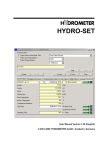
IZAR@SET 2 Installation 2.1 Download of the installation file from the home page You can download the IZAR@SET installation file from our homepage. Please enter the following address in your browser: http://www.diehl.com/en/diehl-metering.html Under the heading "Products & Solutions" \ "Product-Download" an overview opens, where you can select the following. 1. Select a partner = "Hydrometer" 2. Select a product = "Metering Systems\IZAR@SET" 3. Select a category = "Software" Fig. 1 : Download section of home page 4. Download overview Now select "IZAR@SET Software", in order to save the installation file on your local hard disk. -8-