1
Satellite V4.5
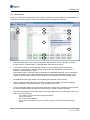
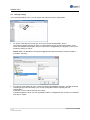
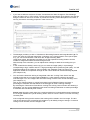
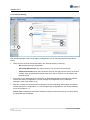
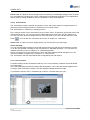
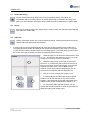
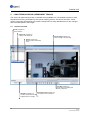
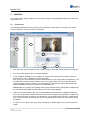
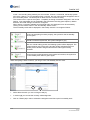
To the right of the error relay configuration you will find the SNMP configuration (you can find further
information about SNMP in the Internet under
“de.wikipedia.org/wiki/Simple_Network_Management_Protocol“).
1
2
3
6
4
5
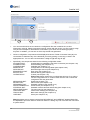
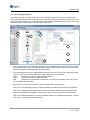
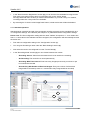
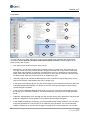
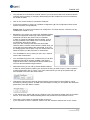
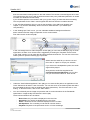
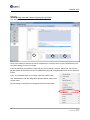
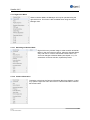
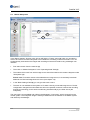
Place a check in the "Active" (1) checkbox to activate SNMP. Enter a "port" in the desired
"community"(2).
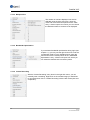
Use the "traps" (3) configuration to define which event will trigger a message. Possible events
correspond to those found in the event handling configuration. To activate an event as a trigger, place
a corresponding check.
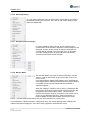
Select a trap from the "trap list" (4) enter the connection information (5) in your SNMP client and set
the entry to active (6). If you use several SNMP clients, define an additional trap (4) for this.
69
© 2013
ALL RIGHTS RESERVED