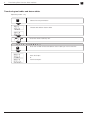
1
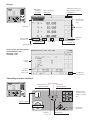
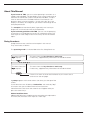
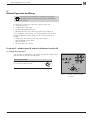
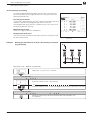
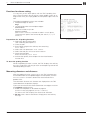
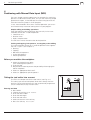
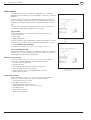
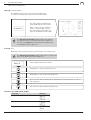
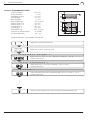
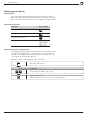
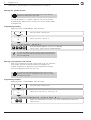
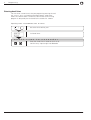
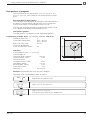
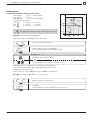
Screen
MOD
INFO
HELP
7
8
9
4
5
6
1
2
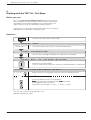
Operating
mode or
function
3
0
–
CE
ENT
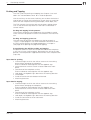
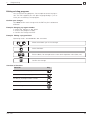
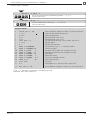
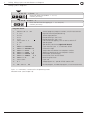
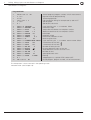
Operating mode symbols (current mode is
highlighted)
Plain language
dialog line
GOTO
Z–´
Y–
Y+
X–´
X+́
´
Z+
100
I
NC
I
0
NC
0
Soft-key row
(with 5 soft
keys)
150
50
F%
HEIDENHAIN
Input line
Soft keys
Selected
datum
Tool number
and tool axis
Spindle speed
Miscellaneous
function M
Feed rate
Spindle brake
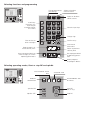
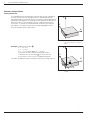
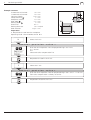
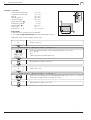
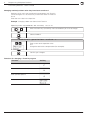
Screen in the operating modes
PROGRAMMING AND
EDITING and
PROGRAM RUN
Current
block
Current
positions
Status line
Symbol for
soft-key row
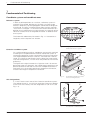
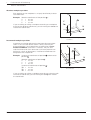
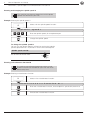
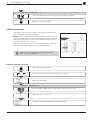
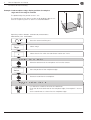
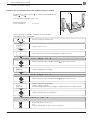
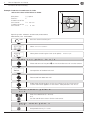
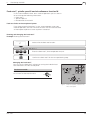
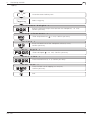
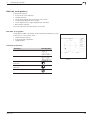
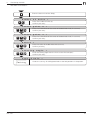
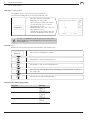
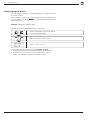
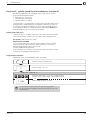
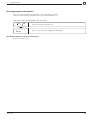
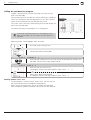
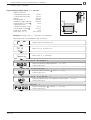
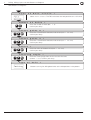
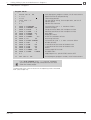
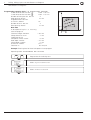
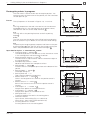
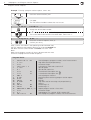
Controlling machine functions
MOD
INFO
HELP
7
8
9
4
5
6
1
2
3
0
–
CE
ENT
Spindle brake
Counterclockwise
Clockwise
spindle rotation
spindle rotation
GOTO
Z–´
Y–
Y+
Z–´
X–´
X+́
´
Z+
I
100
0
50
Y+
NC
I
NC
0
150
X–´
X+́
F%
HEIDENHAIN
Y–
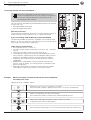
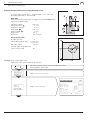
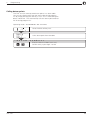
Power supply
Machine axis
direction keys;
Rapid traverse
key
Z´+
100
EMERGENCY STOP
50
150
F%
Coolant
Release tool
Feed rate
override