1
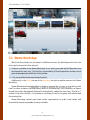
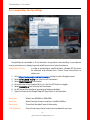
Train Simulator – User Guide 2 Features of Train Simulator TS2016 is a virtual world train simulator that focuses on the experience of driving and viewing railway locomotives from around the world. With it, you can: Drive locomotives through realistic 3D cab views and operate their real controls; See beautifully detailed recreations, and hear sounds just like the real thing; Experience driving in varied weather - from sunny days to cloud and snowfall; Discover famous and interesting rail lines from around the world; Find out what it is like to haul freight over mountain passes and open plains; Hone the skills of driving stop-start passenger trains through suburbs and cities; Master the art of creating immersive 3D worlds with professional tools; Share creations and challenges with friends. -5©Dovetail Games All Rights Reserved