1
Table of Contents
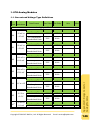
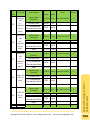
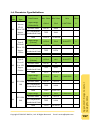
Contents......................................................................................................2
1.
Introduction.............................................................................5
1.1
Instruction to the User Manual................................................................. 5
1.2
Modbus Protocol....................................................................................... 6
1.3
Default Firmware Features ....................................................................... 7
1.4
Typical Applications .................................................................................. 9
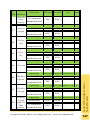
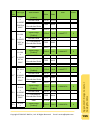
2.
Starting the Modbus Utility ................................................... 13
2.1
Instruction to the Working Area ............................................................. 15
2.2
Updating the Firmware ........................................................................... 17
2.2.1. Updating via the Ethernet ....................................................................... 17
2.2.2. Updating via a Serial Port ........................................................................ 20
2.3
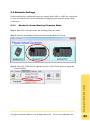
Network Settings ..................................................................................... 23
2.3.1. Method 1: Under Running Firmware Mode ........................................... 23
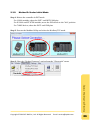
2.3.2. Method 2: Under Initial Mode ................................................................ 26
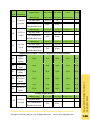
2.4
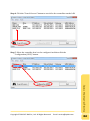
Net ID (Station number) Setting ............................................................. 28
2.5
Connecting to the Controller .................................................................. 29
2.5.1. Connect via the Ethernet (Modbus/TCP) ................................................ 29
2.5.2. Connect via a Serial port (Modbus/RTU) ................................................ 30
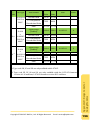
2.6
Address Table (Mapping Table) .............................................................. 32
2.7
Library Version ........................................................................................ 33
2.8
Range Code and Offset Settings.............................................................. 34
2.8.1. Range Code ............................................................................................. 34
Copyright © 2013 ICP DAS Co., Ltd. All Rights Reserved. E-mail: [email protected]
Table of Contents
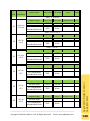
2.5.3. Refresh Configuration after Connecting ................................................. 31
2