1
VSPS 2012
INSTALLING THE VSPS PROGRAM
(1) First, you must download the software from the web site (www.vsps123.com). To do so, select
“VSPS (complete software)” in the “Download” menu. Then, select the 2012 year and click
“Install-VSPS2012.exe”.
(2) Click on "Run".
(3) If the message "The publisher could not be verified. Are you sure you want to run this software?"
is displayed, click on "Run".
(4) If the message "An unidentified program wants access to your computer" is displayed, click on
"Allow".
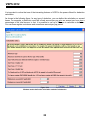
(5) Follow the instructions and answer the questions.
(6) At the end, if the message "This program might not have installed correctly" is displayed,
click on "This program installed correctly".
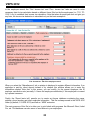
(7) Once the installation is complete, you must copy in the VSPS installation folder (by
default, C:\VSPS 2012) the file NAMES-12.TXT that you received by email after your
purchase of the VSPS 2012 license. This file is a control file containing the coded name of
businesses for which you bought the VSPS 2012 license. Without this file, it is impossible
to open or create a payroll database. This is why when you start the program, you can
only open a file for an authorized business, meaning a business name that we added in
your NAMES-12.TXT file.
*
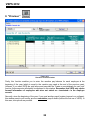
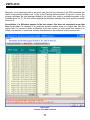
If you used VSPS in 2011 for a business, you do not have to re-enter all information on this
business, the employees, balance of vacation to pay, etc. This procedure is done
automatically. To do so, first, you must download the last upgrade for VSPS 2011. After the
upgrade installation, you can create the 2012 database from the database menu of VSPS 2011.
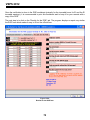
Be sure to save the 2012 database (file with the name of the business and followed by 12.DL7) in
the VSPS 2012 installation directory (by default, C:\VSPS 2012). It is very important to note
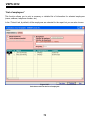
that the program transfers, to the new database, information for all employees except the
ones indicated as terminated in the employee files (“Employees“ icon in the main window
of the program). Caution: If an employee no longer works for the business but may come
back to work eventually, you must select “No“ in the box “Terminated“. Finally, please note
that the new database creation does not affect the 2011 database.
*
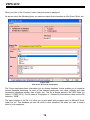
If you are not familiar with the VSPS program, we strongly recommend that you read the
section ”First use of VSPS for a business”.
4