1
Music and Volume Settings
7. Music and Volume Settings
Short Press the MUTE
Button (located on the bottom of the mirror) to mute
the mirror. Press the MUTE Button again to un-mute the audio.
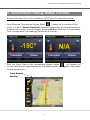
Long Press the MUTE
Button (located on the bottom of the mirror), the Audio
Control Menu Screen will show the following.
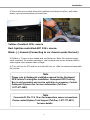
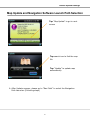
Follow the procedures below to operate your SD Music Player.
Create a folder
on your Micro SD card. Insert the Micro SD card to
your MN312R card slot.
Select
Select
Tap and Song will play
27