1
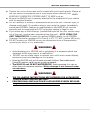
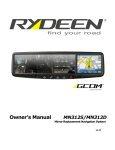
Welcome Statement & Warnings Position the unit so the screen can be viewed with just a quick glance. Glance at the unit screen or manipulate the in-route touch screen controls ONLY WHEN VEHICLE IS COMPLETELY STOPPED AND IT IS SAFE to do so. Be sure the MN312R unit is securely attached to the windshield of your vehicle with the supplied bracket. DO NOT attempt to modify or disassemble the MN312R unit. Personal injury or damage could result. If a problem occurs, stop using the system immediately and contact RYDEEN. Changes or modifications to the MN312R will void the warranty and its compliance with FCC rules thus making it illegal to use. If you notice any of the following: (unidentified liquid on the unit; smoke rising out of the unit; unusual odor emanating from the unit) – STOP USING THE UNIT IMMEDIATELY. Contact the nearest RYDEEN retailer or call RYDEEN Customer Service for assistance Toll Free @ 1-877-777-8811 (within USA only). DO NOT mount your MN312R on any non-automotive form of transportation (motorcycles, bikes, ATV’s, watercraft). WARNINGS Avoid dropping your MN312R unit or subjecting it to excessive shock and vibrations as this may cause it to malfunction. DO NOT use any sharp object to operate your unit’s touch-screen display. Excessive force could damage the LCD display. Keep the MN312R unit out of reach of small children. Removable parts (microSD memory card) can be a choking hazard. The MN312R unit IS NOT WATERPROOF. Avoid exposing it to rain or other forms of excessive moisture. Water damage is not covered under the warranty. WARNINGS • • THE FOLLOWING INSTRUCTIONS ARE INTENDED FOR AUTHORIZED RYDEEN MOBILE INSTALLERS ONLY PROFESSIONAL INSTALLATION BY AUTHORIZED RYDEEN RETAILER REQUIRED TO BE COVERED UNDER WARRANTY 3