1
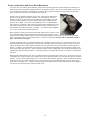
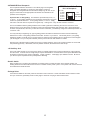
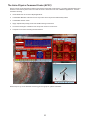
AUTOGUIDER Port Receptacle
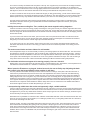
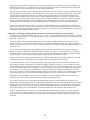
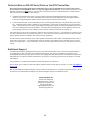
This receptacle interfaces with the RJ-11-6 modular plug of an autoguider
cable, purchased separately or as part of a CCD Imaging Camera or
Autoguider. The autoguider will be functional and ready to go as soon as you
plug it in. Please refer to the appropriate manual from the manufacturer for
operation of the autoguider.
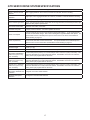
GTOCP3 AutoGuider Port
RJ-11-6 Receptacle
Pin 1 NC
2 GND
3 R.A. –
4 Dec. –
5 Dec. +
6 R.A. +
6
1
Important Note on Autoguiding: The directions represented by the X+, X−,
Y+ and Y− in your guiding software do not necessarily correspond to any given
cardinal or equatorial directions. To the guiding software, “X” and “Y” simply
refer to the rows and columns of pixels on the guide chip – nothing more. They do NOT mean R.A. and Dec.!
Pin
Positions
Jack 623k
The act of calibration tells the guiding software how to relate a guide star’s drift along the columns and rows to move
directions in the mount, but it does not make it so that X is necessarily always right ascension and Y always declination.
To further complicate this, each time you alter the camera’s orientation, you effectively change the relationship between X /
Y and R.A. / Dec.
Your very first step in diagnosing any type of guiding problem should be to determine the actual current relationship
between the X and Y of the guiding software and the R.A. and Dec. of your mount. This is easily done in your guiding
software by making a manual move in one axis during an exposure and comparing this to a guide move from the keypad
(use the keypad – not your computer software!) where you know the axis and direction for certain.
We have seen customers waste countless hours (not to mention dollars) in trying to fix a guiding problem on an axis that
was performing perfectly. Meanwhile, their true problem remained, all because of this axis mix-up.
+6V Auxiliary Jack
This 6-volt output accepts 3.5 mm mono phone plugs. It’s original purpose was to power the Pentax 6x7 camera directly
from the mount. Its most common usage today is to power the StarGPS. It has also been used to power BlueTooth units
for wireless connection to the mount’s COM ports. Center is positive. It will supply up to 200mA of current. Be sure of
your device’s power requirements and polarity before attaching!
N and S Switch
Select northern (N) or southern (S) hemisphere, as needed. When you slide the switch to the opposite position, the
tracking direction of the drive will reverse. The servo controller must be power-cycled: i.e. the power cord must be removed
and re-attached to make this work.
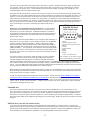
Drainage Holes
Two holes are drilled into the lower portion of the bottom of the control box. These holes allow excess moisture to drain
from your control box, particularly useful on dewy nights. Please do not plug or obstruct these holes.
10