1
FBP Probe Microscope
USB 1.1
Analog-to-Digital
Converter
chaPTer 3
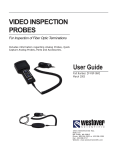
The FBP probe microscope connects to the JDSU optical test platforms or to a PC/laptop
via a USB digital converter. Simply connect the FBP probe to the module and plug the
USB connection in an open USB port. The USB module, like the probe, offers an optional
QuickCapture™ button to instantly capture the fiber end face image on the display.
For use with a PC/laptop, a fiber analysis program (FiberChek) is included on a CD and
requires software/hardware installation. No additional software is needed to interface
with these JDSU test platforms: T-BERD, MTS, or TestPad.
The USB analog-to-digital converter is available in either a 4-pin or 6-pin configuration.
The FBPP-USB3 connects to a standard 4-pin FBP probe, while the FBPP-USB1 model
connects to a 6-pin FBP probe equipped with an integrated QuickCapture™ button used
to instantly capture fiber end face images.
image Capture button
Instantly captures fiber image
on screen
Laptop not
included.
USB 1.1 Converter
Specifications
T-BERD/MTS not
included.
Dimensions
150 x 580 x 180 mm (5.9 x 22.8 x 7.1 in) with 3-ft UsB cable
Weight
80 g (2.8 oz)
Power
5V, 500mA from UsB port
UsB type
UsB 1.1
compatible test platforms
and devices
T-BERD 6000, T-BERD 8000, FsT-2802, FsT-2310, and other test units with a
UsB port; Windows®-based Pc/laptop
FBP PRoBE MicRoscoPE
15