1
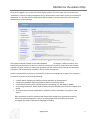
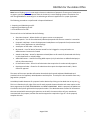
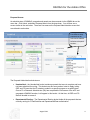
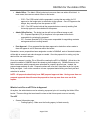
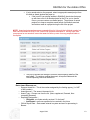
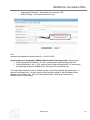
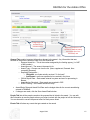
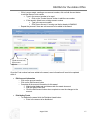
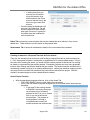
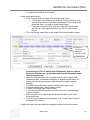
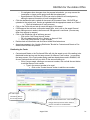
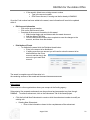
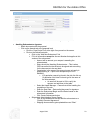
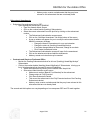
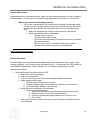
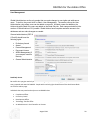
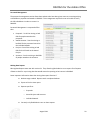
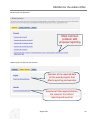
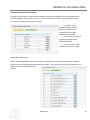
RAMSeS for the Admin Office Administrating Proposals in RAMSeS RAMSeS (Research Administration Management System and electronic Submission) is UNC-GA’s official proposal tracking and award management system. It is used to create and manage the official University records for all sponsored projects. Each record contains both financial and compliance information necessary for submission as well as financial management once an award has been made. All proposals requesting funding for a grant, contract or cooperative agreement, whether submitted electronically or via hardcopy, must be routed through RAMSeS. This is accomplished by preparing an electronic Internal Processing Form (eIPF) which is mandatory for all applications regardless of the funding source or submission method. This manual is designed to walk Sponsored Programs Administrators (OSP) and Contracts and Grants (CG) through managing submissions and awards in RAMSeS. RAMSeS Access Log into RAMSeS to create or work with a current submission by going to the following link. Replace the “xxxx” with your school’s abbreviation. : https://xxxx.myresearchonline.org/ramses The first time you log in, or if you are using a different computer, you will see a box asking you to choose your campus, as seen in figure 1. From the drop down select your campus and then check the box “Remember My Selection” and click the submit button (the selection will be remembered until the history has been cleared on the computer being used). Enter your University user name and password at the next screen (see Figure 2). Figure 1 If you have problems logging into RAMSeS, you should do the following: First, attempt to reset your University ID’s password. If resetting the password does not work, contact OSP. Figure 2 August 2011 1 RAMSeS for the Admin Office Once you are logged in, the screen will look like Figure 3 below. The home page, also referred to as the “Dashboard,” is where Principal Investigators (PIs) or administrators create new or access prior submissions and awards. It is also the place for department heads and deans to access proposals for their respective departments or schools/colleges. Figure 3 The Proposal Dashboard (home screen) within RAMSeS creates the University’s official record for each sponsored research project. The electronic Internal Processing Form (eIPF) is required for each research proposal of a grant, contract or cooperative agreement and it is used to collect financial and compliance information and documentation needed for internal review and approval. An eIPF is prepared when a PI plans to compete for or receive any funding from an agency. For example, it is necessary to prepare an eIPF for the following: A new proposal requesting new dollars not associated with an existing award. A proposal supplement requesting additional dollars to an existing award. A continuation proposal, both competing and non-competing (e.g., NIH SNAP or eSNAP). An incoming subcontract, where funds are directed to the University from the prime recipient of an award. The prime contract directly awarded from a Federal, industry, foundation, non-profit or State agency. Once completed, the eIPF is submitted and electronically routed to the appropriate University officials for review and approval. Lastly, it must be electronically certified by the Principal Investigator (PI), before a proposal is submitted for funding. August 2011 2 RAMSeS for the Admin Office Note: Several funding agencies now require electronic submission of proposals. These types of submissions are agency-specific operations separate from the University’s record-keeping systems. Completion of an eIPF through RAMSeS is necessary prior to submitting an electronic application or a paper application. The following procedures are performed in Proposal Dashboard: 1. Preparing and Submitting an eIPF. 2. Approving and Routing an eIPF. 3. PI Certification of an eIPF. The menu links on the Dashboard do the following: Start New Proposal – Where the RA or PI goes to create a new proposal My Proposals – List of all unsubmitted /submitted proposals that the user created or is named on Proposals in My Dept – Access for department heads/deans to all proposals from/associated with faculty in their department or school/college Assumption of Risk Inbox – OSP use only My Awards – List of all Active /Inactive awards for the PI logged in or anyone listed as an Administrative Contact on the award Awards In My Dept – Access for department heads/deans to all awards for/associated with faculty in their department or school/college ARRA Submissions – Used for accessing ARRA reports (only PIs who have an ARRA-funded project will see information here) PI Certification Inbox – Shows list of submissions that require the PI to electronically approve Dept Approval Inbox – Shows list of submissions that require the department head’s / dean’s electronic approval The center of the screen provides information about both the Proposal and Award Dashboards and provides links to the Frequently Asked Questions and Help files. The Help file is also accessible from every page within a proposal. An Adobe printable document of a proposal can be obtained by clicking on the adobe icon at any time . This icon is found on the far right of the row for each proposal shown and under each menu option on the home page except for START NEW PROPOSAL and ARRA SUBMISSIONS. Within a proposal, the Adobe icon is located in the top left right beside the proposal number. The Adobe document contains all information that was entered while answering the questions on the eIPF, the name and size of every attachment associated with the proposal, and the date and time approvers required to “sign off” on the proposal, complete this task. August 2011 3 RAMSeS for the Admin Office Proposal Access As administrators of RAMSeS, proposals and awards can be accessed via the ADMIN tab on the menu bar. Click Admin, and select Proposal Admin from the drop down. You will then see a screen similar to the one below. There are five areas on the Proposal Administration screen that are referred to as buckets. Lists different ways proposals can be searched in RAMSeS. Defaults to Proposal Number. The Proposal Administration buckets are: Unsubmitted – the Unsubmitted bucket contains proposals that are not complete and have not been submitted for routing. This bucket can also serve and an Intent to Apply, letting OSP and CG know that the PI intends to submit to a specific program on a specific date. Once a PI or Research Administrator (RA) has completed the first screen of the eIPF and generated a RAMSeS number, it will appear in this bucket. At that time, all OSP and CG staff will be able to access it. Departmental Routing – The Departmental Routing bucket holds all the proposals that are currently routing for PI certifications and Departmental/Dean authorization. August 2011 4 RAMSeS for the Admin Office Admin Office – The Admin Office bucket can have more than one admin office listed. In most cases, there are two admin offices in this bucket. o o CGS – The CGS bucket hold the proposals in routing that are waiting for CG approval on the budget prior to submission to the sponsor. Once CG approves the budget, they manually move the sponsor to OSP. OSP – The OSP bucket holds all the proposals that are currently awaiting final University approval to be submitted to the sponsor. Admin Office Review – The bucket can be split into two different areas as well. o PS – Proposal Specialist (PS) is the person in the pre-award office that is responsible for reviewing the proposal. o CS – Contract Specialist (CS), is the person responsible for negotiating contracts and agreements on incoming awards. Post Approval – Every proposal that has been approved or had other actions made to them will appear in one of the areas within this bucket. Remember, once a proposal has been assigned a number in RAMSeS, each of the administrators will be able to access it and make changes as needed. Once the proposal is in routing, only the admin office can make changes. Once your campus is routing, PIs or RAs will be creating the eIPFs in RAMSeS. At that time, the proposal numbers in RAMSeS should be viewed as place holders only. RAMSeS does not use them to determine which proposals were submitted for a specific physical year. Instead, the proposal approved date is used. Proposal numbers will never be in sequential order for a given fiscal year again. It will not be uncommon to have a proposal started during one fiscal year and submitted in another. NOTE: All proposals should only have ONE proposal approved date. Having more than one proposal approved date will cause the proposal to show up more than once on all the reports. What to Look For on eIPF Prior to Approval At anytime, the administrators can be reviewing a proposal, prior to it reaching the Admin Office bucket. There are things that need careful review so that future reports come out correctly. The eIPF General Information page o Funding Agency – Make sure the funding agency is listed correctly. August 2011 5 RAMSeS for the Admin Office Prime Funding Agency – Should only have something in it if the proposal is truly a Federal, State, pass through dollars. o CHESS codes o Award Admin Department – Make sure a department is listed. Personnel – o Make sure there is only one Lead PI o Department information is correct for all personnel. This will affect reporting later if they are not correct. o Effort %‟s filled in. This will be more important on the award side for effort tracking. Budget o The total funds requested are the same amount on the proposal to the sponsor. o All attachments for cost share and F&A are in the attachments section. o If personnel, space or equipment is checked, there should be a note in the space to the right of the choices. Conflict of Interest and Export Controls o These questions are to be answered for the whole research team named in the proposal. o If there is a “YES” answer, follow-up with the appropriate person on your campus to resolve the issue. (Who handles export controls or conflicts of interest on your campus?) Research Subjects o If human or animal subject are on the project, and a compliance number was given, follow-up with compliance office to verify the human or animal assurance information. o If compliance not yet completed, make sure PI knows that if funded, no money can be spent until proper assurance information is in place. Approving Departments o Verify that all necessary approving departments have reviewed/or are going to review the proposal. o If a department is missing Add the department and re-authorize the departments Call or email the contact for the department added because an email notification will not go out to them. Attachments o Verify that all necessary attachments are loaded in the attachments section. o Application Packages Once the final version has been submitted to the agency, save it with a different name than the one already loaded in the attachments. Upload the final version Remove all previous versions of the application package. o Any verification of agency receipt of application should be loaded in the attachments section. o August 2011 6 RAMSeS for the Admin Office Proposal Administration Page General Tab o Make sure the correct Admin Office and Status appear If either needs to be changed, click on their link and select the correct information. o Proposal submitted to agency Once the proposal has been submitted to the agency Change the status to Proposal Approved – Every proposal should have a proposal approved date or they will not appear on proposal reports. Fill in the appropriate Proposal Specialist, Contract Specialist (if used on your campus), and select who the approving person was. Sponsor Assigned Proposal No – Some agencies assign a number at the time of submission for tracking purposes. Put that number here as another way of identifying the correct proposal should it be funded. (i.e. GRANT10933964 for GRANTS.gov or 0812367 for NSF) o Confidential – check only if the proposal cannot be reported on because the sponsor want to be anonymous or no reporting can be done on the proposal and award. o Responsible Conduct of Research – Should be checked on submissions that require RCR. This should only be checked once the whole research team meets the training requirement. . When changes are made to anything on the right side, the UPDATE button must be clicked to save the changes made. Routing Tab o Shows list of all Investigators needing to certify and departments that need to authorize the proposal. o If they have already authorized and certified, the date, time and any notes left will show under Authorizing Decision. o At any time, you can click on the name of an approver and RAMSeS will show you that person‟s contact information. (Phone number, email address and campus location) Compliance Tab o Shows any compliance information entered on the eIPF. Events o Show any Workflow events that may have been created on the proposal. August 2011 7 RAMSeS for the Admin Office Awards o Will show all awards on the proposal and provide access to the award project. Notes Tab o Access to view all notes left on the proposal and see when they were left and by whom. Attachments Tab o Shows all attachments on the eIPF and allows the upload of other attachments relevant to the proposal. Email Log Tab o This tab shows all emails that have been sent to let approvers know there is a proposal in routing for them to approve. Shows a printable PDF version of everything entered in the eIPF. Shows all emails sent to approvers. Shows each status and who made the change along with the date and time change was made. Must click to save changes made to sections above. August 2011 8 RAMSeS for the Admin Office Award Administration Once a proposal has obtained Proposal Approved status from OSP, the IPF should not be altered. If revisions need to be made that require signatures again, another IPF will need to be created, or attachments can be uploaded to the original IPF and those that need to approve the changes can leave a submission note as their approval. PIs can make changes to the status of their proposals to Just in Time (JIT) or Not Funded. If PIs make a status change they should always make sure to upload the supporting document in the attachment area. However, it is highly suggested that only OSP staff change the status of a proposal before or after it obtains the final approval from OSP. After a proposal has received OSP‟s approval status, the only things it should be changed to are: Any of the JIT options Under Award Negotiation Funded Withdrawn Not Funded With any status change, OSP should verify that the proper documents are loaded in the attachments section of the proposal. Award Process in RAMSeS All award documents should be routed through OSP before an award can be created in RAMSeS. IF award documentation is sent to the PI or Contracts and Grants, it is their responsibility to promptly forward the documentation to OSP so that the award can be recorded as quickly as possible. Anyone who electronically receives an award notice, no cost extension, or any award modifications should promptly forward that notice to the Sponsored Programs Office to ensure timely recording of the award. They should not upload any notice of award to the proposals as it will have to be moved once the award is created in RAMSeS. August 2011 9 RAMSeS for the Admin Office Award Admin Buckets To manage all awards and accounts within RAMSeS, you will need to use the Award Admin buckets. To access these buckets, click on Admin, Award Admin. Your screen will be like the one below. Do NOT create award projects using this link. Search options for finding awards. There are four buckets that manage post award actions. Post Approval Bucket o Allows access to all funded projects, all proposals with proposal approved status, those proposals under award negotiation, and those with JITs. Pending Subcontracts o Provides access to all subcontracts in RAMSeS. (Awaiting) Admin Dept – Subcontracts that are waiting work from Sponsored Programs (Awaiting) Subcontractor – Subcontracts that are particularly executed and waiting to be returned with the subcontractor‟s signature. (Awaiting) Award Mgr/Analyst – Subcontracts that are waiting action by Sponsored Programs. (If Contracts and Grants are using the system to get subcontracts, this is the status where OSP should leave the subcontract so that CG can grab it to do what they need to do.) Fully Executed – The status given to subcontracts once everything is in place. (If CG is using the system, they should change the status to Fully Executed. If not, OSP will change it.) Inactive – All subcontracts that are no longer active. Account Requests o Used for routing Assumptions of Risk/Financial Guarantees Not Authorized – AOR/FG waiting to be approved New – Approved AOR/FG waiting to have an account assigned to it. August 2011 10 RAMSeS for the Admin Office Extension – Existing AOR/FGs that are being extended. Funded – All AOR/FG that have been assigned an account number and are ready for spending. Deleted – Expired AOR/FGs Award Setup o This bucket is used to hand off new awards to CG for processing. It has three sections to it, but the only one used is Awaiting Award Distribution. Once CG distributes the award, the award moves out of the bucket. Search o There are several ways to search for award information through this search area. The default is account number (Banner Fund). Other options are, Project Number, Title, Lead PI, Investigator, Sponsor Award No., Attachments, Sponsor, and Department (Department of Lead PI). Search by attachments This option allows the search of all attachments by the person that uploaded them into RAMSeS. Search by file name. This only works if everyone is consistent in naming of files. Date Uploaded searches attachments by their upload date. Document Type allows the search of attachments based on their type (i.e. No-Cost Extension, Award Notice (Project), Award Notice (Award).) This search covers all attachments (proposal and award). Project Administration Screen General Tab – Contains basic and required information on the project Awards Tab – Shows all the awards associated with the project o Obligated and Anticipated Accounts Tab – Shows all accounts, both prime and sub. Billing Tab – Contains all the billing fields that were on the General Tab. NEW August 2011 11 RAMSeS for the Admin Office Personnel Tab – Shows list of all personnel named on the most recent award and their effort Events Tab– Shows any events on the project Proposals Tab – Shows all proposals linked to the project Subcontracts Tab – Shows all subcontracts created for the project Notes Tab- Show all notes on the project Attachments Tab - Shows all attachments for both the proposals linked to the project , individual awards and subcontracts o Attachments can be filtered the section they are attached to and type Creating an Award There are two scenarios that could occur with funding a proposal that has no previous awards on it. First, the proposal could be a continuation or supplement of an existing award project. If this is the case, when creating the award, you would follow the same process as was shown for creating an award on a proposal that has existing awards. Remember, projects can have many proposals linked to them through the different awards that get created. The second scenario would have the award being created not linked to an existing award project. Instead, we would be creating a brand new project that would hold this award and any future actions that affect the project. With this scenario, the award project must be created before the award. Creating Awards for Existing Award Projects When award documents arrive in OSP, the person charged with entering awards will do the following: Determine if proposal is legacy or one created in RAMSeS If the proposal is legacy, there may be data that will have to be uploaded into the proposal and award sections prior to entering the new award. Award will be matched up to the correct proposal by agency, title, sponsor number, or PI. o Find the correct proposal that corresponds with award documents using the Proposal Admin Screen Look up by Investigator Look up by sponsor Look up by sponsor number (i.e. NSF or NIH number) o Open the proposal and check to make sure award is being added to the correct file Check project title Principal Investigators Amount Requested Project start and end dates If a continuation of an existing funded project, check the sponsor number With the appropriate proposal pulled up, click on the Award Tab o Click “ADD AWARD” button to start adding the new award. August 2011 12 RAMSeS for the Admin Office If prior awards exist on the proposal, select to appropriate award project from the Add an Award window that pops up. If the Lead PI has existing awards in RAMSeS, the window that pops up will show a list of all award projects for the PI for you to choose from or you can create a new award project. The purpose of award projects is to keep a complete award record of all awards received and actions made to a project during the life of the project. NOTE: Award projects can have many proposals linked to it through the individual awards, but each individual award SHOULD ONLY have ONE proposal associated it. Having more than one proposal on an award will cause that award to show up once for every proposal listed on the reports. The pop up window will change to one that collects specific details of the new award. To continue creating the award, all required fields and the Official Reporting Date must be filled in. Basic Award Elements are: o Sponsor Award No – This is the number assigned by the funding agency (i.e. NSF or NIH number) o Award Amount – The amount the award is for o Award Type – Choose one from the list. (New, supplement, Renewal, Noncompeting Renewal) o Reporting Designation – o Obligated - are funds actually received / "in the bank” o Anticipated - are those expected to be received in the future o Official Report Date – Date award entered in system and sent for processing in Banner August 2011 13 RAMSeS for the Admin Office o o Award Notice Received – Date award was received in OSP ARRA Funding – Is the award stimulus money? MUST be included for award to show on reports. Once CREATE AWARD button is clicked, the Award Administration screen will appear and the award will be assigned an award number (i.e. A12-0012-003). Award numbers are assigned by RAMSeS based on the Project begin date. Examples are: Project Begin date is December 12, 2011, award project number will begin with A12 Project Begin date is July 1, 2012, award project number will begin with A13, even though the award was entered in RAMSeS prior to the start of the new fiscal year. The Award Administration Screen is divided into tabs, just like the proposal and award project. It opens to the General tab. You will notice that the information added on the Add Award screen appears on the General Tab. The Title, Admin Award Dept, and Primary Contact pull in automatically from the proposal. August 2011 14 RAMSeS for the Admin Office Budget begin and end dates for an individual award. Begin and end dates for the account are added by editing the account info on the Distribution Tab. General Tab contains important information relevant to the award. Any information that was entered on the previous screen is filled in on the General tab. o Sponsor Award No – This is the number assigned by the funding agency (i.e. NSF or NIH number) o Award Amount – The amount the award is for o Award Type – Choose one from the list. (New, supplement, Renewal, Noncompeting Renewal) o Reporting Designation – o Obligated - are funds actually received / "in the bank” o Anticipated - are those expected to be received in the future o Official Report Date – Date award entered in system and sent for processing in Banner o Award Notice Received – Date award was received in OSP o ARRA Funding – Is the award stimulus money? Award Begin Date and Award End Date are the budget dates for the current award being entered in RAMSeS. If changes are made, click the Save Award Details button. People Tab lists all the people named on the proposal that is linked to the award. You can edit this information to remove people who are no longer involved with the project or left the University. You can also edit to correct the percent effort for each person listed. Events Tab will show any events that get created on the award. August 2011 15 RAMSeS for the Admin Office Proposal Tab shows the proposal that is linked to the individual award. Proposal numbers are automatically linked to awards when the award is created on the award tab of the proposal. Remember, an individual award should not have but ONE proposal listed on it. Even though RAMSeS will allow the addition of more than one proposal, you should not add additional ones. If additional proposals are added to one award, it will cause that award to show up once for every proposal listed on the Awards Reports. Distribution Tab is where accounts get added to the award and funds distributed. If the pre award office is handing awards off to Contracts and Grants, or waiting for account information to come back to them, they would create a Temp Account. o In creating a temp account, the following must be filled in before the account can be saved. Amount on Account (Amount of award) Account Type (Prime, Sub, Non-working Prime) Status (Active, Inactive, Frozen) o Click Save Temp Account when done. Contracts and Grants or the pre-award office will pick the award up out of the waiting to be distributed bucket and convert the temp account to a Banner Fund number. In converting the temp account, if the Fund number being used has already been used in RAMSeS, the Account lookup window will tell you which PI the account belongs to. August 2011 16 RAMSeS for the Admin Office o o If this is a new award, needing a new account number, click on Add Account button to add the Banner Fund number Type in the account number to be used Click on the “Create Account” button to add the new number If the award is linked to an existing account number Type in the account number Click Reuse Account, if reusing one that is already in RAMSeS. Repeat the process if there are sub accounts to be added to the award. To edit account info, click account number. Once the Fund number has been added to the award, some information will need to be updated within it. Edit Account Information o Click on the account number o Click on the Edit Account button o Complete all the account information for this award Make budget begin and end dates match the award document Add the correct F&A Rate Click the Edit Account button when complete to save the changes to the account. Distributing Funds o To distribute the award click the Distribute Award button. Enter in the amount to be distributed. August 2011 17 RAMSeS for the Admin Office o If adding more than one account you will need to minus the amount to be distributed from the Prime account and then key in the amount to go to each Sub account. Once the award is distributed to all accounts, the Distribution Tab will show the amount in each account, what type of account it is and who the person was that modified the account and when. Notes Tab is where any communication that may be needed later as a reference, they can be added here. These notes are just like those on the proposal side. Attachments Tab is where all attachments related to the current award are uploaded. Creating an Award on a Proposal That Has No Prior Awards There are two scenarios that could occur with funding a proposal that has no previous awards on it. First, the proposal could be a continuation or supplement of an existing award project. If this is the case, when creating the award, you would follow the same process as was shown for creating an award on a proposal that has existing awards. Remember, projects can have many proposals linked to them through the different awards that get created. The second scenario would have the award being created not linked to an existing award project. Instead, we would be creating a brand new project that would hold this award and any future actions that affect the project. With this scenario, the award project must be created before the award. Award Project Creation With the appropriate proposal pulled up, click on the Award Tab o Click “ADD AWARD” button to start adding the new award. o If this is the first award to proposal a project has to be created before the award can be added. If the Lead PI has existing awards in RAMSeS, the window that pops up will show a list of all award projects for the PI for you to choose from or you can create a new award project. The purpose of award projects is to keep a complete award record of all awards received and actions made August 2011 18 RAMSeS for the Admin Office to a project during the life of the project. o Select create award button List of Projects window will appear for all projects the PI has If this project is not related to one in the list, Do Not select any of the options, Only click the Create New Project button, and click ok on the popup that asks if you want to create a New Project If there are no projects listed, click the Create New Project button, and click ok on the popup that asks if you want to create a New Project Fill in the required empty fields on the Award Project Administration screen. If sponsor is anonymous or no publicity is required, mark the Confidential box. o Required fields will have a red “*” in front of the field name. (This screen will have the Project Title, PI, Admin Award Department, Sponsor, and the Begin and End dates are pre-populated based on the information within the selected proposal). Make any corrections that may be needed to the PI and/or Award Admin Department fields. (Sometimes investigator or department information can change from the time a proposal is submitted until an award is actually granted). Provide the Prime Sponsor if award is flow-through if there is one Choose the award type ( Grant, Contract, Other) Choose F&A Activity Type (CHESS Code) If you have the CFDA No, provide it, however this is not a required field to create the project. Make changes to the Project Begin and End dates based on the actual award documents Once the required elements are completed, click “Create Project” button at the bottom of the screen Project information can be modified as needed throughout the life of the project. August 2011 19 RAMSeS for the Admin Office Add Award Click on the Award tab and then click the Add Award button to generate the window to enter the basic award elements. o o o o o o o Basic Award Elements are: Sponsor Award No – This is the number assigned by the funding agency (i.e. NSF or NIH number) Award Amount – The amount the award is for Award Type – Choose one from the list. (New, supplement, Renewal, Non-competing Renewal) Reporting Designation – Obligated - are funds actually received / "in the bank” Anticipated - are those expected to be received in the future Official Report Date – Date award entered in system and sent for processing in Banner Award Notice Received – Date award was received in OSP ARRA Funding – Is the award stimulus money? Once CREATE AWARD button is clicked, the Award Administration screen will appear and the award will be assigned an award number (i.e. A12-0012-003). Award numbers are assigned by RAMSeS based on the Project begin date. Examples are: Project Begin date is December 12, 2011, award project number will begin with A12 Project Begin date is July 1, 2012, award project number will begin with A13, even though the award was entered in RAMSeS prior to the start of the new fiscal year. Award Administration Window Award window opens with tabs that apply only to the award you are working with. General Tab is filled in with the information entered in the award pop-up. Click the Proposal tab to make sure the proposal is listed that relates to the award. If no proposals show, add the related proposal number to the award by typing in the number and clicking on Add Proposal to Award button. (i.e.: 08-0001) Check the People tab to make sure all Investigators are listed. This information gets added based on the Investigator information within the proposal. August 2011 20 RAMSeS for the Admin Office o If investigators have changes since the proposal submission, you may remove the investigator no longer on the project and add the replacement. o Sponsored and Cost Shared % Effort can also be added for all Investigators by editing the person information of each Investigator listed. Click the attachments tab to upload all documents for this award. Note: INVOICES get uploaded at the project level, checks get uploaded with the appropriate award as a “Notice” Open all attachments to verify accuracy Click on the Events tab and set all events that apply to this award If IRB approval has not been confirmed at award time, note is left on the award General screen stating account needs to be frozen until IRB approval is confirmed. (Process may differ from campus to campus.) Click on the Distribution tab to add temp account o Click on the “Add Temp Account” button o Fill in the award amount in the “Amount on Account” field o Click “Add Temp Account” to save changes. Double check all information and click Save Award Detail when done Award now appears in the “Awaiting Distribution” Bucket for Contracts and Grants or PreAward Office to finish the process. Distributing the Funds Contracts and Grants or the Pre-Award Office will pick the award up out of the waiting to be distributed bucket and convert the temp account to a Banner Fund number. In converting the temp account, if the Fund number being used has already been used in RAMSeS, the Account lookup window will tell you which PI the account belongs to. o If this is a new award, needing a new account number, click on Add Account button to add the Banner Fund number Type in the account number to be used Click on the “Create Account” button to add the new number To edit account information, click on the account number. Temp Account will show here. Click number to bring up the temp account info in order to convert it to a Banner Fund Number. August 2011 21 RAMSeS for the Admin Office If the award is linked to an existing account number Type in the account number Click Reuse Account, if reusing one that is already in RAMSeS. Once the Fund number has been added to the award, some information will need to be updated within it. Edit Account Information o Click on the account number o Click on the Edit Account button o Complete all the account information for this award Make budget begin and end dates match the award document Add the correct F&A Rate Click the Edit Account button when complete to save the changes to the account, and then close the window. Distribution of Funds o To distribute the award click the Distribute Award button. Enter in the amount to be distributed. If adding more than one account you will need to minus the amount to be distributed from the Prime account and then key in the amount to go to each Sub account. The award is complete once all information is in the remaining sections of the award and the award has been distributed. Subcontract Subcontracts to other organizations where your campus is the funding agency Subcontracts, like proposals and awards can be monitored and accessed at any time through RAMSeS. To create a subcontract, click on the Subcontract Tab of the Award project. Click the link Add New Subcontract to create or click the subcontract number to modify an existing sub. Creating New Subcontract o Enter in the information relevant to the completeness of the subcontract. August 2011 22 RAMSeS for the Admin Office Below are three different scenarios of subcontracts at different stages of completion. Awaiting Subcontractor signature o Match documents with the proposal o Click on the Awards tab at the proposal level Click the “View Project” link at the right of any award on the screen. Click on the Subcontracts tab Click on the “Add New Subcontract” link Fill in all information except the Account Number that applies to this version of the subcontract. o Amount will be amount your campus is awarding the subcontracted o Status should be (Awaiting) Subcontractor – This is when OSP has mailed out documents to be signed and are waiting for the documents to be sent back. o Organization is the name of the agency/person university is subcontracting to. It pulls from the sponsor pick list in RAMSeS. If Organization cannot be found in the pick list click on „Organization Not Listed” link and type in the name of the subcontracted An email will be sent to GA to verify the sponsor and add them to the table. o Select the Award Manager – Person that will be handling the negotiation of the sub. o Enter the Sent Date – Date mailed document for signature o Enter the Subcontract Begin and End Dates based on the subcontract information o Click Create Subcontract button Subcontract Administration Screen Opens o Click on the attachments tab and add the subcontract as a “Partially Executed Agreement” o Shipping documentation gets uploaded here as “Other” August 2011 23 RAMSeS for the Admin Office o Subcontract now appears in the Pending Subcontracts bucket in the (Awaiting Subcontractor section Fully Executed Subcontract arrives in OSP o Opens appropriate subcontract in RAMSeS Open the Awards Admin Screen Click on the number beside (Awaiting) Subcontractor Select the correct subcontract from the pick list by clicking on the subcontract number The Subcontract Administration screen opens o Change the status to (Awaiting) Award Mgr/Analyst o Add the Execution Date – Date last signature obtained on document o Click Save Subcontract Details button o Click on the attachments tab Upload the fully executed subcontract o Click on Events tab to setup any needed events for this subcontract o Subcontract will now appear in the (Awaiting) Award Mgr/Analyst section of the Pending Subcontracts bucket which will be monitored by Contracts and Grants o Contracts and Grants or Pre-Award Office Monitor the Pending Subcontracts bucket for all new “(Awaiting) Award Mgr/Analyst” Subcontracts Click on the number beside (Awaiting) Award Mgr/Analyst” Subcontracts to bring up a list of all subcontracts that are ready for account finalization Select the subcontract by clicking on the number from the pick list Subcontract Administration screen opens o Add account number (Banner Fund Number) for the subcontract o Change status to Fully Executed o Click Save Subcontract Details o This moves the subcontract to the Fully Executed section of the Pending Subcontracts bucket August 2011 24 RAMSeS for the Admin Office o Add any notes, events or attachments that they may have relevant to this subcontract that are not already listed Subcontract Amendments Subcontract Amendment arrives in OSP o Open appropriate subcontract in RAMSeS Open the Awards Admin Screen Click on the number beside (Awaiting) Subcontractor Select the correct subcontract from the pick list by clicking on the subcontract number The Subcontract Administration screen opens Click on the “Add New Amendment” link at the bottom of the screen A pop up window will appear for you to modify the subcontract details. Make the necessary changes. o Change the amount if amendment is a no cost extension o Change the status to (Awaiting) Award Mgr/Analyst o If end date changed based on document, change to new date o Click Create Amendment button The Subcontract Administration screen will open for the amendment Click on the attachments tab and add the attachments Add any events and notes that may be needed. Contracts and Grants or Pre-Award Office o Monitor the Pending Subcontracts bucket for all new “(Awaiting) Award Mgr/Analyst” Subcontracts o Click on the number beside (Awaiting) Award Mgr/Analyst” Subcontracts to bring up a list of all subcontracts that are ready for account finalization Select the subcontract by clicking on the number from the pick list Subcontract Administration screen opens Add account number (Banner Fund Number) for the subcontract Change status to Fully Executed Click Save Subcontract Details This moves the subcontract to the Fully Executed section of the Pending Subcontracts bucket Add any notes, events or attachments that they may have relevant to this subcontract that are not already listed The second and third options can vary depending on how campuses OSP and CG work together. August 2011 25 RAMSeS for the Admin Office Inactive Subcontracts What happens when a subcontract ends? Again, the office that keeps up with this can be different at each campus. In some cases, CG will be the responsible party and in others, it may be OSP. o When a subcontract ends (becomes inactive) Click on the number beside Fully Executed in the Pending Subcontracts bucket to bring up a list of all subcontracts that are fully executed or pull the associated award project up and select the subcontract from the list on the Subcontracts Tab. Select the subcontract by clicking on the number from the pick list Subcontract Administration screen opens o Change status to Inactive o Click Save Subcontract Details o This moves the subcontract to the Inactive section of the Pending Subcontracts bucket o Add any notes, events or attachments that they may have relevant to this subcontract that are not already listed Other Award Project Actions No-Cost Extension No-Cost Extensions are processed on the award project as an attachment. Keep in mind, each campus is different. Some require routing and others may not. In some cases the OSP handles all the RAMSeS notations and in others, it may be CG. An example of processing a no-cost extension is as follows: 1. No-Cost Extension Document arrives in OSP a. Match documents with proposal b. Click on the Awards tab c. Click on “View Project” link at the end of any award listed on the screen d. Make changes to the Project i. Verify all project information for accuracy ii. Change the project begin and end dates to match the no-cost extension iii. Click Save Project Details to save changes e. Attach the No Cost Extension Documentation i. Click on the attachments tab 1. Select No Cost Extension as the document type from the pick list 2. Browse to find the No Cost Extension document 3. Click Next once document path appears in the “select file” box 4. Click Upload f. Click on Events tab to create a new event to notify Contracts and Grants of the No Cost Extension August 2011 26 RAMSeS for the Admin Office i. Event gets sent to all C&G directors and OSP Directors with the following documentation 1. No Cost Extension Documentation has been added to award project number (i.e. A08-0071). OSP has changed the project begin and end dates on the project. C&G needs to change the budget dates on the account in RAMSeS and make the changes in the Banner Finance System. ii. Email sent to C&G, copying OSP directors with the following information 1. Subject : NO COST EXTENSION 2. Body of email will read as follows: No Cost Extension Documentation has been added to award project number (i.e. A08-0071). OSP has changed the project begin and end dates on the project. C&G needs to change the budget dates on the account in RAMSeS and make the changes in the Banner Finance System. 2. Contracts and Grants a. Monitor workflow carefully for No Cost Extensions b. Open the award project c. Click on the accounts tab d. Click on the account number to edit the budget dates i. Make the changes to the Budget begin and end dates based on the No Cost Extension document ii. Verify all other information on the account. iii. Click Edit Account button to save the changes iv. Add any attachments, notes or events that apply to this account if needed v. Click Close button to go back to the project screen e. Go to the workflow for the No Cost Extension that is being executed and change the status to “Closed” f. Make needed changes to the Banner Finance System for the grant account Every campus is different in how closely OSP and CG work together. In some cases, OSP may be doing everything and emailing information to CG or passing it along via paper form. RAMSeS opens the door to having a completely paperless process for relaying post award activity between OSP and CG using the Award Admin buckets and or WorkFlow (information in a separate document). August 2011 27 RAMSeS for the Admin Office User Management Global Administrators are the only people that can make changes to user rights and add/remove users. To do this, they would click on Admin, User Management. The screen pulls up the User Administration view where users can be added or removed. All Admin users are added on the Admins tab while Read Only users are added on the Read Only tab. Each campus should limit the number of Global Admins to 3 if possible. Global Admins have complete read write access to the databases and can make changes as needed. General administrators (OSP & CG staff) should have the following rights: Preliminary Award Award Person Management Document Access ARRA Management (If your campus uses this feature) General Administration Read Only Access Be careful who you give read only access too. Though they have read only right, they also have access to every proposal and award in RAMSeS. People with read only rights should have all the check boxes blank on the User Admins page. Individuals that may need read only access to RAMSeS data: Compliance Officer University Council Development Office Technology Transfer Office An Administrator in the Chancellor or Provost August 2011 28 RAMSeS for the Admin Office Personnel Management The personnel management section allows those admins who have been given access to correcting missing or bad PIDs on proposals and awards in RAMSeS. This management requires the user to be able to verify the PID in Backbone in order to correct it in RAMSeS. Personnel Management is composed of four tabs. Proposals – list all the missing or bad PIDs for people named on the proposals. Award Contacts – lists the missing or bad PIDS for the personnel named on the individual awards. Project s- lists all the missing or bad PIDs for the PI listed on the Award Project. Accounts – lists the missing or bad PIDs of people named on the accounts. Missing Data Reports Missing Data Reports were new with version 21. They allow the global admins to run reports for all aspects of data to check for any missing data that would cause the reporting to be incorrect in RAMSeS. Some important information about the missing data report function is” No date range needed. Reports search complete database Export to Excel to view report Reports specific to: Proposals Award Projects and Accounts Individual Awards Currently only Global Admins can run these reports August 2011 29 RAMSeS for the Admin Office Report options for proposals: Most common problem with proposal reporting Report options for Projects and Accounts: Searches all the required data for the award projects that affects reporting and searches Searches all the required data on the accounts that affects reporting and searches August 2011 30 RAMSeS for the Admin Office Report Options for Awards: Most common cause for awards not to show on reports. RAMSeS Canned Reports There are some search options in the built in reports that cause reports to be run different ways. Those options are Admin and Appt. Proposal and Award reports default differently depending on the report being run. Admin o Appt o When selected, returns all the proposal or award data for departments or schools where they are listed as the Award Admin Department. When selected, returns all the proposal or award data for departments or schools where they are listed as the Lead PIs department or school. For accurate reports, select ONLY one. August 2011 31 RAMSeS for the Admin Office Help Tickets Each campus has designated people who can submit a help ticket to GA when problems and errors occur. For those individuals, please follow the below information to help GA resolve the issues quickly. When an error comes up on your screen, it is important to provide us with as much detail as possible so we can quickly fix the problem. Remember, when filling out tickets, or sending email, be as specific as you can. Give us step by step instructions of what you were doing leading up to the error. One of the ways you can show us what you encountered is to take a screen shot and send it to us. You may want to send several screen shots showing the steps you took leading up to the problem. To do that, follow these steps: (Remember, you will have to repeat these steps for each screenshot you do.) 1. Please press the “print screen” key on your keyboard to capture a virtual image of your screen at the time of the error. a. If you do not have the ticket tracker in your version of RAMSeS, i. Open your email, and paste it into the body of the email by holding the CTRL key and the V key at the same time. ii. If your email will not send graphics, do the following: 1. Open Word and paste the screen shot in a new Word document and then save the file. Name the file something that lets us know what you are sending us (i.e. “UNCGA report error”). 2. Attach the file to the email and submit it. b. If you have the tracker, i. Open Word and paste the screen shot in a new Word document and then save the file. Name the file something that lets us know what you are sending us (i.e. “UNCGA report error”). ii. Attach the file to the ticket and submit it. August 2011 32 RAMSeS for the Admin Office Ticket Screen Include as much detail as possible in every ticket you submit. Name of person creating the ticket, their PID and email pull in automatically. Subject – Where is the problem occurring o Example: UNC-GA Proposal Approve Date Missing Category –What area of RAMSeS is that in? All tickets (i.e. Proposal, Award, submitted by General Question, you will show etc.) up here. Please include as much detail as possible in the Be sure to include: message body. • Proposal or award numbers. Upload screen shots • Detailed description of the problem o Screen shots • User having the problem can provide • What the user was doing GA exact when the problem error occurred. messages and • Anyone else having the same issue? let GA know where in RAMSeS the user was when the problem occurred. August 2011 33 RAMSeS for the Admin Office Program Administrator Administration A program administrator is someone who manages all proposals and awards for a particular department. The Global Admin would need to set this up. To do so, they will click on Admin, Program Administrator. The screen will appear similar to the one below. A number will be assigned manually for each person in the office that is responsible for managing submissions and awards. Their names are pulled in using the personnel lookup, linked to Backbone. No limit on the number of administrators you can add. Managing the Departments Click on the Managed Departments tab and type the administrator number in the Administrator Number box beside the corresponding department and click Update. This process will have to be repeated for each department and if departmental roles change. August 2011 34