1
Monitoring
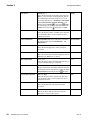
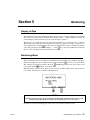
Alerts
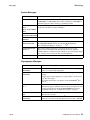
Message
Description
SPO2 PRB
OFF PAT
Sensor not on patient.
MONITOR
FAULTY
Remove the monitor from use and contact qualified service personnel.
Alerts
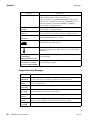
Alerts are generated for ETCO2, respiration rate, SpO2, and pulse rate. These alerts occur when the high
or low limits for a particular parameter are exceeded. There is also an alert when there is a loss of pulse
rate, or when there is a loss of respiration for a consecutive twenty seconds (other limit times may be
selected for the NO RESP TIMER, see “Configuration Menus” on page 16). Alert messages are
displayed in the message center or in the particular area of the display when they occur. For example, a
RESP=0 message will be displayed in the respiration section of the screen.
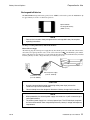
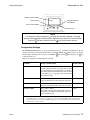
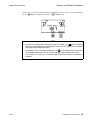
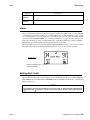
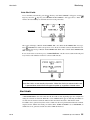
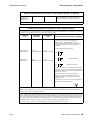
When any of the parameters are violated with alert limits ENABLED, two up ↑↑ or two down ↓↓ arrows
will replace the parameter, indicating whether the violation was above or below the alert limit.
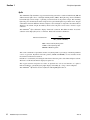
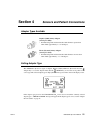
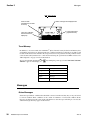
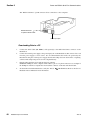
Data Screen
Indicates respiration rate
lower limit violation
Setting Alert Limits
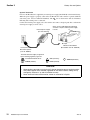
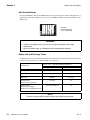
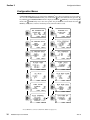
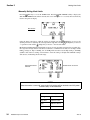
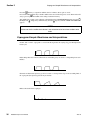
The alert limits for the monitor can be manually or automatically adjusted. To access AUTO ALERTS or
SET ALERTS, the alert limits must be ENABLED from the Configuration menu. See “Configuration
Menus” on page 16.
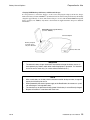
NOTE
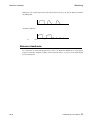
To configure the monitor with the default limit values, power up while pressing and holding the
Backlight and
Alert keys. This will cause all parameters to return to their default values.
Rev. B
TidalGuard Sp User’s Manual
33