1
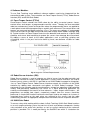
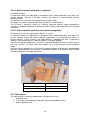
5.5.2.1 DEF
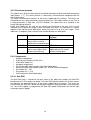
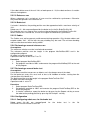
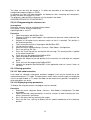
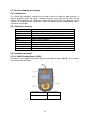
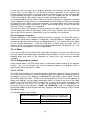
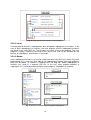
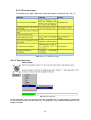
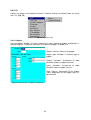
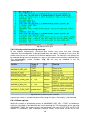
The object name without an extension is also the name of the file and is therefore prefixed by
“DEF” in the declaration (Fig. 13). The name may consist of up to 24 characters and must
not be a keyword. Every file begins with the declaration “DEF” and ends with “END”.
Fig. 13 “File Structure”
5.5.2.2 Declarations
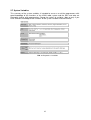
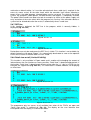
Declarations are already evaluated before program execution, i.e. during compilation. No
instructions may therefore be located in the declaration section. The first instruction is the
beginning of the instruction section.
5.5.2.3 Instructions
Unlike declarations, instructions are of a dynamic nature. They are executed when the
program is processed.
5.5.2.4 Data List
A robot program can consist of just a single program file or a program file with a related data
list. The data list and file are identified as belonging together by their common name. The
names differ in their extension only.
5.5.3 Creating and editing programs
5.5.3.1 Creating a new program
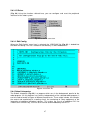
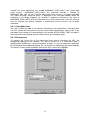
As a robot program can also be written without a data list, the file and data list are not both
automatically created at the same time at expert level. When creating a new program you are
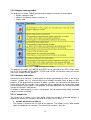
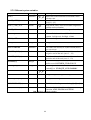
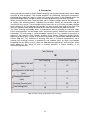
prompted to select a template (Tab. 5). The available templates cannot be freely created in
all directories. The individual templates are:
Module:
Expert:
Cell:
Function:
Submit:
Expert Submit:
An SRC file and a DAT file are created containing a skeleton program.
An SRC file and a DAT file are created containing merely the header
DEF and END.
Here, only an SRC file containing a skeleton program is created. This
program is used for controlling the robot via a central PLC.
Here, a function (SRC file) is created containing the header DEF and
END.
A SUB file with a skeleton program is created. The Submit file
contains instructions and can be used, for example, for cyclical
monitoring (grippers, etc.). The Submit file works parallel to the robot
and is processed by the controller interpreter.
As with the Submit template, a SUB file is created, this time containing
merely the header DEF and END.
Tab. 5 Templates for creating new programs
5.5.3.2 Editing, compiling and linking a program
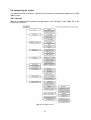
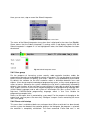
After you have created a file or data list by means of “New”, you can edit them using the
editor. The softkey “Edit” is used for this purpose. On closing the editor, the complete
program code is compiled, i.e. the textual KRL code is translated into a machine language
that can be understood by the controller.
33