1
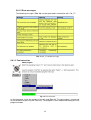
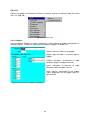
Cartesian velocity
Sets the Cartesian velocity at the center of the mounting flange to a user-defined maximum
value for the following operating modes:
• T2 and Automatic mode
• T1 mode
Reduced axis acceleration
Sets the axis acceleration of an axis to a user-defined maximum value for the following
operating modes:
• T2 and Automatic mode
• T1 mode
Reduced axis acceleration can only be active if reduced velocity is active.
Axis range monitoring
Contains the parameters and values of the workspaces so that these can be monitored
Monitoring of mastering
This parameter contains the Cartesian and axis-specific coordinates of the reference
position. The Cartesian coordinates refer to the centre point of the mounting flange.
Standstill monitoring
If the safe input E_HALT is set to LOW, standstill monitoring is active. The robot is in a safe
operational stop, but may move within the axis angle tolerance. The axis angle tolerance is
specified separately for each individual axis.
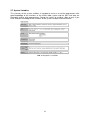
5.2.8.3.2 Setting safety parameters
Assumptions
User group is set to "Safety maintenance"
Operating mode is set to T1
Procedure
1.
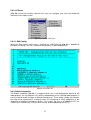
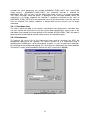
Select the menu sequence Setup > Service > Safe Robot > Configuration. The data
are loaded.
2.
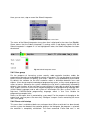
In the tree structure in the configuration program, open the desired safety parameter
and enter or select the values.
3.
Press the Enter key.
4.
For all further relevant parameters and sub-entries, repeat steps 2 and 3.
5.
Close the configuration program and save the changes.
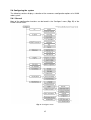
5.2.9 Programming
5.2.9.1 Break test
5.2.9.1.1 Overview of the brake test
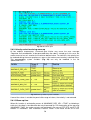
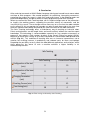
In the brake test, the robot controller checks the functionality and wear-out of the brakes. The
brakes of each configured axis are tested successively. The brake test starts with axis A1.
1.
The robot moves at a defined velocity.
2.
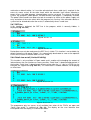
The brakes are applied after the acceleration phase and the results of the brake test
are displayed for each axis in the message window.
3.
If a brake is defective, the brake test can be repeated or the robot can be moved to
the parking position. If a brake has reached the wear limit, the robot controller
generates a message.
A brake test must be carried out in the following cases:
• After the robot controller has booted
• Cyclically during operation, every 46 h at the latest
• The brake test can be called in the following ways:
• As a subprogram after the parameterized brake test cycle time
20