1
InventoryControl Printable Help
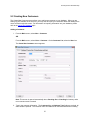
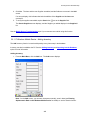
The Create New Customer screen will be opened if an unknown Customer is entered on the
Remove Inventory, Create New Pick Order or Check-Out Inventory screens.
When the Automatic New option is disabled:
A prompt will ask you if you want to continue to the appropriate Create New screen. Sometimes,
when data input has a high error rate, this is more desirable as it allows the user to verify the
number entered.
15.6.8 Automatic Notification of Low Order Items
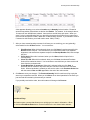
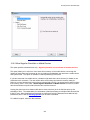
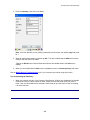
When this option is enabled, the software will notify you if the Item Stock Level List contains items that
have a Quantity value equal to or less than the Min. Stock Level value set for that item and location on
the Create New Item or screen/Location tab. This notification appears for the location level only. This
notification will appear immediately after logging in to the software.
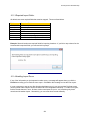
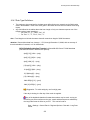
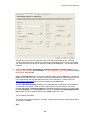
15.6.9 Decimal Places
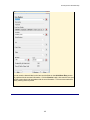
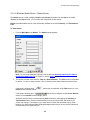
This option allows you to set the number of decimal places to display in numeric fields where this is
possible.
All values entered in numeric fields are stored to the number of Decimal Places allowed by this option at
the time you entered the value, but screens and reports will always display numeric values to the number
of Decimal Places currently allowed by this option.
If the number of decimal places currently allowed by this option is greater than the number of
decimal places allowed when a value was stored, the value will be displayed with trailing zeros.
For example, if a value of 25.5 was stored when Decimal Places was set to 1, it will be displayed
as 25.500 if Decimal Places is later set to 3.
If the number of decimal places currently allowed is less than the number of decimal places
allowed when a value was stored, the value, as displayed, will be rounded. For example, if a value
of 25.5 was stored when Decimal Places was set to 1, it will be displayed as 26 if Decimal places is
later set to 0. (Values rounded for display at the currently specified number of Decimal Places will
retain their original number of decimal places as stored in the database.)
Enter a value within the range 0 through 4.
15.6.10 Enforce Date Code as a True Date
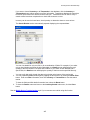
When this option is selected, any dates entered into InventoryControl must be in the format mm/dd/yyyy.
15.6.11 Item Cost When Add Inventory from Mobile Device:
Turn this option on to use the item's average cost when adding from a mobile device. Leave this option
off (default) to use the item's set cost when adding from a mobile device. Average Cost is the cost of an
item over time, including any discounts, price increases, etc. The Item Cost is the value you have
entered on the Create New/Edit Item screen > General Tab.
243