1
GRAPHICS TUTORIAL
I. INTRODUCTION:
This document will provide assistance in making professional graphics for your presentations,
reports, and web pages. Due to graphics degradation during conversion from Power Point
to HTML and PDF file formats, the images are BEST viewed/printed from PowerPoint.
II. AVAILABLE SOFTWARE FOR EDITING PICTURES:
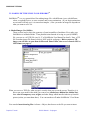
Microsoft Photo Editor is a basic picture editor (comes with MS Office) which can open, save, and
translate different file formats. It can also perform basic editing functions which allow you to
modify or enhance an image. To run Photo Editor, look in the Start Menu, or:
- Start > Find Files Or Folders > Photoed.exe
- Double click on the Photo Editor Icon
You will be shown how to use the basic tools in Photo Editor in section V. You will also be shown
how to use SolidWorks (section IV) to make image files of solid models. However, you must
first understand image file formats commonly used on the web and in presentations.
III. FILE FORMATS:
Depending on the type of picture, one can reduce the size (in bytes) of the picture file by using a
different type of compression (file size reducing technology). Sadly there is not one uniform
format that works well for all types of images. As larger files take longer to load, require more
disk space, and can take longer to print, it is in your best interest to use a file format which will
result in smaller file sizes for your images. The “goods and bads” of the two most common file
formats are discussed below.
A. GIF Files
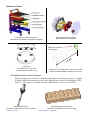
The GIF file format (picture.gif) allows only 256 colors per picture. This means that only 256
different colors are available to represent the picture. Though this may seem like a great many
colors, it is not. This type of format is excellent for line drawings, sketches, or pictures with
little shading and where few colors are required. They usually produce large files for
photographs which require many colors (I.e. photographs).
B. JPG Files
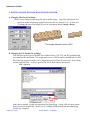
The JPG file format (picture.jpg) has built in compression which works well for photographs or
pictures with shading. For images with few colors (see GIF files above), the JPG file format is
not efficient and can lead to large file sizes.
Graphics Tutorial
© 2001 Martin L. Culpepper
2