1
Using the tvLINK
Before you can use your tvLINK® it must be activated
via the Sky Digital receiver. Using the Sky Digital
remote control at the main location, follow the
instructions below to Switch on RFout2 and enable
your tvLINK® .
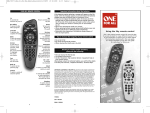
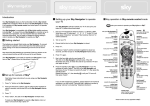
1. Press the SERVICES button once.
2. Press the NUMBER 4 button. (System Set-up)
3. Press the 0,then the 1 then the SELECT button.
(Installer menu)
4. Press the NUMBER 4 again. (RF Outlets)
5. Press the DOWN ARROW button once. (outlet
power supply)
6. Press the SIDE ARROW button once, turning
power on.
7. Press the DOWN ARROW button once again.
(save new settings)
8. Press SELECT to finish.
The LED on the tvLINK® should now be lit and the Sky
Digital Set-top Box should now be operational from the
second location.
Always press the Blue ‘SKY’ button before you try to
operate the Sky Digital Set-top Box from an other
location.
Note: To use you remote control to operate the second
television, e.g. the volume, please refer to the Remote
Control set-up instructions.
3
www.tvlink.co.uk
© globalinvacom Ltd. 2008. Not to be reproduced in full, or in part, without prior permission
© globalinvacom Ltd. 2008. Not to be reproduced in full, or in part, without prior permission
Enabling RF2