1
10
Chapter 1
Figure 1.6 A PivotChart linked to a PivotTable.
Spreadsheet Reports
Despite the powerful and dynamic features of PivotTables, sometimes you
want to generate a more traditional type of report. Spreadsheet reports
are designed to display data in a traditional columnar report format. This
report type is particularly suited to display non-aggregated data in multiple
columns. And, like most traditional columnar reports, you can apply sorts, filters, breaks, and totals. Unlike other traditional report development software,
however, Spreadsheet reports enable you to use all the powerful tools and
functions included with Excel. In addition, Spreadsheet reports
■■
Give you clear-cut functions for applying sorts, breaks, and totals
■■
Permit numerical fields to be aggregated many different ways
■■
Give you easy-to-use filters to control whether particular values are
displayed
■■
Include features for applying conditional formatting.
■■
Update report data automatically at predefined intervals or when the
report is opened
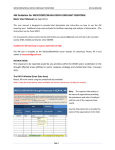
Figure 1.7 shows how a Spreadsheet report might extract and format data
from an external database system. Notice that this report contains the same
data as the PivotTable reports in the previous section of this chapter. It is, however, in a more traditional type of format. Don’t be fooled by the simplicity of