1
9
User Manual Express
Operating
3. Operating
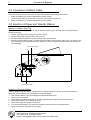
3.1 Control Panel
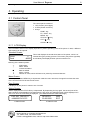
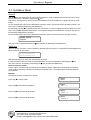
The control panel consists of
• LCD- Screen (2x16 digits)
• 2 LEDs (Power and Error)
• 6 keys:
PRINT- key
FF / SAVE - key
MENU- key
STATUS / - key
CUT / - key
CLEAR / l - key
3.1.1 LCD-Display
The information shown on the display depends on present operating mode of the printer. In total, 4 different
sub-screens can be opened.
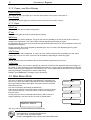
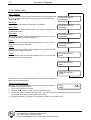
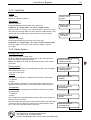
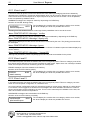
Standard Screen:
insert
Card
->
#0000
This mode displays the actual short-status of the printer, which is of
interest during the printing process. This screen (see picture opposite)
should always be displayed when printer is switched on.
Meaning of the status symbols:
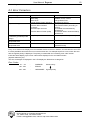
->
|
n
1
#
XON- status
XOFF- status
no data set edited
data set edited
Macro 1 active
Number of cards, which still have to be printed by the actual data set.
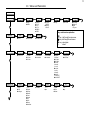
Menu-Screen:
Will be opened, when MENU-key is depressed. Inside the menu structure, the upper line shows the main
menu and the lower line shows the sub-menu.
Error-Screen:
Is displayed by the printer in case an error incurred.
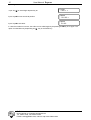
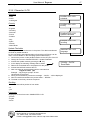
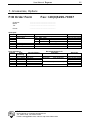
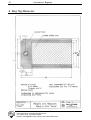
Status-Screen:
Will be displayed when STATUS-key is depressed. By depressing the key again, the second part of the
status-window will be displayed. By depressing the key anew, the standard-screen will be displayed or in
case of an error the error listing is displayed. . (see Software Manual: Status Message)
EXP 300 S02/V2.01
=00#0000*0131072
1. Status-Screen
DEVICE #
20-03-2002
1008
ECP
2. Status-Screen
F+D Feinwerk- und Drucktechnik GmbH
Kirchenstraße 38, D-69239 Neckarsteinach
Tel.: 06229 7000, Fax: 06229 70067
E-Mail: [email protected], Internet: http://www.fuddruck.de