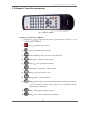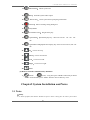
1
>>Stand-alone DVR User Manual
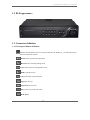
1.2 DVR appearance
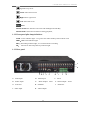
1.3 Connector definition
1.3.1 Front panel button definition:
Power: Turn ON/OFF system. If system takes the soft shutdown , you should press this
button to reboot the system.
Menu: Enter system menu and return.
Record: Enter recording setting menu.
Files: Enter video file management menu.
Mode: Split the screen
PTZ: Enter PTZ control interface
Page Up: Turn up.
Page Down: Turn down.
Info: Enter into system info menu
Back Space
3