1
Page 3 of 24
C. C. Clark, Inc.
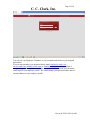
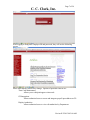
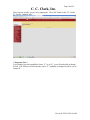
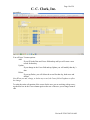
You will use your Employee Id number as your username and whatever your assigned
password is.
If you do not remember your password please email [email protected],
[email protected], [email protected], or [email protected] and we will get it
changed for you. If you need us to change your password, also include your personnel
email to put in your employee profile. We cannot change your password unless there is
an email address in your employee profile.
Revised1/2/2015 9:03:00 AM