1
Description of syntax:
CONNECT
9874
SERVER=value
PORT=value
APN=value
USR=value
PSW=value
ENCR=value
Enter the word “CONNECT” means starting command;
Enter your 4-digit access code to module parameter configuration (default is
1234);
Enter the word “SERVER=” + enter IP address of the IP receiver, from which
module operating parameters will be configured;
Enter the word “PORT=” + enter port of the receiver, from which module
operating parameters will be configured;
Enter the word “APN=” + enter the GPRS access point name of network where
SIM card is operating. If GSM service provider doesn’t require any value must
be entered, just leave ...spaceAPN=space... in SMS;
Enter the word USR= + enter the User name of GPRS access point name of
network where SIM card is operating. If GSM service provider doesn’t require
any value must be entered, just leave ...spaceUSR=space... in SMS;
Enter the word “PSW=” + enter the Password of GPRS access point name of
network where SIM card is operating. If GSM service provider doesn’t require
any value must be entered, just leave ...spacePSW=space... in SMS;
Enter the word “ENCR=” + enter the 6-digit messages decrypting key which is
set in IP receiver (default is 123456).
Order of actions after the message is sent:
1.
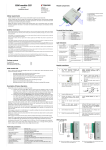
Open the window of software IPcom and select the object ID, which operating parameters of transmitting module
should be changed. To select, right click on the ID number.
2.
Open the configuration program G10config. Left click on the icon G10config has been appeared beside the selected
ID number.
3.
Click on the button Connect in the opened program G10config tool bar. GPRS connection status “Connected” must
be indicated in the program’s status bar. Click the button Read [F7] on, old configuration to be displayed.
4.
Further actions are identical as when the module is connected to a computer with a USB cable. Just set the
desirable values of module operating parameters in the opened program G10config windows.
5.
After entering desirable values click the button Write [F6] on, the values to be set in the module G10. Just close the
program G10config and GPRS communication session closes too.
Firmware version upgrading remotely
Connect the module G10 with the program G10config remotely (See previous chapter how to connect remotely).
1.
Open the program G10config (See previous chapter how to open the configuration program)
2.
Press the button Connect.
3.
To read the parameters set in the module press the button Read.
4.
Open the window Firmware and with clicking on the button Browse select the latest version of the firmware file.
Press the button Start.
5.
Wait until the firmware will be written into the module processor memory. This may take 1-3 minutes, after which
the module will reconnect to the program G10config.
6.
Set the module operating parameters in the same way as described while connected via USB port.
10