1
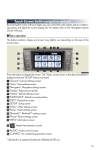
■ Screen scroll operation
When any point on the map is touched, that point
moves to the center of the screen.
1 Indicates the street name, city name, etc. for
the selected point
2 Displays various information for the selected
3
4
5
6
point (if available)
Indicates the distance from the current position to the pointer
Switches the screens
Zooms in on the map
Zooms out on the map
■ Setting a route
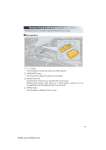
While route guidance is operating, you can change the route using the following method.
Touch
.
The following settings can be accessed
1
2
3
4
Detour setting
Route preferences
Route overview
Pause and resume route guidance
Some functions are unavailable while the vehicle is in motion. Refer to the “Navigation
System Owner's Manual”.
28