1
5.4.2.
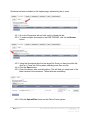
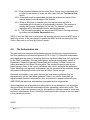
You will be asked to confirm the deletion before the contact is actually
deleted from the database. Select OK to continue.
6. Managing My Account
6.1.
Editing your Account
To edit your account details –
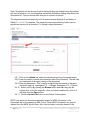
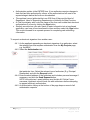
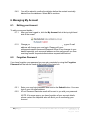
6.1.1. After you have logged in, click the My Account link at the top right hand
side of the screen
6.1.2.
6.2.
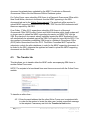
Change your details and click the Save button. Changing your E-mail
address will change your user login. Please notify your
colleagues/research personnel/Research Office of any changes to your
details especially your new email address as this may prevent you from
receiving transfer requests/authorisations requests/notifications.
Forgotten Password
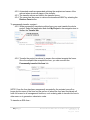
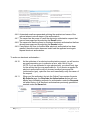
If you have forgotten your password you can get a reminder by using the Forgotten
Password link that can be found at the bottom of the login box.
6.2.1.
6.2.2.
Enter your user login/username and click on the Submit button. Your user
login is your full email address.
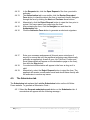
A Lost Password Reminder email will be sent to you with your password.
NOTE: If for some reason you have forgotten all your account details,
please contact the Helpdesk who will assist you in reactivating your
account.
28 | P a g e
Australia Online Forms for Research
Version 1.6
August 2014