1
10. Other Online Forms Functions
10.1. Icon Descriptions
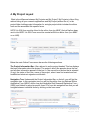
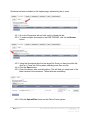
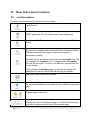
There are various icons used in the Online Forms system –
Navigate icon in My Project takes you back to the Navigate page of
a specific form.
Print Draft icon in My Project generates a pdf of the form with a
DRAFT watermark. Do not use this copy for your submission.
Export icon in My Project generates a copy of the form in XML file
format.
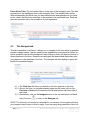
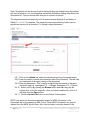
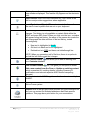
The Incomplete Page features can help you identify which pages in
the project are complete and which need further information and are
therefore incomplete. Each page of the form is marked as
Incomplete by default.
When the page is complete the user clicks the incomplete icon. The
icon changes to a Complete icon. To change back to incomplete
just click the icon again. The form is not affected if you choose not to
use this feature.
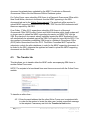
If we go back to the Navigate page you will see that a green tick
means that the user has confirmed that the page is complete.
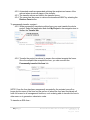
Save icon in My Project saves changes.
Undo icon in My Project undoes any typing changes that you make.
The system automatically saves when you go to the next or previous
page.
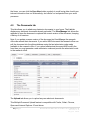
Next and Previous Page icon in My Project allows you to move
between pages of the form.
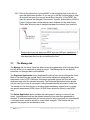
The Page Index allows you to click on a chosen page rather than
having to go back to the Navigate page or to click the Previous and
Next button numerous times to get to the required page.
30 | P a g e
Australia Online Forms for Research
Version 1.6
August 2014