1
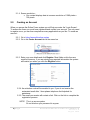
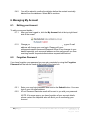
2.1.4. Screen resolution Our content displays best at a screen resolution of 1280 pixels x 768 pixels. 2.2. Creating an Account When you access the Online Forms system you will first encounter the 'Login Screen'. To access the forms you must have registered and verified your account. You only need to register once; you can then complete as many applications as you like. To create an account 2.2.1. Go to https://www.ethicsform.org/au 2.2.2. Go to the Create Account tab on the menu bar 2.2.3. Enter your user details and click Register. Most fields on this form are required; however, if you are missing any required information the system will remind you when you click the Register button. 2.2.4. An activation code will be emailed to you. If you do not receive the automated email after 1 hour please telephone the Helpdesk for assistance. 2.2.5. The email you receive will contain a link. Click on the link to complete the registration process. NOTE: This is a secure system. Do not disclose your password to anyone. 6|Page Australia Online Forms for Research Version 1.6 August 2014