1
2.3.
Logging In
To log into the Online Forms system –
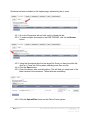
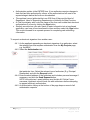
2.3.1. Enter your user login/username and password.
NOTE: Your user login and password are case sensitive - that means you
must use capitals on the same letters you did when you registered.
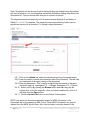
2.3.2. Once you have entered the details, click the Submit button and you will be
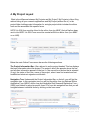
taken to the My Projects page. It is from this page you will be able to
navigate into the data you maintain for each individual project you have on
the system.
2.4.
Logging Out
To log out of the Online Forms system –
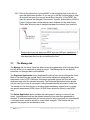
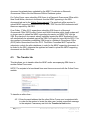
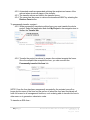
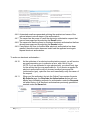
2.4.1. Click the Logout link on the top right of the page below your name and
user login.
In order to access your work again, you will need to login.
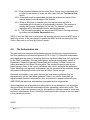
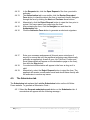
The site will also log you off automatically after a period of inactivity. It is
therefore important that you save any unsaved form changes by clicking
the Save Now link on the form page if you plan to leave your work inactive
for any period of time.
If you have not logged off the site you may have difficulty navigating away
from Online Forms. Please ensure you log out before leaving the site.
7|Page
Australia Online Forms for Research
Version 1.6
August 2014