1
3. Navigating around My Projects
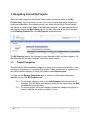
Once you have logged into the Online Forms system you will be taken to the My
Projects page. Any Project that you own (old or new, projects that are in-progress, or
have been submitted to the reviewing body), are stored on the Online Forms system
and can be re-visited at any stage of the application process. You can always return to
this page by clicking the My Projects link on the Main Menu bar at the top of the page
or the Existing Projects link in the My Projects dropdown menu.
The My Projects page is the first page you are directed to after you have logged in. On
this page you will also see a number of sections, these include -
3.1.
Project Categories
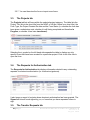
This section lists all the available categories in which you can store your projects – this
is similar to directories in a computer filing system. When your account is created, you
will notice a default category to store your projects called New Projects.
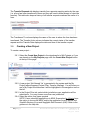
You can use the Manage Categories page to rename or add Project Categories
available to you in the My Projects page.
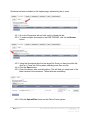
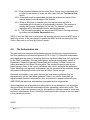
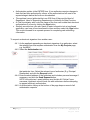
3.1.1. To add a new category, click on the Add Category link at the bottom of
the page. This will add a new category which you can name using the Edit
link attached to the new entry.
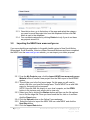
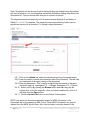
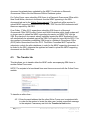
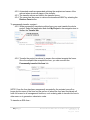
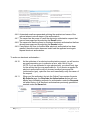
3.1.2. To move a project into a new category, expand the category the project is
stored in and tick the project you want to move.
8|Page
Australia Online Forms for Research
Version 1.6
August 2014