1
6
Chapter 2. Swap Space
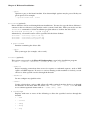
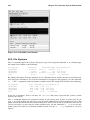
Warning
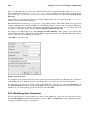
Changes take place immediately; be careful when you type.
•
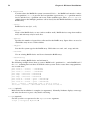
Exit parted by typing quit.
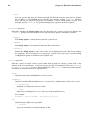
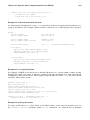
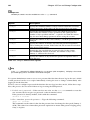
3. Now that you have created the swap partition, use the command mkswap to setup the swap
partition. At a shell prompt as root, type the following:
mkswap /dev/hdb2
4. To enable the swap partition immediately, type the following command:
swapon /dev/hdb2
5. To enable it at boot time, edit /etc/fstab to include:
/dev/hdb2
swap
swap
defaults
0 0
The next time the system boots, it enables the new swap partition.
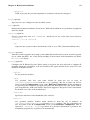
6. After adding the new swap partition and enabling it, verify it is enabled by viewing the output
of the command cat /proc/swaps or free.
To add a swap file:
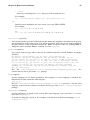
1. Determine the size of the new swap file in megabytes and multiple by 1024 to determine the
block size. For example, the block size of a 64 MB swap file is 65536.
2. At a shell prompt as root, type the following command with count being equal to the desired
block size:
dd if=/dev/zero of=/swapfile bs=1024 count=65536
3. Setup the swap file with the command:
mkswap /swapfile
4. To enable the swap file immediately but not automatically at boot time:
swapon /swapfile
5. To enable it at boot time, edit /etc/fstab to include:
/swapfile
swap
swap
defaults
0 0
The next time the system boots, it enables the new swap file.
6. After adding the new swap file and enabling it, verify it is enabled by viewing the output of the
command cat /proc/swaps or free.
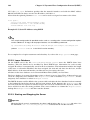
2.3. Removing Swap Space
To remove a swap partition:
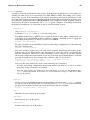
1. The hard drive can not be in use (partitions can not be mounted, and swap space can not be
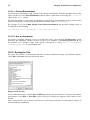
enabled). The easiest way to achieve this it to boot your system in rescue mode. Refer to Chapter
11 Basic System Recovery for instructions on booting into rescue mode. When prompted to
mount the file system, select Skip.
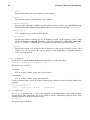
Alternately, if the drive does not contain any partitions in use, you can unmount them and turn
off all the swap space on the hard drive with the swapoff command.
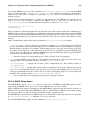
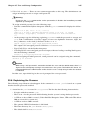
2. At a shell prompt as root, execute the following command to make sure the swap partition is
disabled (where /dev/hdb2 is the swap partition):
swapoff /dev/hdb2
3. Remove its entry from /etc/fstab.
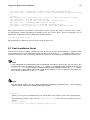
4. Remove the partition using parted: